

Pattern Lock Screen app analytics for December 4

Pattern Lock Screen
- Fun Creater
- Google Play Store
- Free
- Personalization
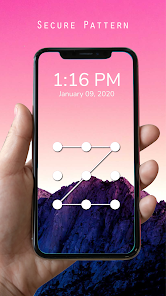
This pattern lock screen app is to protect your phone. Draw correct pattern to unlock phone. Pattern lock screen is high security application to lock your phone screen with pattern lock. Pattern lock have many kinds of Lockscreen Wallpaper. Pattern lock is more faster to unlock. Much safer for you to lock apps. Lock screen pattern wallpapers are full hd which gives you the smoothest and beautiful effect. Disable the default phone lock from security lock screen settings of your device.
Pattern Screen Lock is solely made for the people who love pattern wallpaper full hd. You can set any free lock screen pattern hd wallpaper on your lock screen background as per your desire and mood. Pattern Screen Lock provides best and pattern locker high definition image qualities.
You can enable lock screen and disable the pattern screen lock from settings. You first have to set a unique pattern password for your phone. You have to drag your finger along at least four dots and set the photo pattern lock screen and use it every time you wish to unlock your phone. Keep your data safe and out of reach of other people using free screen lock pattern. No abuse of personnel data is possible with this Pattern Lock Screen.
Features:
- Set lock pattern with multiple Beautiful wallpapers
- Set pattern lock custom background and lock screen wallpaper
- Security: easy to set pattern password to protect your phone
- Set high security pattern password to enhance pattern locker screen lock security, no one can use your phone without correct pattern lock screen password.
- Free lock screen pattern support almost phones and tablet devices
- Pattern Screen lock app consume less memory and battery
- Simple and clean pattern lock screen design
- Fast pattern lock screen & screen off
How to Use:
1. Open the pattern lock screen password app settings, and tick the Enable screen lock check box to enable it.
2. Create pattern lock and confirm this best lock screen application pattern password
3. Click the Disable System Lock if you use the system lock.
4. Click the lock screen wallpaper to switch to different beautiful HD wallpapers of pattern locker.
Do not forget to rate Pattern Lock Screen and give your feedback of your experience to use Pattern Screen Lock. Please email us if your device is not supported, we will try our best to support it.
Pattern Lock Screen Usage Rank
The usage rank is based on Similarweb's algorithm that calculates current installs and active users over a 28-day period.
All Categories in
United States--
Personalization in
United States--
Top Competitors & Alternative Apps
Apps with a high probability of being used by the same users, from the same store.

Good Lock: Premium Lock Screen

Applock - lock apps - pin lock
App Lock: Fingerprint, Pattern

Clock Phone 16, Alarm & Timer
 Pattern Lock Screen VS.
 December 4, 2025