




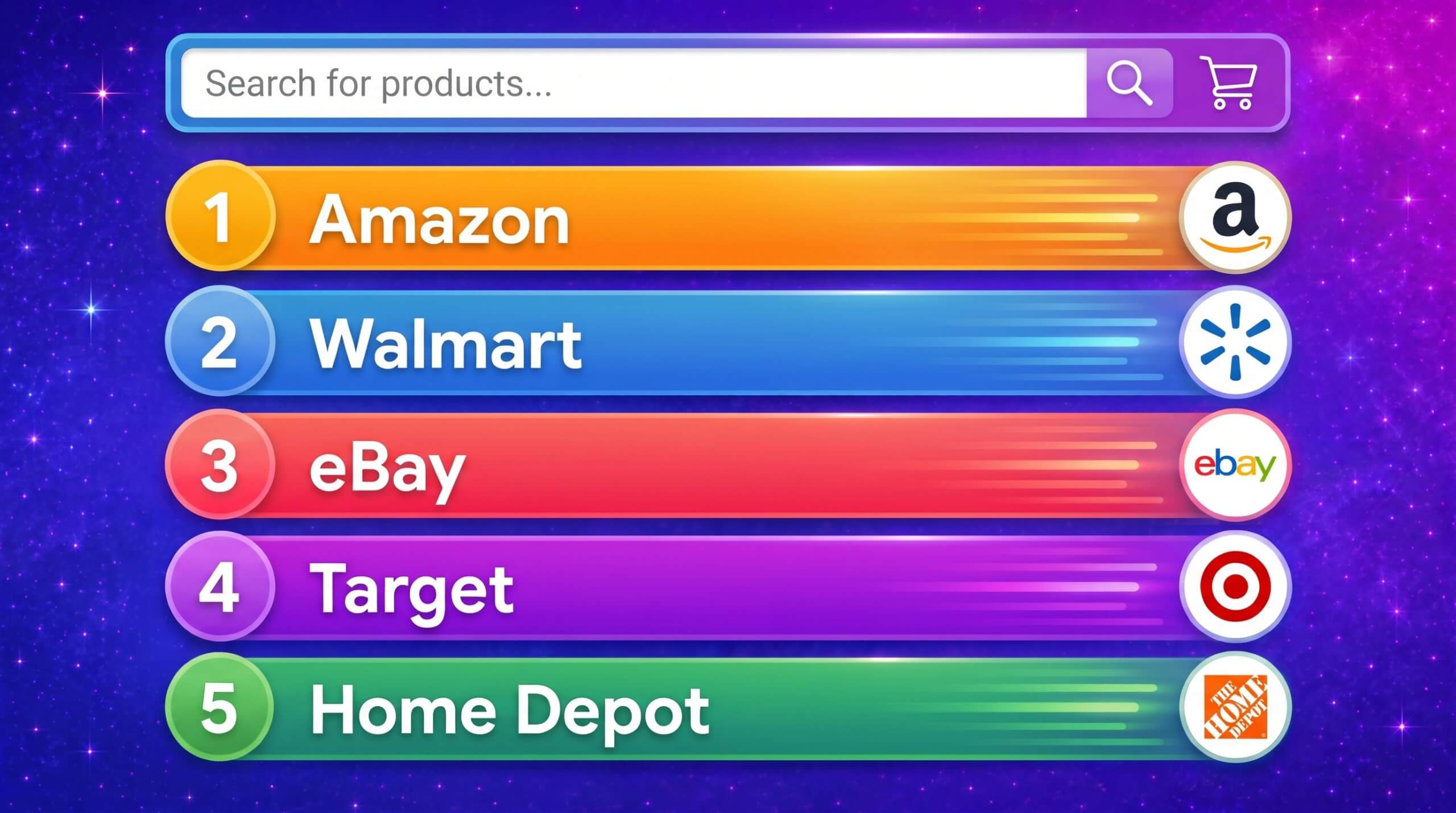

Top Ecommerce Companies in the USA: The 100 Brands Winning the Traffic Race in 2026
by Inbar Eytan6 Min.
Aug 30, 2026

Paid advertising can feel overwhelming. You’re putting money behind every campaign, so the pressure to get it right is real. Unlike other marketing strategies, you can’t afford to guess. Instead, you need a clear plan to make sure your investment pays off.
That’s where PPC reporting comes in. When you turn ad spending into clear, actionable insights, you can see exactly what’s working, what’s not, and how to improve.
A good PPC report also does more than just track numbers. It helps you tweak your strategy and turn your paid campaigns into a tool for growth and success.
Keep reading to learn how to create a fully optimized PPC report.
A PPC report shows how your pay-per-click campaigns are performing. Think of it as a snapshot of the key metrics you need to track your ad results.
It takes complex data and simplifies it into clear, easy-to-read numbers. This helps marketers, executives, and stakeholders see exactly how ad spend is paying off. PPC reports highlight what’s working, what isn’t, and where you can increase revenue so you can adjust your strategy and focus resources where they’ll make the biggest impact.
PPC reports also work as an audit. They show whether your campaigns are meeting their goals and which tactics are delivering the best results. Plus, they’re perfect for sharing insights. With clear charts and tables, these reports make it simple to explain performance in meetings with clients or your team.
In short, PPC reports give you the data you need to stay ahead. You can even enhance them with insights from SEO tools or keyword generators to align your campaigns with bigger marketing goals.
Creating a powerful PPC report is more than simply the sum of the numbers; it is a narrative piece that conveys the heart and soul of your campaign. Here’s a quick guide to getting your report formatted correctly so that it gives the strategic insights that are needed to make better decisions:
To create a PPC report that isn’t just about numbers, but reveals all the insights you need to know on your campaign, ere’s what you need to include:
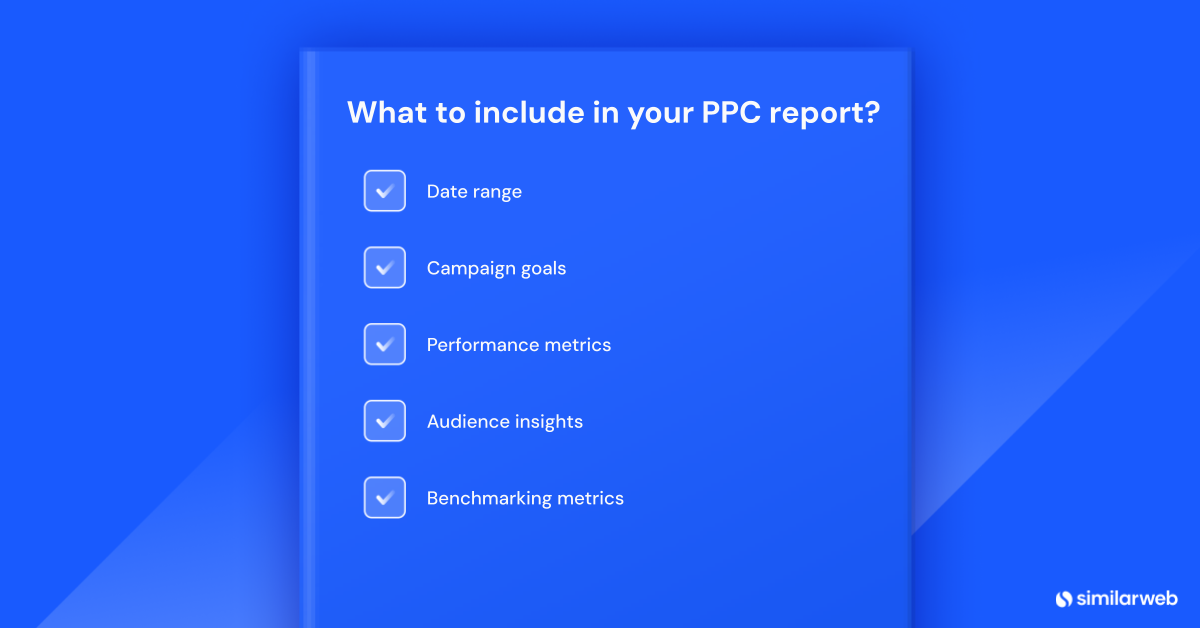
Choose a specific time period for your report—weekly, monthly, or quarterly. Using the same time period each time helps you spot patterns and track long-term performance.
This consistency makes it easier to understand trends and helps you avoid overreacting to sudden changes.
Make sure your campaign goals are clear. For instance, is it brand awareness, sales, or leads that you’re trying to achieve?
Defined goals set the standard for measuring success. SMART goals (specific, measurable, achievable, relevant, and time-bound) are especially helpful. Aligning your PPC strategy with your company’s bigger objectives ensures your efforts contribute to the business as a whole.
These are the key stats in your PPC report that show how your campaign is performing:
Understand how your audience is responding to your ads. This section can include:
Benchmarks help you compare and measure success:
Here’s how to create a PPC report that tracks your campaign’s performance and highlights what’s working and what isn’t.
Start by choosing the metrics that match your campaign goals. If you’re focused on lead generation, track things like cost per acquisition (CPA) and conversion rates. For e-commerce sales, focus on return on ad spend (ROAS) and total sales revenue.
The right metrics show you where to improve and what’s driving success. Not every metric works for every campaign, so be ready to adjust as needed.
Numbers are useful, but they’re even better when they tell a story. For example, if mobile conversions are increasing, it could mean your mobile strategy is working, but there’s still room to tweak and improve.
Your report should do more than list stats. Use the data to show progress, highlight challenges, and point to opportunities. When stakeholders can see the bigger picture, they’ll be able to make smarter decisions.
To understand if your PPC campaign is successful, compare it to industry standards. Tools like Similarweb’s search ad and landing page analyzer make it easy to see how you stack up.
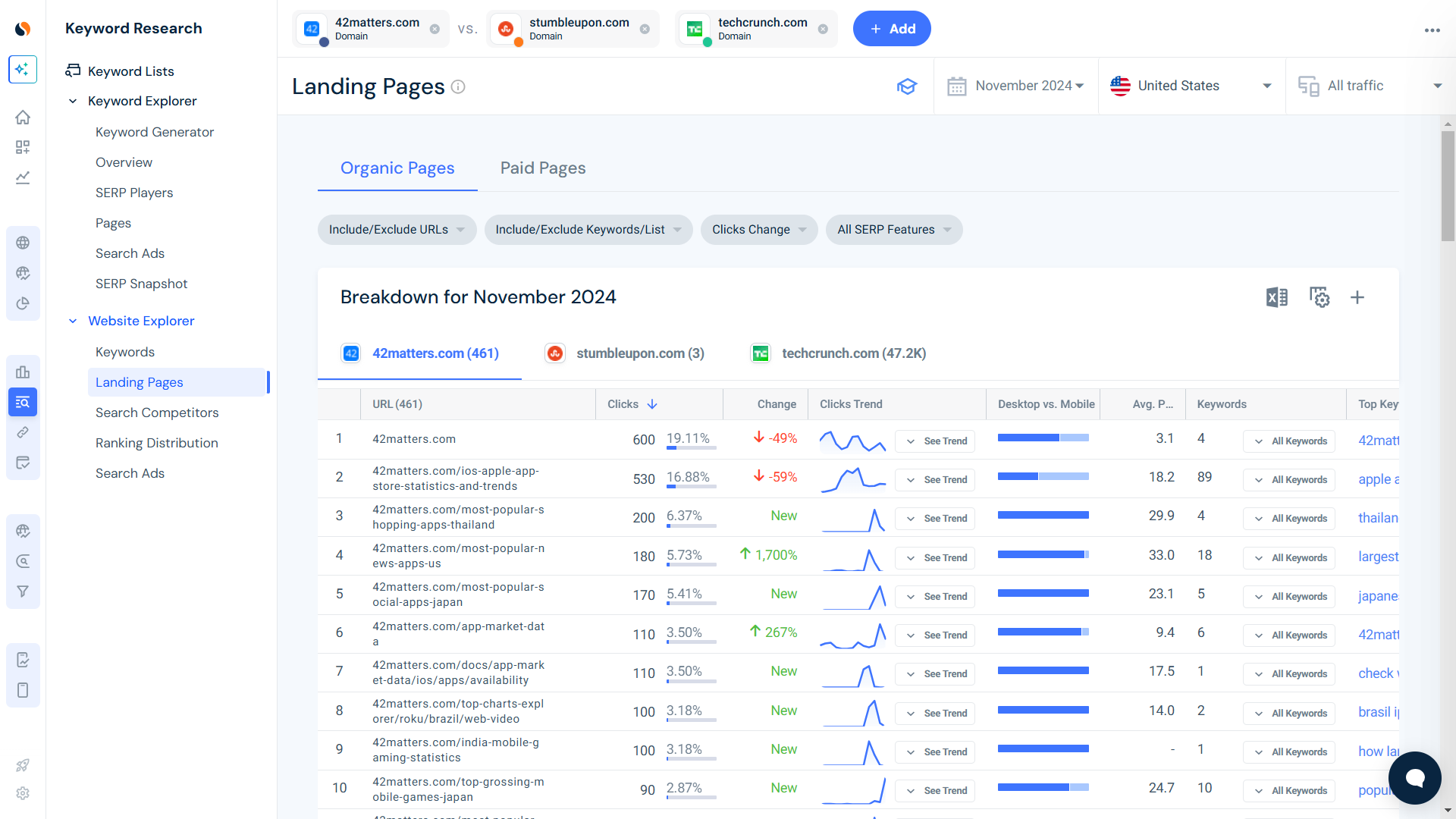
Benchmarks are great for helping you spot gaps in your performance and find areas to optimize.
Be honest about both wins and challenges. When stakeholders see the full picture, it builds trust and opens the door to helpful feedback. This transparency encourages collaboration and makes it easier to refine your strategy.
End your report with clear takeaways. Summarize what worked, what didn’t, and what should change in the next campaign. PPC tools like Similarweb’s keyword traffic analysis and dashboards can help you turn data into actionable insights.
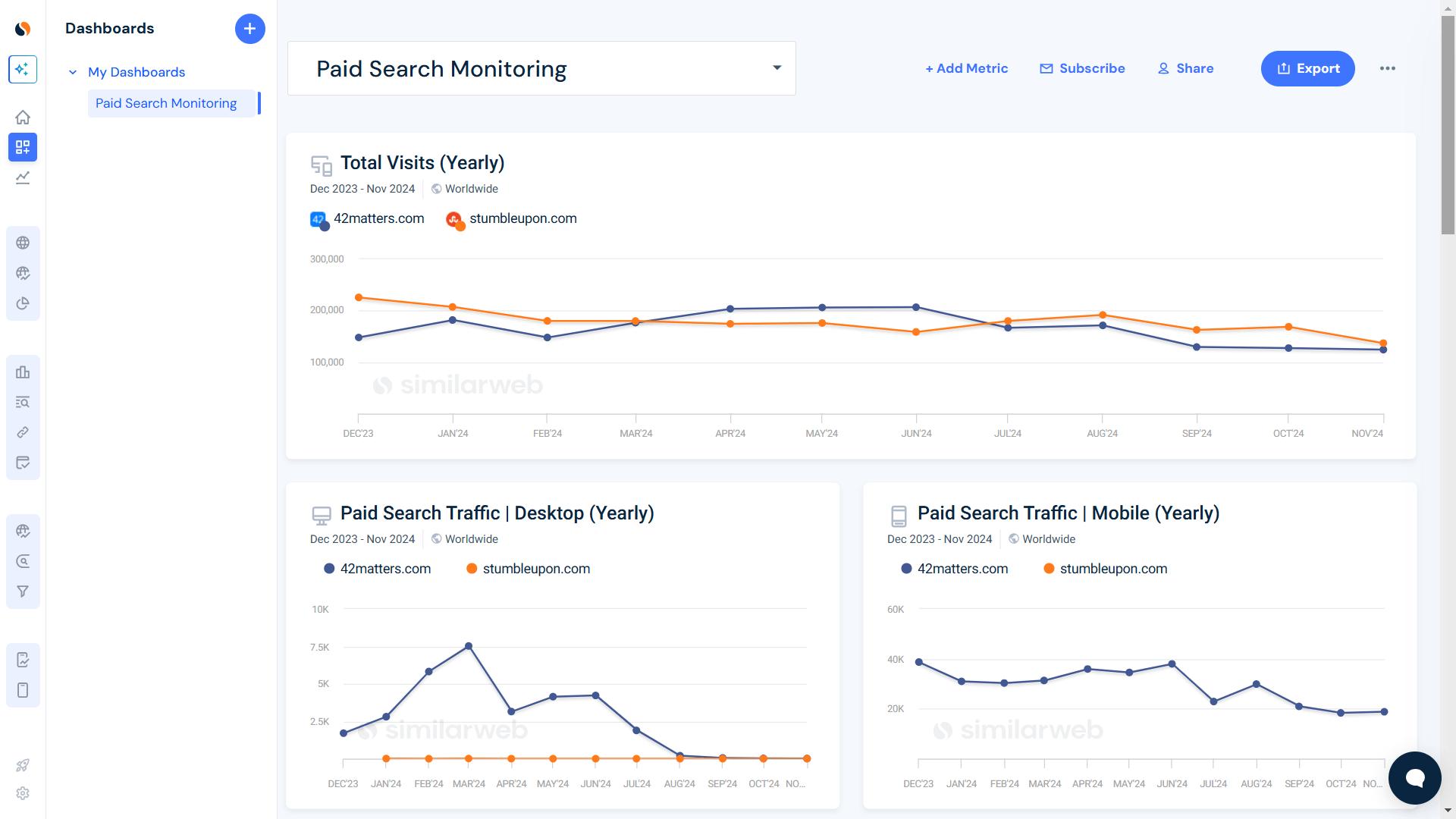
These findings create a cycle of learning, where each campaign helps you improve the next one. That’s how you build successful PPC strategies.
PPC reporting isn’t just about tracking stats. It’s about spotting opportunities, fixing weak points, and continuously improving your campaigns.
Tools from Similarweb make it easier to create reports that actually work for you. With clear, consistent insights, your advertising becomes more focused and delivers better results.
Why focus on relevant metrics in PPC reports?
Using metrics that match your campaign goals keeps your PPC reports clear and focused. It helps you prioritize the most important insights, making it easier to see what’s working and what needs improvement.
What makes data storytelling effective?
Data storytelling turns numbers into meaningful insights. It helps you explain patterns, challenges, and opportunities in a way that’s easy to understand. This makes it simpler for teams and stakeholders to make smart decisions.
How do reports benefit from industry benchmarks?
Benchmarks let you compare your performance to industry standards. They show you where you’re doing well and where you can improve. This helps you fine-tune your strategy and stay competitive.
Why is transparency key in PPC reports?
Transparency builds trust by showing both the wins and the challenges. It encourages honest conversations, invites feedback, and helps everyone work together toward better results.
What are some common challenges in PPC reporting?
PPC reporting can be tricky when there’s too much data, the wrong metrics, or when you need to explain complex information to people who aren’t familiar with it. By following the advice in this article and using Similarweb tools, you can simplify your data, focus on the right metrics, and tell clear, compelling stories.

by Ran Ardon
Results-driven online marketing professional with expertise in user acquisition, PPC, and performance marketing.
Top Ecommerce Companies in the USA: The 100 Brands Winning the Traffic Race in 2026

3 of the Sharpest Minds Weigh in on the State of Gen AI in 2026

Give it a try or talk to our marketing team — don’t worry, it’s free!
