





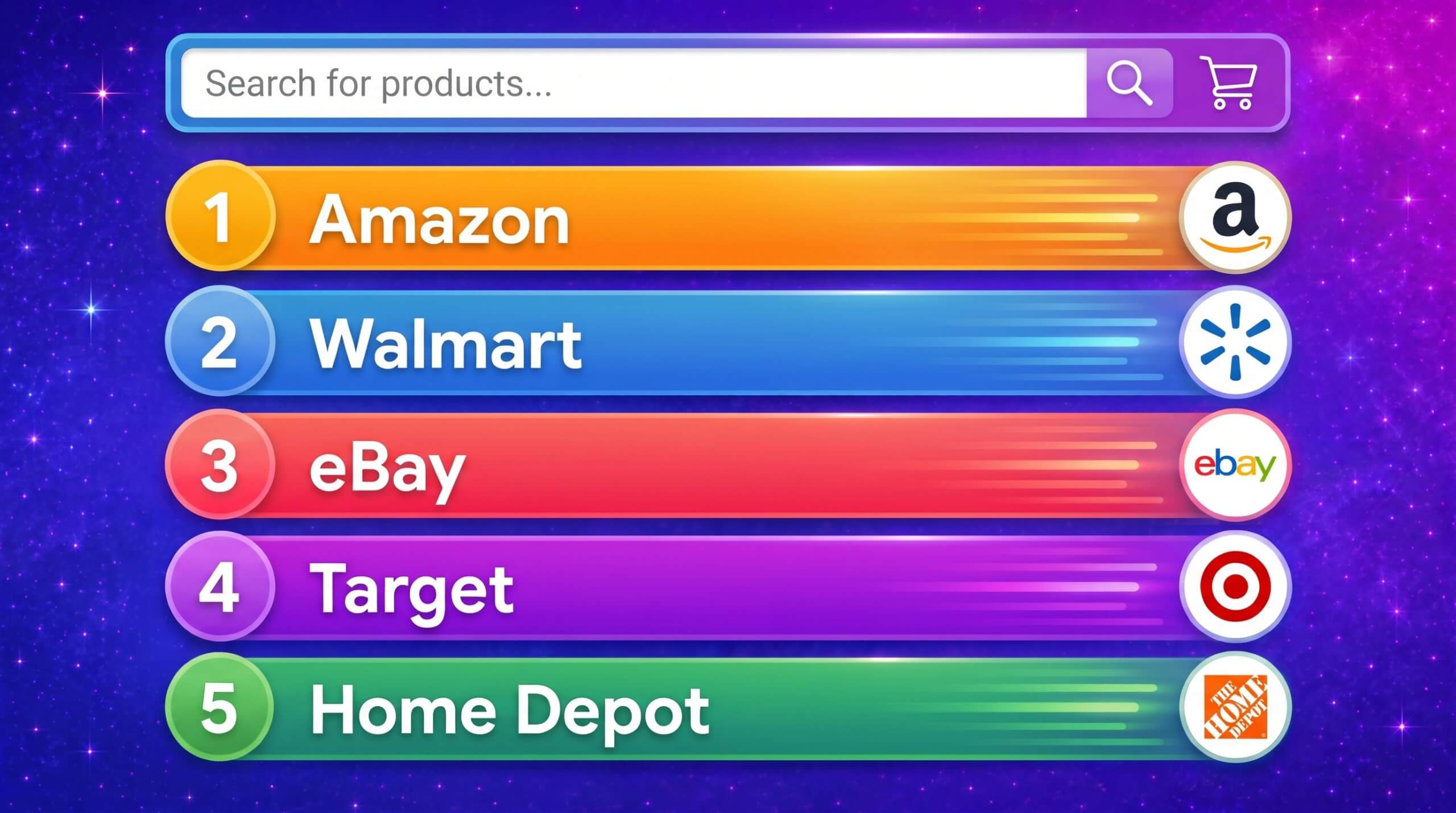
Top Ecommerce Companies in the USA: The 100 Brands Winning the Traffic Race in 2026
by Inbar Eytan6 Min.
Aug 30, 2026
Balancing strategic growth with client relationships isn’t easy. Account managers are expected to drive revenue, anticipate client needs, and maintain communication at the same time. The reality? There just aren’t enough hours in the day.
That’s where AI steps in. Specifically, ChatGPT.
ChatGPT can handle your repetitive tasks, organize your to-dos, and help improve communication. That frees you up to focus on what matters the most: keeping clients happy, spotting growth opportunities, and closing deals.
Instead of drowning in emails and admin work, you can devote your energy to delivering value where it counts.
Think of it as the perfect combination between automation and personalization. AI handles the legwork, while human insight adds the strategic touch. The result is a more productive and client-focused approach to account management.
Paired with the right AI for sales tools and sales intelligence platforms, ChatGPT helps surface relevant data, trends, and cues from client interactions. This gives account managers a clearer picture of where to focus their efforts.
Because great client relationships come from attention, trust, and time, and that’s exactly what ChatGPT helps you get back.
From handling routine tasks to helping strengthen client relationships, AI is changing how account managers get work done.
Here’s how ChatGPT helps you work smarter, not harder:
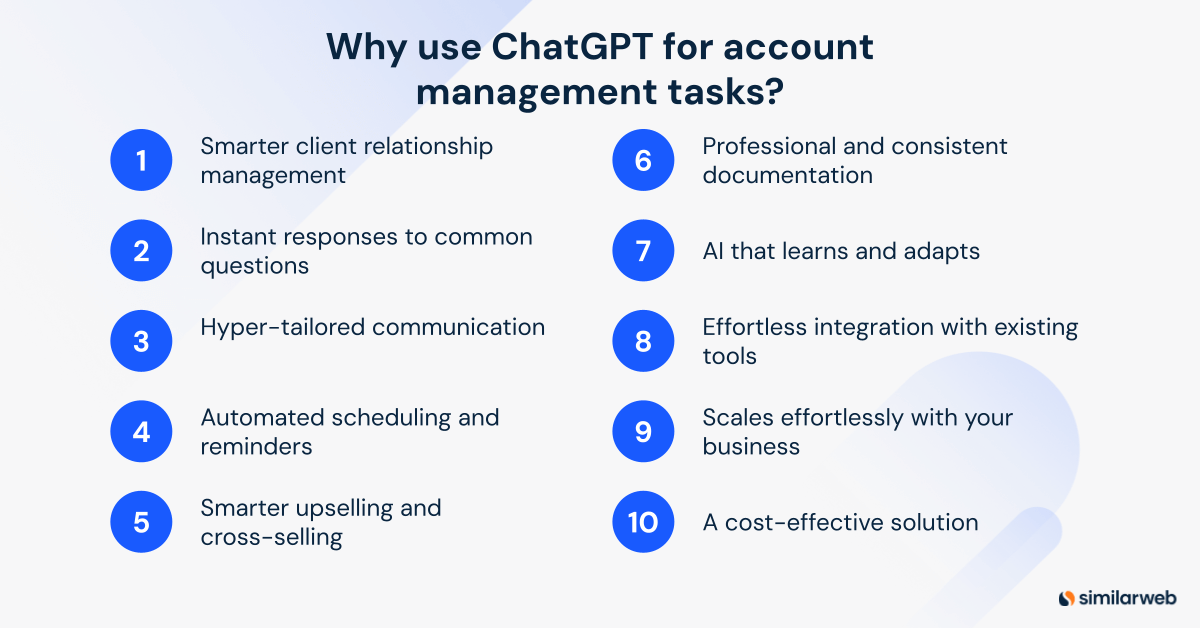
Knowing what a client needs isn’t always obvious. ChatGPT can scan conversations, flag shifts in sentiment, and highlight when a client might need extra attention. A quick check-in can turn a potential issue into an opportunity, and a happy client into a loyal one.
Clients expect fast answers, and ChatGPT can handle routine inquiries. From billing questions to onboarding details, account managers can free up time by letting ChatGPT take over FAQs.
No one likes generic messages. ChatGPT can tailor responses based on a client’s history, preferences, and behavior patterns. Whether it’s a check-in email or a product recommendation, tailored outreach builds stronger relationships.
Account managers have a lot to keep track of, from follow-ups to check-ins and renewals. Let ChatGPT help you set reminders and automate recurring tasks so nothing falls through the cracks.
What if you knew exactly what your clients needed before they did? ChatGPT can study past interactions and purchasing behavior to suggest relevant upgrades, services, or add-ons. Data-backed recommendations mean more revenue opportunities with less guesswork.
Account management involves a lot of writing reports, proposals, and client updates. ChatGPT drafts clear, structured documents in seconds while maintaining consistency and professionalism.
The more ChatGPT interacts with you and your client scenarios, the better it gets. It refines responses, adapts to your specific industry nuances, and provides a continuously improving experience for both clients and account managers.
Already using a CRM or project management system? ChatGPT can integrate into your existing workflow, keeping everything synced and up to date.
As your client base grows, so does the workload. ChatGPT can handle thousands of interactions without burning out, so your team’s efficiency can increase.
By automating repetitive tasks, ChatGPT allows account managers to focus on high-value interactions. The result is a more efficient team, reduced operational costs, and better resource allocation without sacrificing quality.
More than just a tool for automation, ChatGPT serves as a productivity accelerator, strategy helper, and communication assistant rolled into one.
But simply plugging it in isn’t enough. To get the most out of ChatGPT, account managers need to customize, integrate, and refine its use within daily workflows.
Here’s how to make it work for you, while maintaining the human touch that clients value:
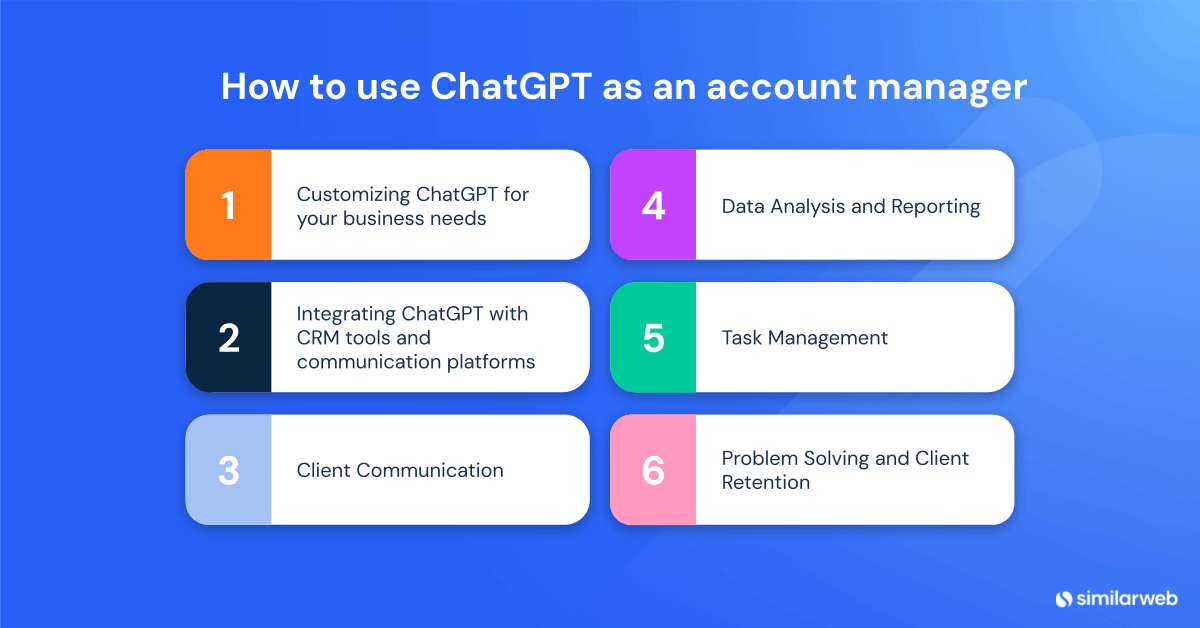
First things first, ChatGPT needs to be customized for your business. Without the right setup, it’s just another chatbot. With the right setup? It’s a powerful extension of your team that provides consistency, efficiency, and smarter client interactions.
Your brand’s voice should remain consistent across all client interactions, whether they’re emails, proposals, or simple follow-up messages.
By uploading brand guidelines into ChatGPT, you help it match your company’s tone. The AI will mirror your company’s personality, whether that means formal and professional or casual and conversational.
💡 Why it matters: Consistency builds trust. And trust is the foundation of every strong client relationship.
Personalization is everything. Clients expect tailored experiences, and generic responses won’t cut it.
By giving ChatGPT the right context, such as past interactions, preferences, meeting notes and business goals and challenges, you help it craft responses that feel bespoke and relevant.
Here’s an idea of what you need to include:
This results in smarter, more context-aware interactions that strengthen client loyalty.
Smooth integration with existing tools is what turns AI from “useful” to indispensable.
ChatGPT automates email drafting, follow-ups, and inbox management, cutting down the time spent on repetitive tasks.
Here’s what it can do:
💡 Why it matters: Less time in your inbox means more time with clients.
ChatGPT works with scheduling platforms like Google Calendar and Outlook to:
Management tasks ChatGPT can actively help with.
Writing emails from scratch? Time consuming.
ChatGPT remembers past conversations, tailors messaging to client preferences, and keeps a consistent tone. Need an email revised for a more formal tone? Want a quick follow-up note? Done in seconds.
It can also suggest subject lines that increase open rates and user participation.
Here’s what ChatGPT does:
The result: more compelling, data-backed proposals that increase client confidence.
Clients often ask the same questions. Instead of spending time typing the same responses, ChatGPT can auto-generate responses from your internal knowledge base, offer instant and accurate answers to common queries, and free up managers for higher-level client interactions.
The result: faster response times, happier clients, and fewer repetitive tasks for account managers.
ChatGPT helps identify trends in:
You get clear insights and smart suggestions for what to do next.
ChatGPT can take complex data and convert it into easy-to-read summaries, charts and infographics (when integrated with BI tools), and actionable recommendations.
Your clients get digestible insights without walls of text and endless spreadsheets.
Keeping projects on track requires tight coordination. You can use ChatGPT’s features for clear task delegation, deadline tracking, and status updates in real time.
No more missed milestones or last-minute fire drills.
AI-driven reminders mean no task slips through the cracks. ChatGPT can schedule automated follow-ups, send deadline alerts, and even prompt account managers when important tasks need attention.
The outcome? Better accountability and fewer last-minute scrambles.
Every account manager faces client concerns. The faster they’re solved, the happier the client.
ChatGPT helps with problem-solving by analyzing past resolutions for similar issues, proposing solutions that are matched with company policies, and drafting diplomatic responses to maintain relationships
Swift, strategic responses mean higher client satisfaction and retention.
Client relationships are built on thoughtful, relevant engagement. ChatGPT helps by suggesting tailored messages based on previous interactions and identifying milestones (renewal dates, birthdays, business anniversaries). It can even do automated check-ins to keep clients involved.
Clients feel valued, heard, and connected. This leads to stronger long-term partnerships.
You’re already using ChatGPT to refine your account management strategy. But what if you could take it to the next level? That’s where the Similarweb Assistant Module (SAM) steps in.
Think of SAM as your AI-powered sales assistant, built to deliver statistical information and hyper-personalized outreach.
Powered by Similarweb’s digital and sales intelligence, SAM helps you craft messages that do more than just land in inboxes. That means better engagement, stronger conversion rates, and a competitive edge.
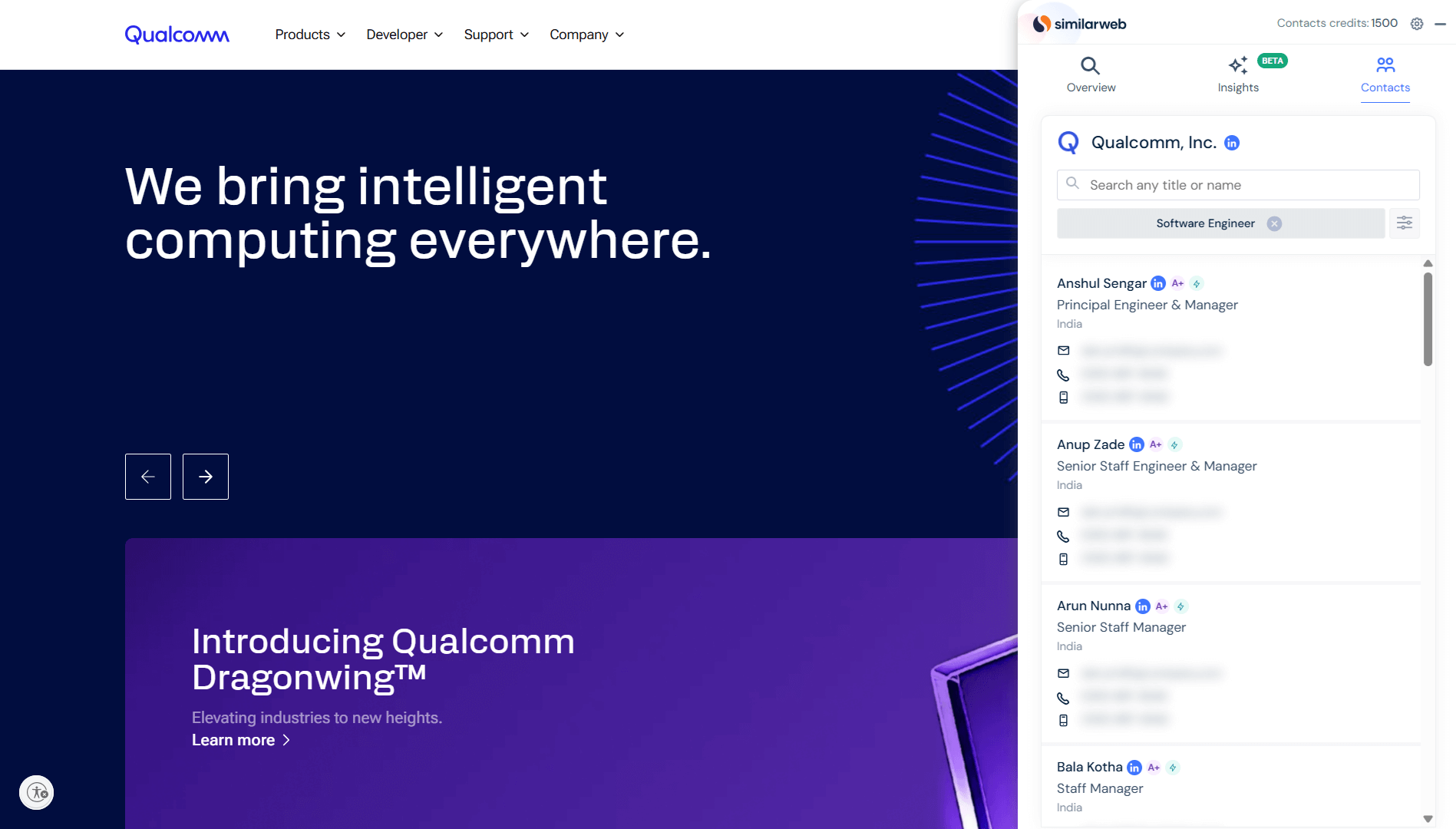
SAM’s real magic lies in its ability to conduct instant account research using your favorite tools. Whether you’re scanning LinkedIn, scheduling a call in Google Calendar, or checking company websites, SAM gives you key insights in real time.
No more last-minute scrambling before calls. No more guesswork. Just smarter conversations that build stronger client relationships.
And it doesn’t stop there. SAM tracks buyer intent and sales signals. It flags opportunities and risks before they slip through the cracks. Armed with this intelligence, you can make timely, strategic moves that drive revenue.
The best part? SAM works with Salesforce, Salesloft, Outreach, HubSpot, and Gmail, so it integrates right into your existing workflow.
Pair SAM with ChatGPT, and you’ve got a smarter, faster, more focused way to hit your goals.
How can I customize ChatGPT for my specific account management needs?
Start by setting clear communication guidelines that reflect your brand’s voice. Then, share key client info like past interactions, goals, and preferences. With that context, ChatGPT can deliver responses that align with your tone, support your strategy, and help strengthen relationships.
Can ChatGPT assist in improving email communication with clients?
Yes. Writing emails from scratch takes time. ChatGPT helps draft clear, on-brand messages that match your tone and stay focused on the client’s needs. That means more time for strategy and more meaningful client interactions.
What is the process of integrating ChatGPT with my scheduling system?
ChatGPT works with tools like Google Calendar and Outlook to automate planning and reminders. Once connected, it can schedule meetings, send follow-ups, and keep everything running on time with no extra effort required.

Ayelet Mechany, Sales Intelligence Product Marketing Manager by day, rock climber by weekend. Equally obsessed with helping sales teams reach their peak as I am conquering mountain summits.
Top Ecommerce Companies in the USA: The 100 Brands Winning the Traffic Race in 2026

3 of the Sharpest Minds Weigh in on the State of Gen AI in 2026

Try Similarweb Sales Intelligence today — free of charge
