


New in Shopper Intelligence: 5 Ways to See (and Win) More on Amazon

This quarter, we focused on customization and a deeper understanding of the consumer, two key steps toward delivering insights that fit your business.
From AI-powered keyword discovery to a new central workspace, every update in Similarweb Shopper Intelligence helps you connect the dots across the customer journey, from search to purchase.
Let’s dive into what’s new and how these updates help ecommerce and marketplace teams get more value from shopper insights. 👇
1. AI Amazon keyword agent: Find high-intent keywords faster
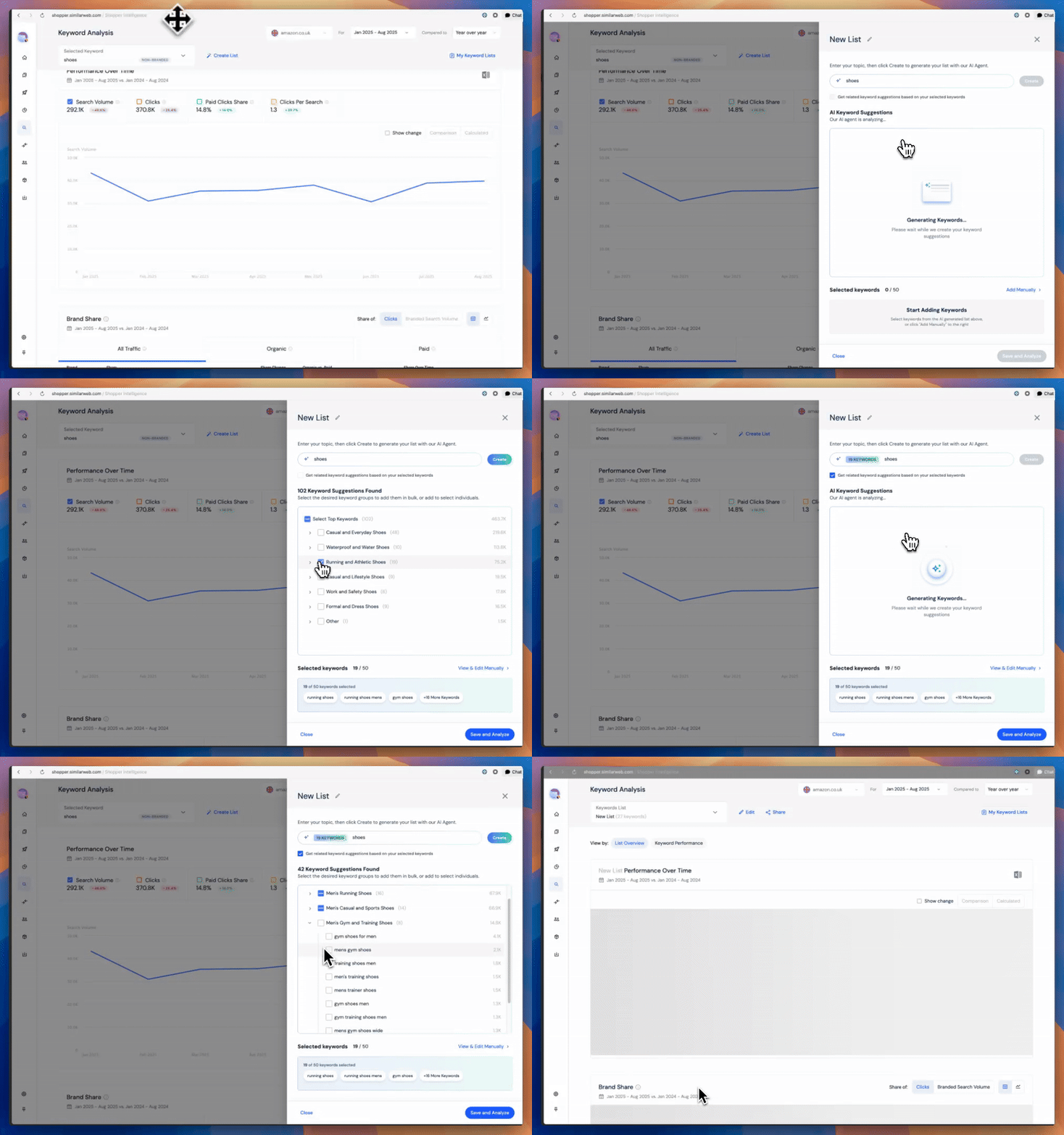
Meet your AI-powered assistant for more innovative keyword planning.
Our new AI Amazon Keyword Agent automatically surfaces the most impactful keywords from any seed term, helping you move from ideas to actionable lists in seconds.
Here’s what it can do for you:
🤖 Generate up to 50 high-intent keywords instantly: Just enter one seed term and let the agent handle the heavy lifting
📈 Build keyword clusters: Track trends weekly or monthly and refine campaigns in real time
💬 Go beyond search volume: Connect every keyword to real clicks and sales, not just impressions
Why it matters: Smarter keyword lists mean sharper campaigns and better ROI. The faster you discover what shoppers are actually searching for, the quicker you can appear where it counts.
👉 Build smarter keyword lists ➝
2. Audience Overlap: See your shoppers’ journeys in action
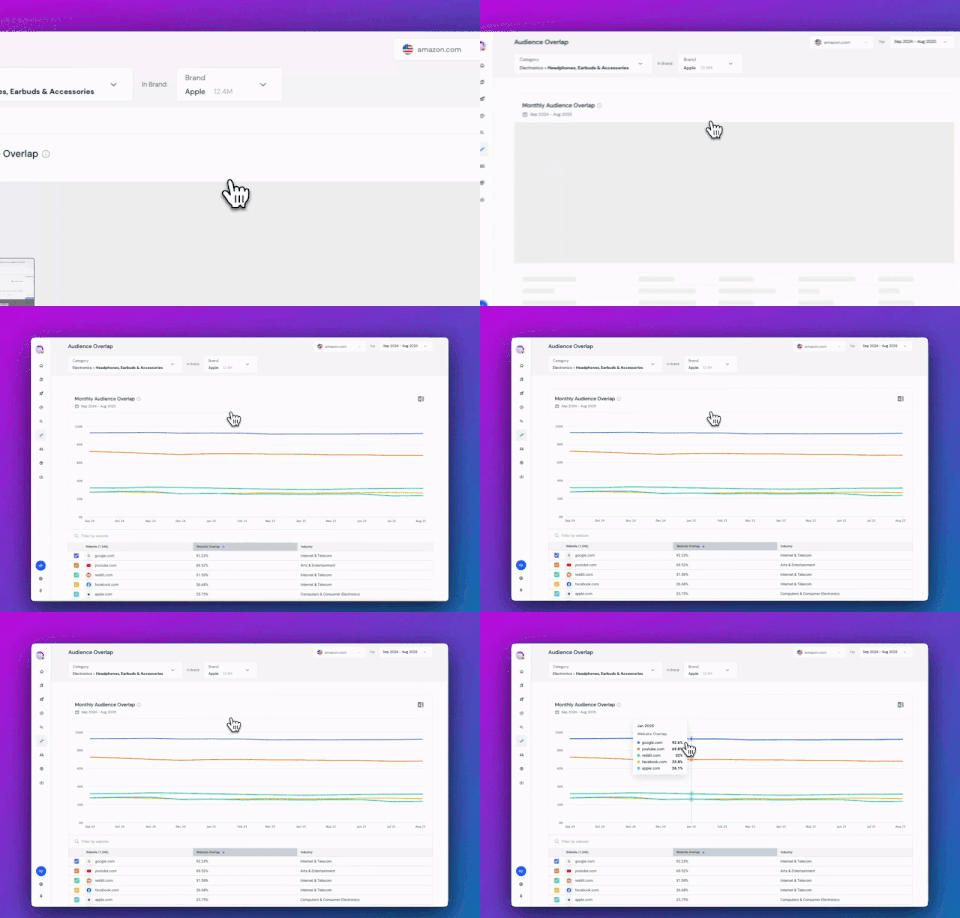
See where your customers are browsing, including the platforms, brands, or communities they visit on the same day as their purchase.
Audience Overlap now covers all industries, revealing where the same users spend time across websites, from Amazon to media outlets, GenAI platforms like ChatGPT, and more.
With Audience Overlap, you can:
🌍 Explore shopper behavior across categories: From media and community sites to retail and D2C
📊 Optimize marketing and retail media strategies: See which channels actually influence purchase intent
🤝 Spot new partnership opportunities: Identify the platforms your audience loves before competitors do
Why it matters: Your audience’s attention is split across platforms. Understanding that the full journey helps you reach, influence, and convert them smarter.
3. My Assets: Your new hub for everything that matters
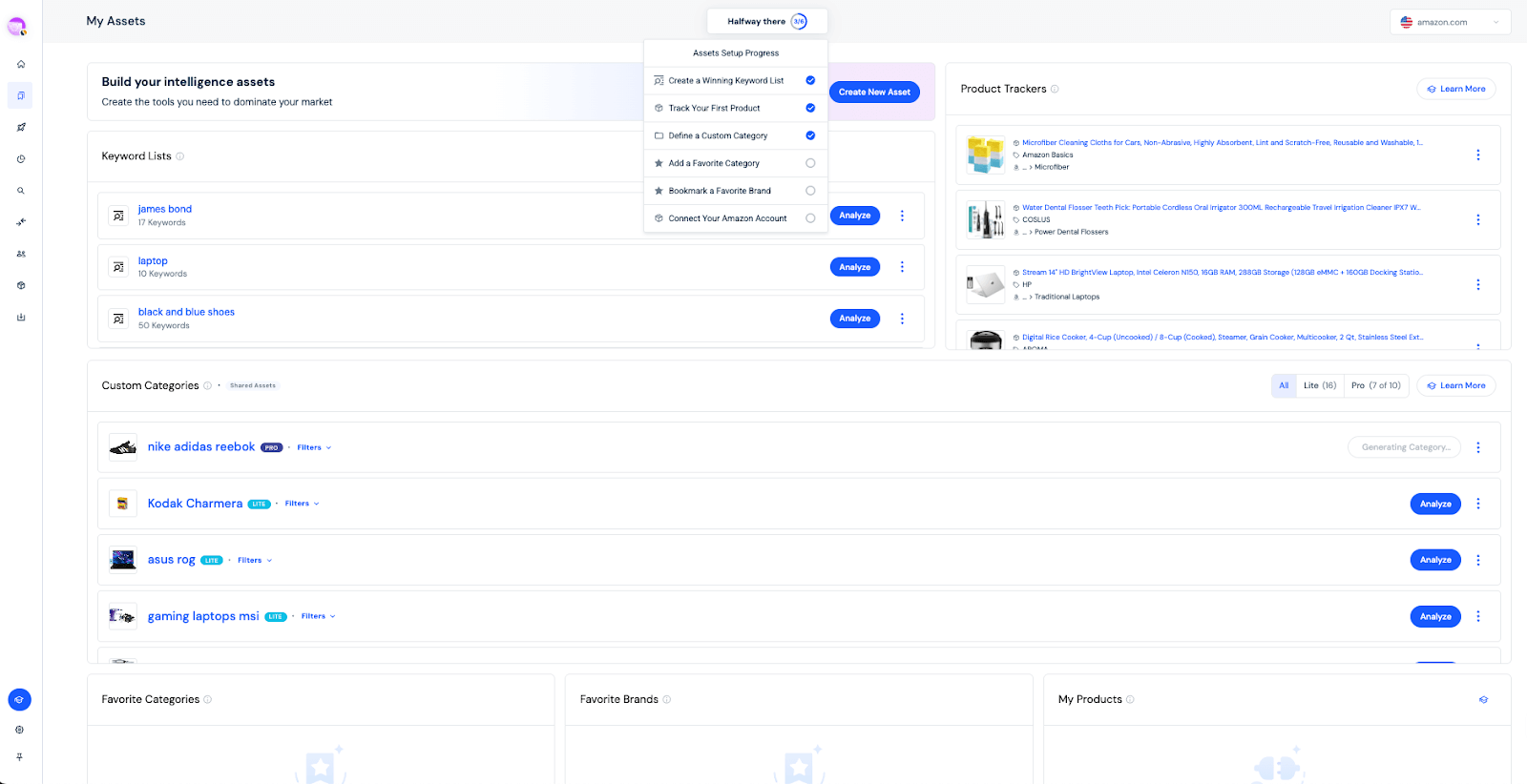
All your keywords, categories, and trackers in one place.
The new My Assets dashboard gives you a central command center for everything you create in Shopper Intelligence, including keyword lists, product trackers, favorite categories, and custom assets.
With My Assets, you can:
📋 Keep all your assets in one place: No more tab switching or hunting through menus
⚡ Get to insights faster: Guided workflows help you create and manage assets with ease
🤝 Collaborate and stay aligned: Your ecommerce teams can now monitor progress side by side
Why it matters: When all your data lives in one place, insights come together faster – and teams move as one.
👉 Explore your new dashboard ➝
4. Custom Categories: Now available for every report
Define your product categories your way, anywhere in the platform.
With Custom Categories, you can now analyze any list of products directly inside Category and Brand pages, for more advanced analysis capabilities.
Here’s what’s new:
🧩 Broader visibility: Use your custom groupings across Category and Brand views
🚀 Pro-level analysis: Select Custom Categories Pro to unlock full category coverage across modules
📊 Unlimited insight: Analyze any set of products without limits
Why it matters: Your data should match your business logic. With Custom Categories on all pages, you can structure insights exactly how your teams think and sell.
5. Brand Share of Search: See who’s winning Amazon clicks and how
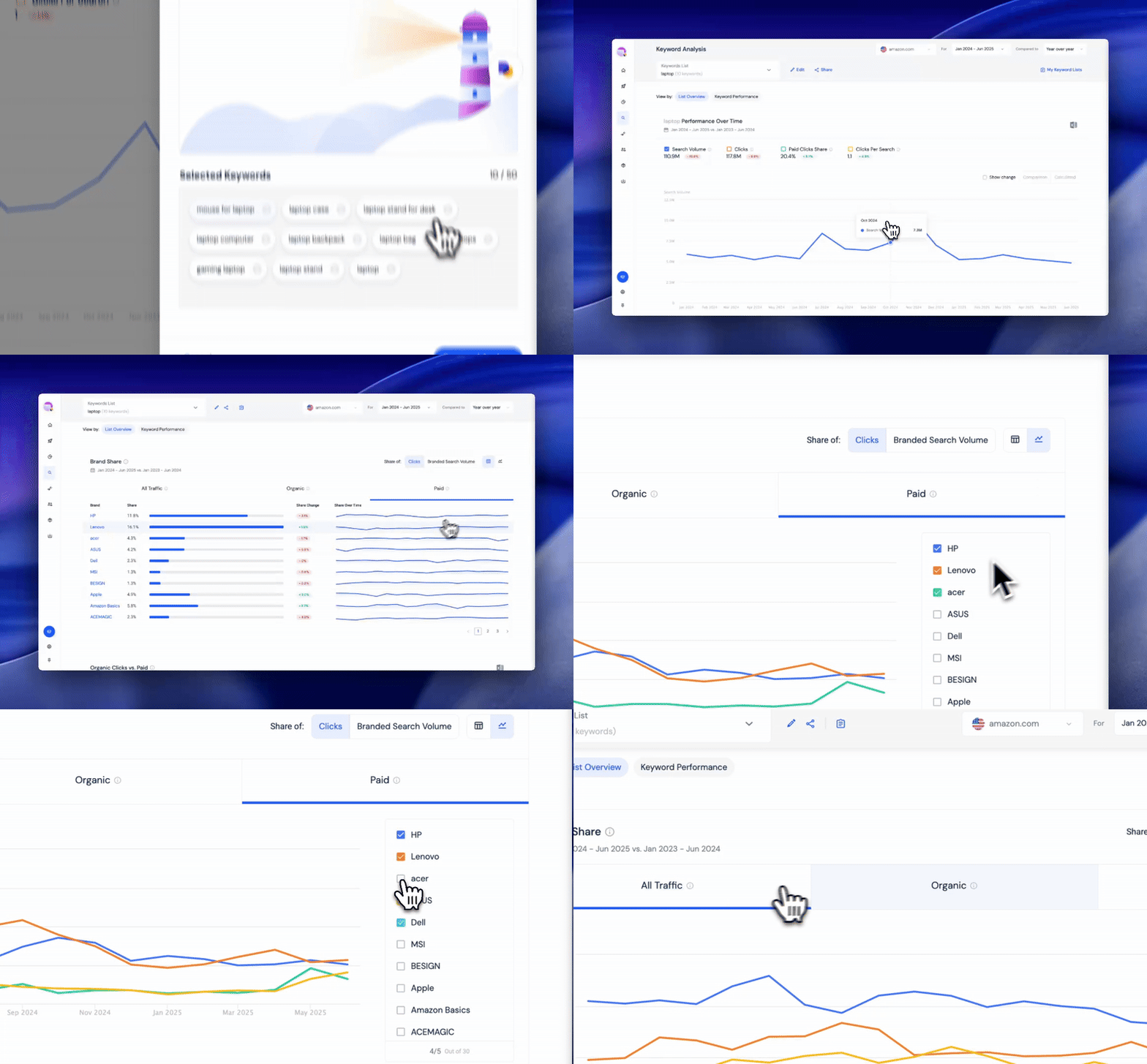
Use the Brand Share of Search widget to track how much demand brands capture from Amazon search results, so you can spot shifts early and outpace competitors
You can now:
🔍 Discover who’s winning clicks: Identify top brands for your priority keywords
💸 Compare organic vs. paid: Fine-tune your retail media spend for maximum efficiency
📈 Catch demand shifts early: React fast when brand performance changes
Why it matters: In Amazon search, small share gains mean big sales growth. This feature lets you act before the market shifts, not after.
👉 Start analyzing brand share ➝
What’s next
We’re not stopping there. Q4 introduces two exciting new screens – Brand Share Analysis and Cross Retail IQ, providing you with cross-market visibility and a deeper understanding of how every action impacts sales.
Whether you’re uncovering new keywords, mapping your audience’s journeys, or building smarter categories, each feature is designed to help you work faster, see more clearly, and grow smarter.
👉 Explore what’s new in Shopper ➝

Related Posts


New: Our Rank Tracker Reports Search Rankings for the Top 30 Positions
September Updates: Your Market Intelligence Advantage Has Arrived
Wondering what Similarweb can do for you?
Here are two ways you can get started with Similarweb today!