


 Marketing Intelligence
10 Best Competitor Analysis Tools for 2026 (Ranked & Reviewed)

[EDITORIAL DISCLOSURE]
While I serve as the SEO Director at Similarweb, this review is objective. I have ranked these tools based on “Data Provenance”. Specifically, their ability to provide unique, verified data assets that others cannot replicate. I have stress-tested every tool on this list using the methodology below.
In 2026, the definition of “competitive analysis” has undergone a seismic shift. In a world where consumers increasingly interact with large language models (LLMs), the traditional “10 blue links” represent a shrinking slice of the pie. In fact, recent data suggests that only about 8% of AI‑related queries result in a click to a website.
This metric is terrifying if you are still relying on 2020-era SEO tactics. Marketers can no longer rely solely on who ranks first for a keyword in Google, and must now monitor answer share in generative search, app store dynamics, and brand visibility across AI‑powered agents.
Traditional competitive-intelligence tools that focus solely on keyword difficulty or paid‑search bidding are insufficient for this new reality. They measure a game that is slowly coming to an end.
As a seasoned SEO and AI‑search strategist, I’ve spent the past year benchmarking the leading platforms. From enterprise‑grade market intelligence to nimble point solutions, I tested how each product performs against three strategic pillars.
How I tested (Methodology)
To ensure this ranking wasn’t just a feature list, I conducted a live “stress test” of every tool using a single, high-stakes industry vertical: Cryptocurrency Exchanges.
I analyzed the competitive landscape for Binance vs. Coinbase across all 10 platforms. Specifically, I looked for:
- Data Provenance: Could the tool differentiate between “bot traffic” and real user deposits? (Most clickstream tools failed here.)
- AI Utility: When I asked ChatGPT, “Which crypto exchange is safest?”, did the tool track whether a brand was cited in the answer?
- Speed to Insight: How many clicks did it take to find a competitor’s top-converting landing page?
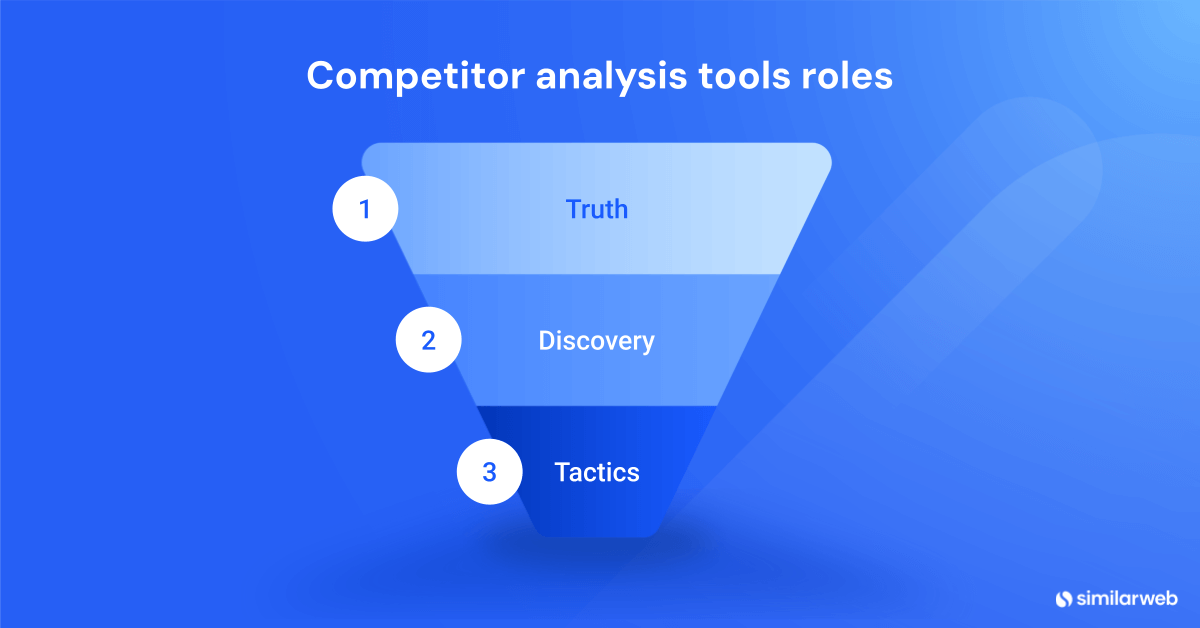
The result is a strategic stack that begins with truth and ends with execution. No single tool can cover every use case, so I group them by their role within your stack.
New criteria: how I ranked these tools
Data provenance: the “hidden” metric
Data provenance refers to the origin of competitive data. Most low-cost tools rely on “clickstream data” purchased from third-party browser extensions. While cheap, this data is often heavily biased and inaccurate for smaller or niche websites.
When deciding on a competitor analysis stack, understanding a tool’s data provenance is more important than the number of features it advertises. This is why tools with proprietary panels rank higher: they offer a statistical truth that scraped data cannot match.
Three pillars of ranking
- Data accuracy: Tools with proprietary panels or verified sources score higher. Accuracy is binary: if you can’t trust the traffic numbers, you can’t make budget decisions based on them.
- AI readiness: Because AI assistants and chatbots increasingly mediate consumer journeys, I evaluated whether each tool measures brand visibility and citation share.
- Actionability: Finally, I considered whether the tool surfaces actionable insights. Dashboards are pretty, but do they drive revenue? I looked for alerts, API integrations, and export capabilities that connect directly to Slack, Salesforce, or Snowflake.
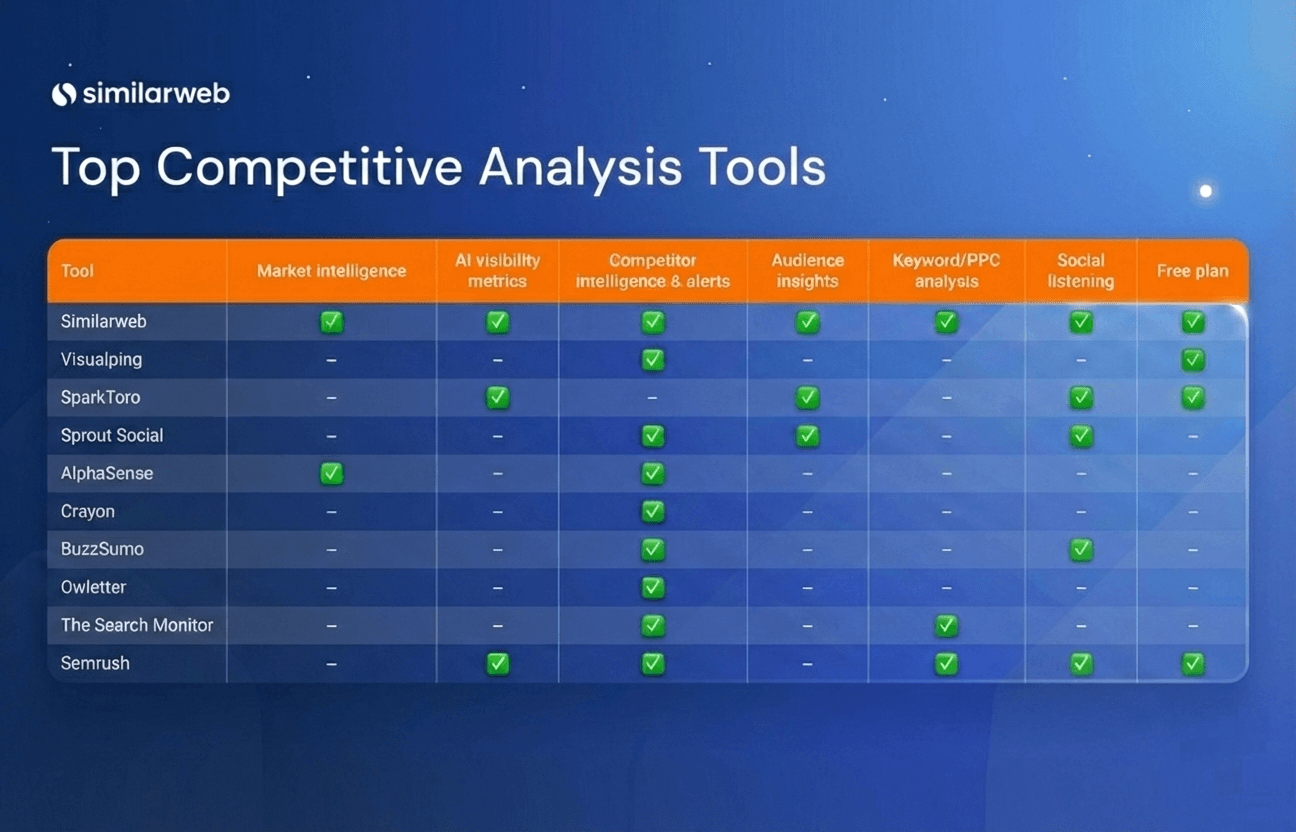
Comparison matrix of key features
Before diving into the individual reviews, this matrix contrasts each platform across the core capabilities that matter for competitor analysis in 2026.
(Note: Data derived from current tool capabilities as of 2026.)
| Tool | Market intelligence | AI visibility metrics | Competitor intelligence & alerts | Audience insights | Keyword/PPC analysis | Social listening | Free plan |
| Similarweb | ✔️ | ✔️ | ✔️ | ✔️ | ✔️ | – | ✔️ |
| Visualping | – | – | ✔️ | – | – | – | ✔️ |
| SparkToro | – | ✔️ | – | ✔️ | – | – | ✔️ |
| Sprout Social | – | – | ✔️ | ✔️ | – | ✔️ | – |
| AlphaSense | ✔️ | – | ✔️ | – | – | – | – |
| Crayon | – | – | ✔️ | – | – | – | – |
| BuzzSumo | – | – | ✔️ | – | – | ✔️ | – |
| Owletter | – | – | ✔️ | – | – | – | – |
| The Search Monitor | – | – | ✔️ | – | ✔️ | – | – |
| Semrush | – | ✔️ | ✔️ | – | ✔️ | – | ✔️ |
1. Similarweb
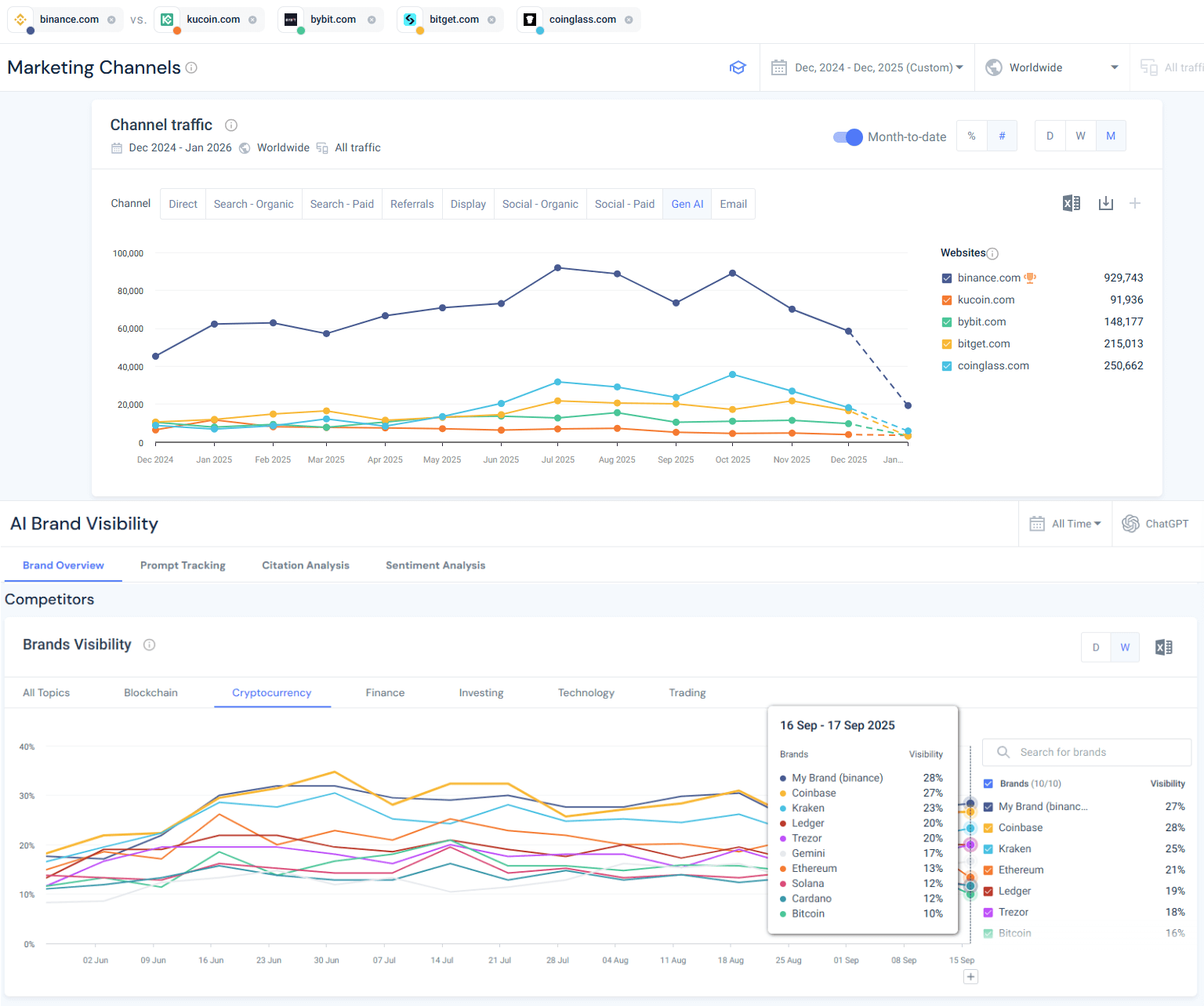
A digital‑intelligence platform that provides accurate traffic, visibility, and audience data across web, app, and generative‑AI engines. It draws on a real‑user panel to show your share of voice, traffic sources, and brand visibility in AI engines.
Who is Similarweb best for?
This platform is designed for CMOs, department directors, SEO teams, and growth strategists who need a panoramic view of market share and audience behavior across web and app ecosystems. It is the tool of choice for organizations that cannot afford to guess at their market position.
AI analysis readiness
Similarweb has aggressively expanded into AI‑search intelligence, recognizing that “search” is no longer just Google. It now tracks brand visibility across generative AI platforms, measuring metrics such as brand mention share, topic coverage, citation share, and sentiment distribution.
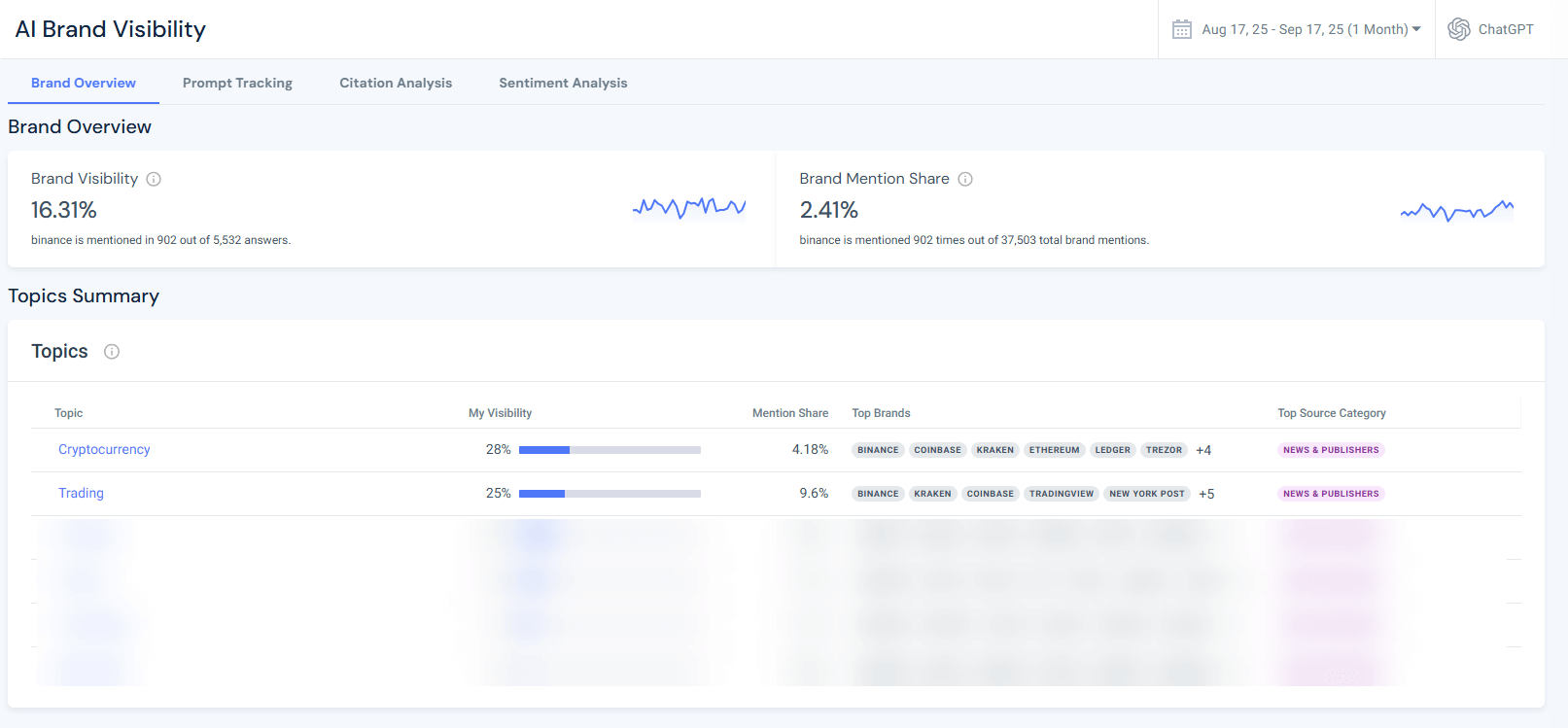
In my recent campaign analysis for Binance, Similarweb reported a brand visibility score of 16.31% and showed that Binance is frequently mentioned in topics like “Trading” and “Cryptocurrency.”
Crucially, it highlighted gaps where competitors were winning citations in prompts related to “crypto security”. This is a direct insight I couldn’t find in traditional keyword tools.
Key features
- Gen AI intelligence: Tracks a wide range of AI visibility metrics, including your brand’s visibility score, brand mention share, topical and prompt coverage, domain influence, citation share, and sentiment distribution. It answers the question: “When a user asks ChatGPT about my industry, do I exist?”
- Brand visibility dashboard: It visually summarizes your brand’s mention share and the top topics in generative models.
- Web intelligence: Delivers accurate data on total market size, traffic sources, and audience engagement. The secret sauce is Similarweb’s real‑user panel: because data comes from actual panelists rather than scraped clickstream, you get reliable insights into visits, session length, demographics, and loyalty across devices.
- App & retail intelligence: Monitors downloads, retention, and engagement of competitor apps. For ecommerce brands, the Retail Intelligence module surfaces SKU‑level sales and pricing data, enabling you to spot competitors’ best-selling products before they appear in earnings reports.
Pros & cons
Pros:
- Source of truth (data provenance): Because data comes from a real‑user panel rather than click estimations, traffic numbers and audience insights are widely considered the industry’s most accurate. You are basing decisions on human behavior, not bot proxies.
- Holistic view: Provides a 360-degree view across web, app, and retail channels. This enables cross‑functional teams (SEO, PPC, Product) to base decisions on the same data set.
Cons:
- Confusing product lineup: TrustRadius reviewers say it can be hard to distinguish between similar tools or modules within the platform, making initial adoption more time‑consuming.
- Complexity: For sole proprietors or freelancers, the sheer volume of data and modules can be a bit overwhelming. There is a learning curve to mastering the full suite.
Pricing
The Competitive Intelligence package costs about $125 per month, and the AI Search Intelligence package goes for $99 per month. Free trial is available, plus a complete set of free tools to check website traffic, App usage, website rankings, and more.
My POV
Similarweb is the only tool that provides “Total Market Visibility” across Web, App, and AI Search. If you need the truth about your market share across these channels, you start here. Many tools claim to show “traffic,” but they often just multiply keyword volume by click-through rates (a method prone to large errors). Similarweb measures actual user visits.
Over the past year, I’ve used it to quantify Binance’s AI search visibility and to compare app engagement against Coinbase and Kraken.
I particularly appreciate the AI visibility tools, the ability to build custom dashboards, and the ability to drill into demographic segments, which many other tools gloss over. If your job depends on reporting accurate market share to the board, this is the only safe bet.
Pro Tip: Use the Zero-Click analysis in the Keyword Generator. It shows how many searches for your competitor’s brand name result in no clicks (meaning the user got their answer directly from the SERP or the AI Overview). This is a great proxy for measuring “brand strength” vs. “traffic necessity.”
2. Visualping
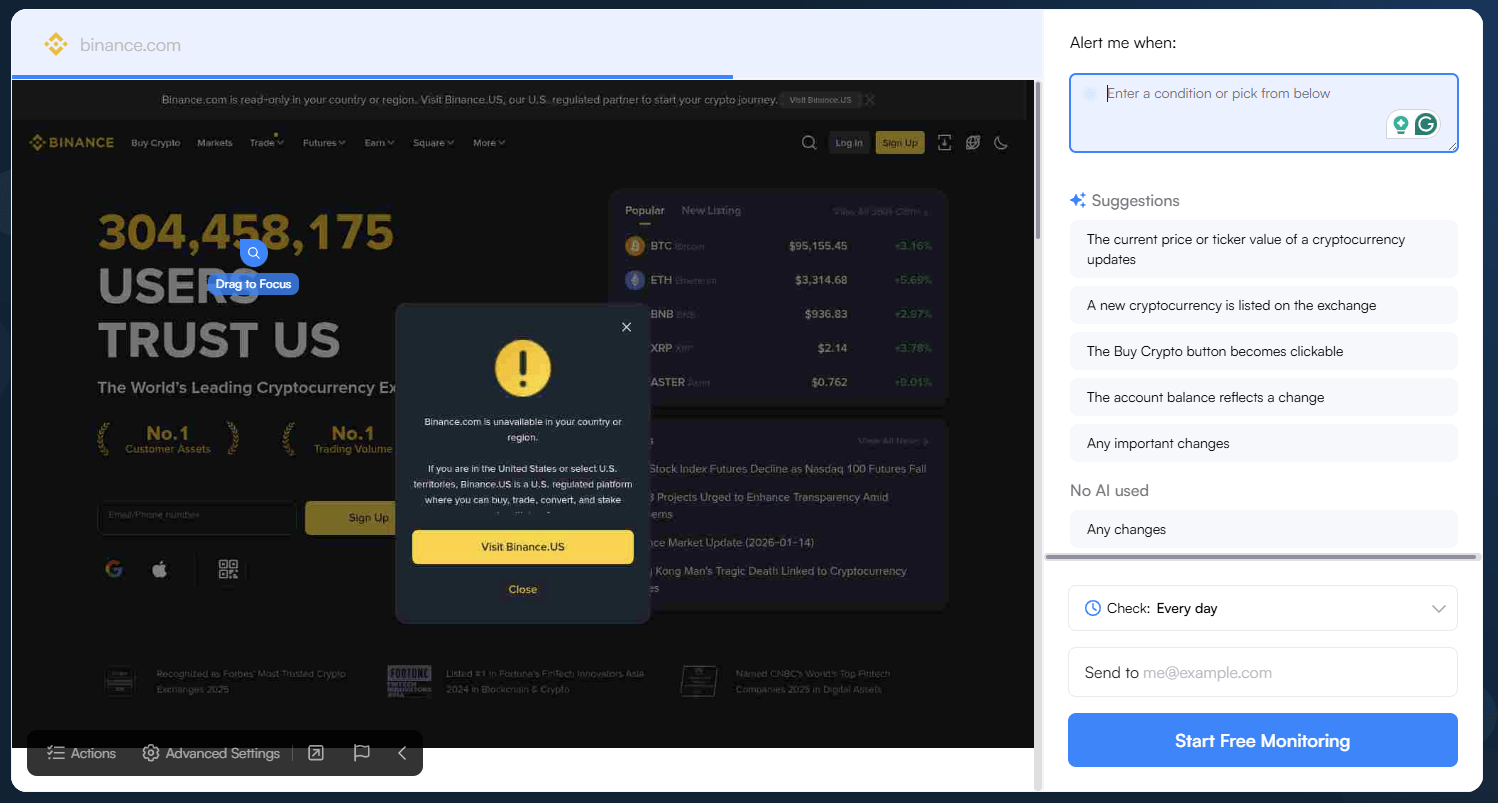
A change‑monitoring service that automatically detects and summarizes updates on any webpage (price changes, product announcements, etc.) and sends alerts via email, Slack, Teams, and other channels. Its AI summaries filter out noise and highlight what changed.
Who is Visualping best for?
Growth marketers, product managers, pricing analysts, and investor relations teams turn to Visualping for immediate notifications of competitor page changes. It’s perfect for catching new promotions, A/B tests, and corporate communications before the market notices.
AI analysis readiness
Visualping incorporates AI summarization to distinguish meaningful page changes from noise. When a competitor changes the price of a plan or updates messaging, Visualping’s AI summarizes the change so you don’t have to compare screenshots manually.
Key features
- Change detection: Captures screenshots and text snapshots, compares them to previous versions, and highlights exactly what changed.
- AI summarization: Condenses detected changes into plain‑language descriptions. Instead of saying “15 pixels changed,” it says “Price increased from $10 to $12”.
- Keyword alerts: Trigger notifications when a competitor uses specific phrases like “free shipping,” “launch,” or “out of stock”.
Pros & cons
Pros:
- Zero friction: No technical setup required: simply paste a URL, and monitoring begins within seconds. It is the easiest tool on this list to adopt.
- Signal over noise: AI‑driven alerts highlight meaningful updates (price changes, messaging) while filtering out trivial design tweaks like footer updates or cookie banners.
Cons:
- Support limits: Customer support is limited to email unless you pay for a support package, which can be frustrating for enterprise deployments.
- Scaling costs: Costs increase as you monitor more pages or increase the frequency, making large‑scale deployments expensive relative to the function’s simplicity.
Pricing
Personal plans start at $50/month for up to 10,000 checks. Business plans begin at $100/month for 20,000 checks. A free plan offers 150 checks.
My POV
Visualping is the best tool for tactical change detection. While Similarweb helps me identify strategic gaps, Visualping helps me catch the micro-changes, like a competitor quietly removing a “money-back guarantee” or testing a new headline.
I love that I can set custom thresholds to trigger alerts only when something meaningful happens. The AI summaries are a huge timesaver when monitoring dozens of pages; I don’t have to squint at screenshots anymore.
Pro Tip: Monitor your competitors’ “Careers” page. A sudden influx of “Sales Engineer” listings tells you they are planning a push into a new market segment weeks before they announce it publicly.
3. SparkToro
An audience‑research tool that uncovers where your target audience spends time online. It identifies the podcasts, YouTube channels, newsletters, and social accounts they follow and surfaces the influencers who shape those opinions.
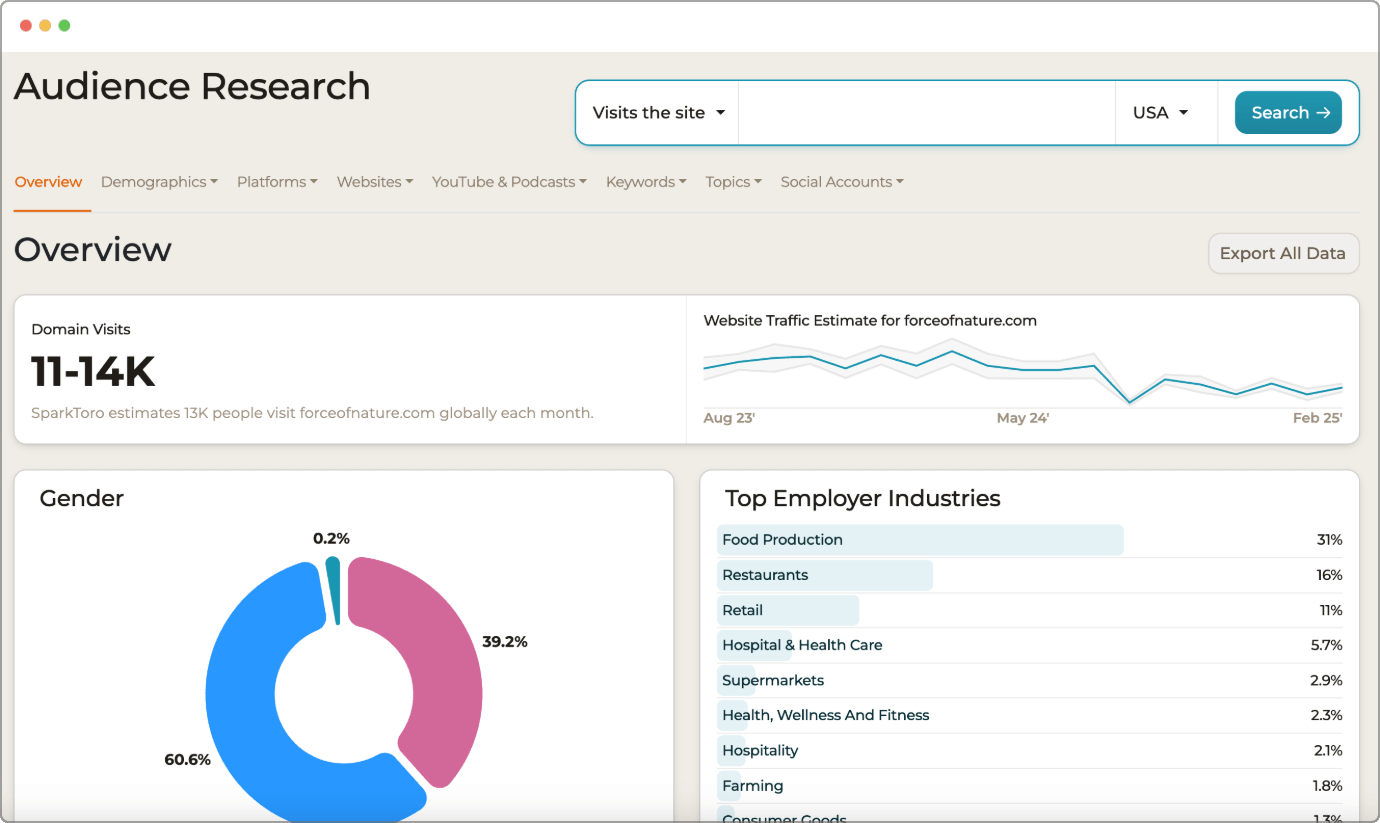
Who is SparkToro best for?
Audience researchers, content strategists, influencer marketers, and PR professionals use SparkToro to discover where their target audience spends time online before they search.
AI analysis readiness
SparkToro is built for the post‑search era. As AI assistants answer queries with knowledge drawn from podcasts and articles rather than search indexes, it’s critical to embed your brand in those source materials. SparkToro helps you find the podcasts, publications, and influencers your audience already trusts.
Key features
- Audience discovery: Enter a topic or handle, and the database surfaces the websites, podcasts, and social accounts your audience engages with.
- Network graph: A “who‑follows‑who” graph visualizes the interconnections between influencers and their followers, revealing the hidden nodes of influence in your niche.
- AI suggestions: Recommends which channels and content formats to prioritize for outreach based on audience affinity.
Pros & cons
Pros:
- Beyond search: Aggregates sources beyond search engines, uncovering niche podcasts, Substack newsletters, and communities you’d never find on Google.
- Speed to insight: The clean UI delivers results in seconds, making it easy to identify campaign influencers immediately.
Cons:
- No volume data: Deliberately omits keyword search volume metrics. It tells you who to talk to, not how many people are searching for a term.
- Gated demographics: The free tier restricts demographic details, requiring a paid plan for deeper segmentation, like geography or job title.
Pricing
Personal plan costs $50/month. Business plan is $150/month, and the Agency plan is $300/month.
My POV
SparkToro is essential for “Discovery” in the era of Generative AI. As generative AI surfaces content rather than links, being present in your audience’s favorite podcasts and newsletters is crucial. SparkToro is my discovery engine for those channels.
I’ve found niche Telegram groups for Binance that I never knew existed simply by analyzing who the top crypto-influencers were following. The insight into “who influences whom” is worth the subscription alone, as it lets you seed your brand into the training data of future AI models.
Pro Tip: Use the “Hidden Gems” feature to find newsletters and podcasts that have high engagement but low follower counts. These are often cheaper to sponsor and deliver higher ROI than “celebrity” influencers.
4. Sprout Social
A comprehensive social‑media management suite that unifies messages from multiple profiles and listens across platforms like Twitter/X, Reddit, and TikTok. AI Assist features condense thousands of mentions into sentiment trends and suggest optimal post times.
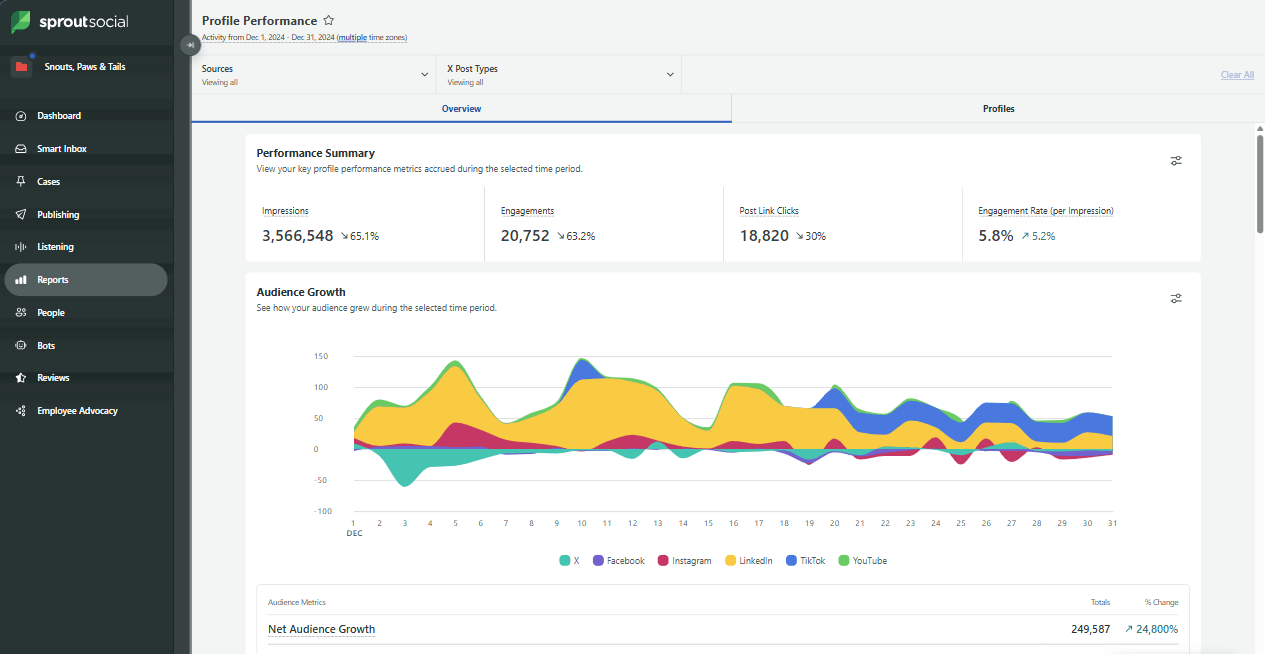
Who is Sprout Social best for?
Social media managers, community managers, and brand marketers who need to monitor brand sentiment, manage multiple profiles, and benchmark engagement.
AI analysis readiness
Sprout Social has embraced AI with its AI Assist features, which summarize thousands of customer messages and competitor mentions into actionable trends. It helps you understand how people feel about your competitor, not just that they are talking about them.
Key features
- Social listening: Monitors conversations across Twitter/X, Reddit, and TikTok, tracking share of voice and sentiment.
- Unified inbox: Consolidates messages from multiple profiles so teams can manage replies without context switching.
- AI automation: Generates suggested replies and summarizes message threads to speed up community management.
Pros & cons
Pros:
- Unified workflow: Integrates listening, publishing, and help‑desk tools for a complete view of brand conversations. You don’t need separate tools for posting and listening.
- AI efficiency: Summarizes long message threads and recommends optimal send times based on when your specific audience is active.
Cons:
- Per-seat pricing: At $199/user/month, costs skyrocket for larger teams. It discourages democratizing data across the org.
- Add-on costs: Powerful listening features often require purchasing additional modules, making the “base price” deceptive.
Pricing
Plans start at $199 per seat/month (Standard). Professional plans are $299 per seat/month.
My POV
Sprout Social provides the best sentiment analysis for social listening. Listening is not optional in 2026. While some tools include basic social monitoring, none match Sprout Social’s depth. The sentiment analysis is particularly strong: it can tell the difference between a sarcastic “Thanks a lot, Binance” and a genuine one.
However, the per‑seat pricing is painful. I’ve had to limit team access to avoid surprise bills. It is a premium tool for teams that treat social as a primary revenue channel.
Pro Tip: Set up a competitor listening topic specifically for “complaint keywords” (e.g., “broken,” “support,” “refund”). When a competitor has a service outage, you can tactfully join the conversation with a solution.
5. AlphaSense
An enterprise research engine using AI to search and summarize more than 10,000 sources, including earnings calls, SEC filings, and broker reports, for market and competitive insights. Its Smart Synonyms and generative‑AI tools produce concise synopses of complex financial documents.
Who is AlphaSense best for?
Market researchers, investor relations teams, and corporate development groups in large enterprises who need deep financial insights and “expert” knowledge.
AI analysis readiness
AlphaSense pioneered Smart Synonyms and generative AI summarization of financial documents. It automatically extracts themes and sentiment from earnings calls and generates AI‑generated synopses of 100-page reports.
Key features
- Research engine: Search across more than 10,000 content sources, including broker research, expert calls, and SEC filings.
- Generative summarization: Distills key themes and sentiment from dense documents, saving hours of manual reading.
- Expert transcripts: Includes over 200,000 expert call transcripts following the acquisition of Tegus, offering unfiltered industry opinions.
Pros & cons
Pros:
- Unmatched depth: Aggregates earnings calls, filings, broker research, and expert transcripts in one place. It finds data that is invisible to the open web.
- Natural language search: Ask “What did our competitor say about pricing?” and get a distilled answer instantly, citing the specific paragraph in an earnings call.
Cons:
- Steep curve: The abundance of features can be overwhelming to new users. It requires training to use effectively.
- Opaque pricing: Contracts often exceed $10,000 per year, with no public pricing available. It is strictly for the enterprise.
Pricing
Quote‑based. Generally aimed at large enterprises with contracts often exceeding $10,000/year.
My POV
AlphaSense is the gold standard for financial competitive research. I find AlphaSense’s semantic search incredibly powerful for due diligence: if a competitor mentions a new product line in a PDF footnote, AlphaSense finds it.
However, the high cost means it’s not for everyday marketing use. I use it for deep financial dives (quarterly reviews), but I stick to Similarweb for my daily market intel.
Pro Tip: Set alerts for executive departures. If a competitor’s CTO suddenly leaves, AlphaSense often catches the filing or press release before the tech blogs do, signaling potential product instability.
6. Crayon
A competitive‑intelligence platform that monitors competitors’ websites, social feeds, job listings, and news, then highlights the most important updates. It automatically refreshes sales battlecards and delivers real‑time insights to your revenue teams through Slack, Teams, and Salesforce integrations.
Who is Crayon best for?
Product marketers and sales enablement leads who need to keep their salesforce armed with timely “Battlecards”.
AI analysis readiness
Crayon uses AI to summarize competitor updates and automatically refresh battlecards used by sales teams. It bridges the gap between “marketing knows this” and “sales uses this”.
Key features
- Signal aggregation: Monitors over 300 million sources (websites, social, news) to surface real‑time updates on pricing and products.
- Dynamic battlecards: Automatically creates comparison cards that handle objections and provide talk tracks for sales reps.
- AI filters: Highlights only significant developments, filtering out the noise of day-to-day web changes.
Pros & cons
Pros:
- Sales enablement: Battlecards arrive directly in Slack or Salesforce, keeping sales teams prepped without manual work. This improves win rates directly.
- Breadth: Pulls data from hundreds of source types (Glassdoor, G2, news, blogs) for a comprehensive view of the competitor’s footprint.
Cons:
- Enterprise focus: No public pricing; estimates suggest entry is around $34,000/year. It is a significant investment.
- Usability: Reviewers note the interface can feel complex and dated compared to modern SaaS tools.
Pricing
Quote‑based. User forums suggest entry‑level contracts start around $34,000/year.
My POV
Crayon is the best tool for closing the loop between Marketing and Sales. It solves a specific organizational failure: Marketing knows the competitor launched a feature, but Sales is still using a 2024 pitch deck.
I’ve seen sales teams close deals specifically because they had a Crayon battlecard ready to counter a competitor’s claim. The interface is a bit clunky, but once configured, those real‑time alerts are gold for closing deals.
Pro Tip: Integrate Crayon with Slack channels dedicated to specific competitors. It turns competitive intelligence from a “report nobody reads” into a “live news feed” the whole company discusses.
7. BuzzSumo
A content intelligence platform that analyzes what content performs best for any topic or competitor. Unlike Crayon (which tracks website changes), BuzzSumo tracks social engagement, backlinks, and viral trends to help you understand what content the market actually cares about.
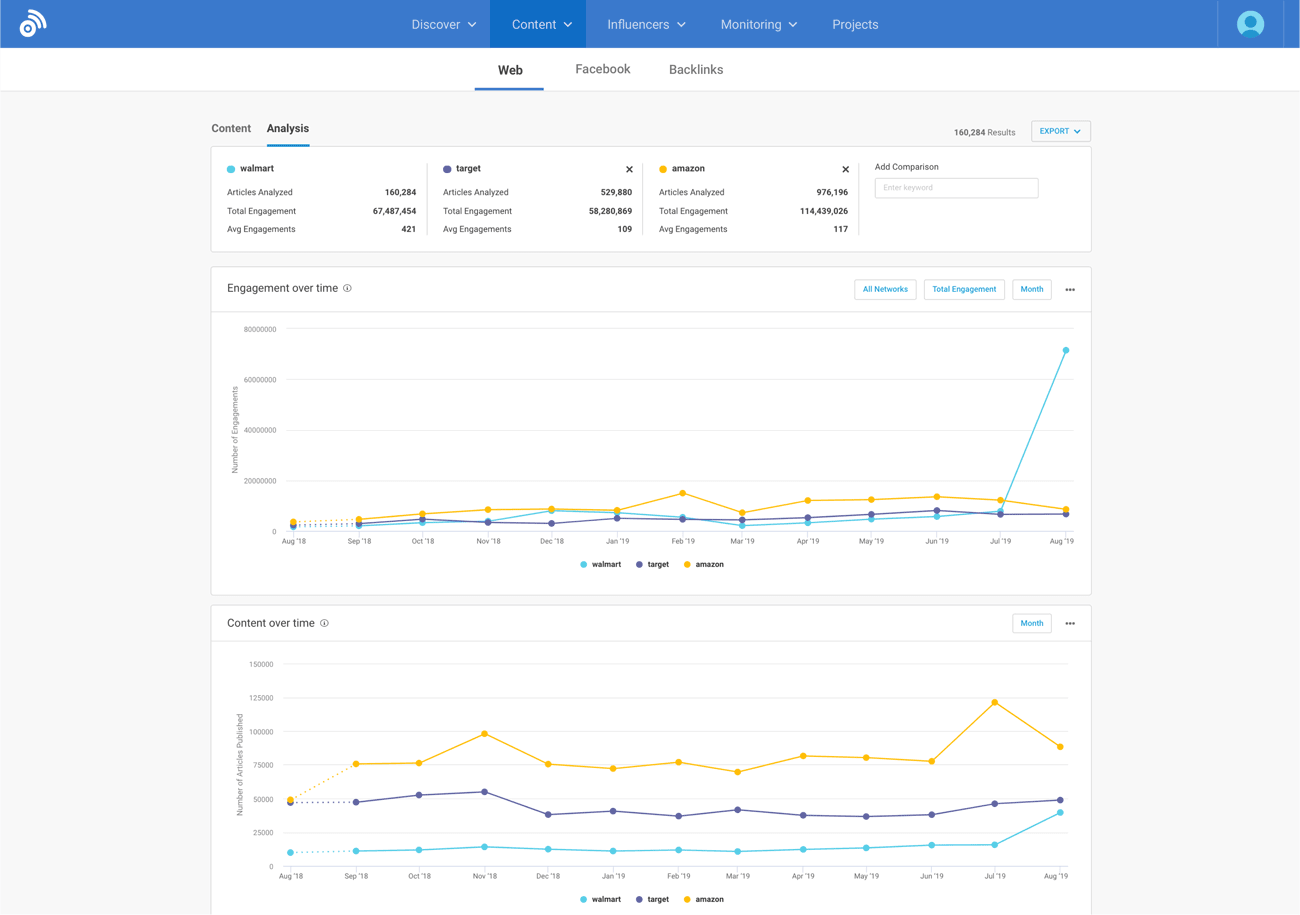
Who is BuzzSumo best for?
Content strategists, digital PR specialists, and SEO copywriters who need to discover what content resonates with their audience to earn links and shares.
AI analysis readiness
BuzzSumo excels at finding the human content (articles, videos, podcasts) that generative models train on. By identifying high-engagement content, you can replicate topics that are proven to generate citations.
Key features
- Content discovery: Surfaces the most‑shared articles and videos for any topic, helping you spot trends instantly.
- Influencer identification: Identifies journalists and bloggers who amplify content, providing a roadmap for PR outreach.
- Alerts: Real‑time notifications for new competitor articles or viral pieces.
Pros & cons
Pros:
- Trend spotting: Makes it effortless to see which headlines and formats are performing best across social. You don’t have to guess what “viral” looks like.
- Outreach: Streamlines the process of finding and vetting influencers who actually share content in your niche.
Cons:
- Seat limits: Collaboration gets expensive as user seats are restricted on lower plans.
- Lag: Some social share metrics can lag due to API restrictions from platforms like X (Twitter) or Facebook.
Pricing
Basic ($95/month), Content Creation ($199/month), Suite ($319/month), and Enterprise ($999/month).
My POV
BuzzSumo is the industry standard for content ideation and influencer discovery. It makes discovering trending topics trivial. I often export top‑shared articles to cross‑reference with Similarweb’s traffic data. This helps me prioritize topics that resonate with both humans (social shares) and the AI systems trained on those human signals (citations).
Pro Tip: Use the “Question Analyzer” to find real questions people are asking on Reddit and Quora about your competitors’ products. Write content that answers those questions better than they do.
8. Owletter
A content‑analysis tool that tracks the most‑shared articles, videos, and podcasts to reveal trending topics and influential authors. Alerts and analytics show which formats and domains generate engagement and help PR teams discover journalists and influencers.
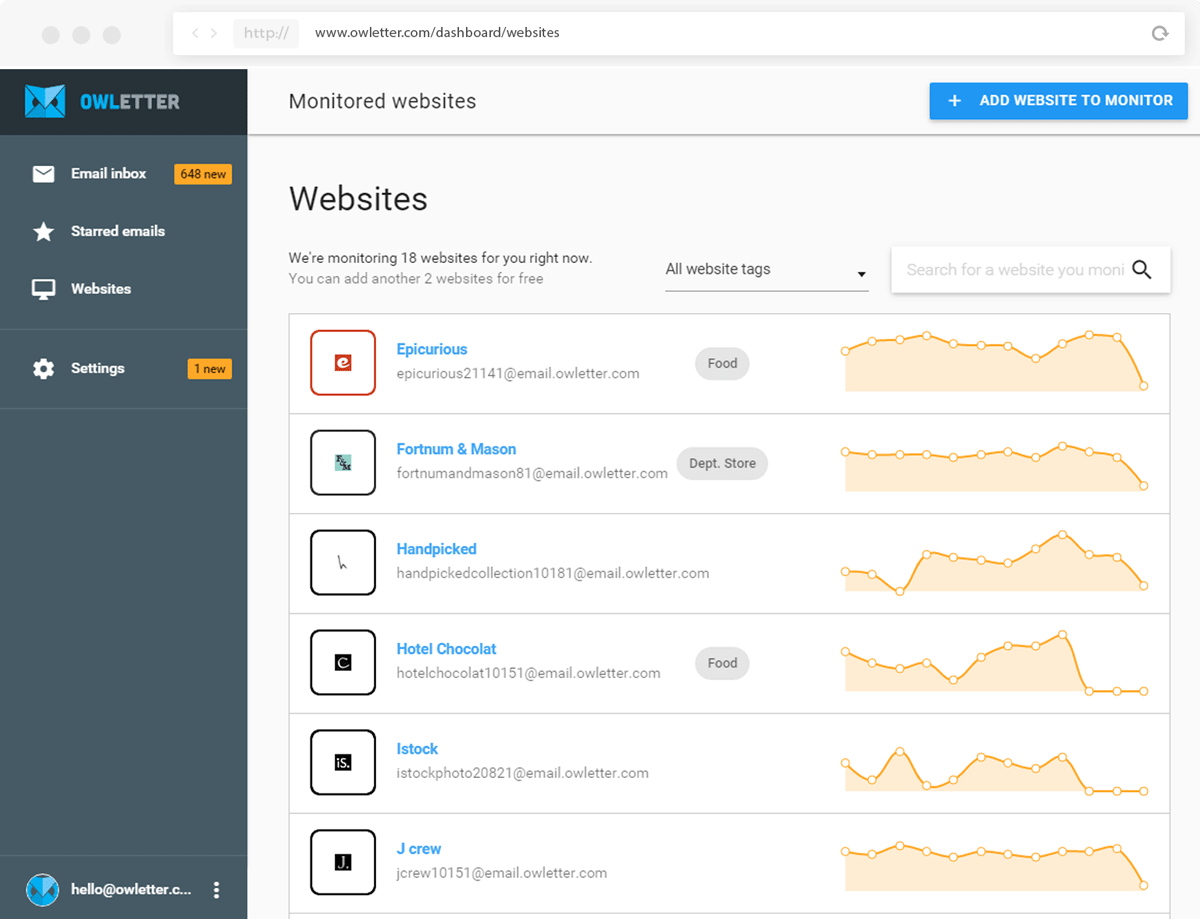
Who is Owletter best for?
Ecommerce marketing managers and email marketers who need to monitor competitors’ email campaigns without cluttering their own inboxes.
AI analysis readiness
Owletter is purely tactical. It also doesn’t track AI search visibility. However, knowing email strategy helps you intercept customer attention before they search or chat.
Key features
- Archive & analysis: Captures and archives every email competitors send, analyzing send times and subject lines.
- Spam-free monitoring: Delivers weekly or daily roundups instead of filling your inbox.
Pros & cons
Pros:
- Intelligence: Reveals competitor send‑time strategies so you can schedule campaigns when they are quiet. It also exposes their seasonal discount cycles.
- Cost: Very affordable, making it accessible to small marketing teams and agencies.
Cons:
- Limited scope: Only monitors email. Requires other tools for a complete picture of web or social.
- Basic UI: Don’t expect fancy charts. Deeper analysis often requires exporting data to a spreadsheet.
Pricing
Starter ($29/month), Pro ($49/month), and Unlimited ($99/month).
My POV
Owletter is the most cost-effective tool for monitoring competitor email strategy. It is a hidden gem. Knowing a competitor’s Black Friday discounts two days before they blast them out can be worth 10x the subscription fee. The UI is basic, but the raw intel is invaluable. It’s a “set it and forget it” tool that pays for itself the moment you spot a competitor’s flash sale.
Pro Tip: Look for “We Miss You” or re-engagement emails in the archive. These often include the competitor’s most aggressive discount codes, which you can then counter with your own.
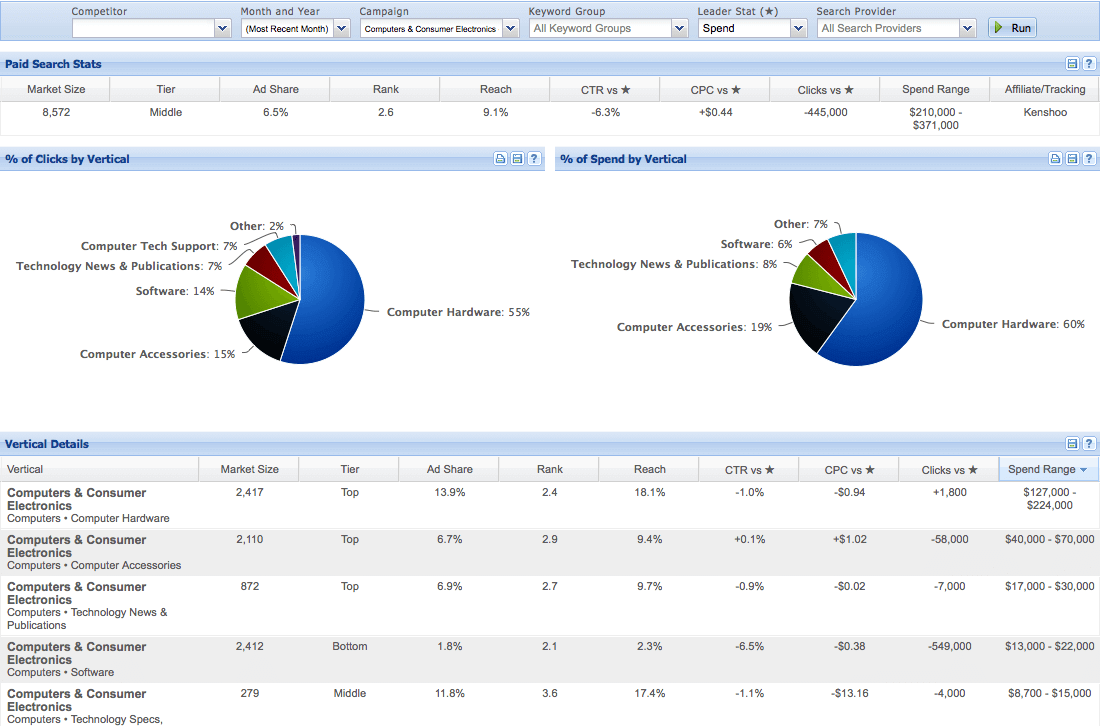
9. The Search Monitor
A marketing‑intelligence platform that monitors paid search, organic search, social media, mobile search, and shopping engines to protect your brand and benchmark competitors. It combines brand protection, SEM insights, affiliate compliance, and budget‑saving automation.
Who is it best for?
Enterprise marketing teams, affiliate program managers, and brand‑protection specialists who need to monitor competitor ads, prevent trademark abuse, and understand the global paid‑search landscape.
AI analysis readiness
The Search Monitor’s focus is on real‑time brand and ad monitoring; it doesn’t yet provide generative‑AI visibility metrics or analysis.
Key features
- SEM Insights: Provides a “whole market view” of paid search and product listing ads, including competitor ad copy, visibility, and historical spend across more than 1,200 industries.
- Brand Protection: Detects unauthorized bidding on your trademarks and automates complaint submissions to search engines, helping reduce inflated cost‑per‑click.
- Affiliate Compliance: Discovers URL hijacking, coupon misuse, and improper ad copy in affiliate programs and offers case‑management and reporting tools.
- Ad Armor: Uses negative‑keyword lists and geo‑targeting to pause your own ads when your organic listing ranks high, potentially saving up to 40% of ad spend.
- Global coverage: The platform crawls search engines worldwide and offers customizable alerts, geo‑targeting, and historical data. Unlimited logins and keyword packages are included.
Pros & cons
Pros:
- Comprehensive monitoring: Real‑time insights across paid, organic, social, and shopping engines help protect your brand and give a complete view of competitors.
- Brand protection and savings: Automated trademark enforcement and Ad Armor reduce ad spend and prevent brand abuse.
Cons:
- High entry price: Base subscriptions start at $500–$1 200 per month per module, plus keyword-crawling fees, which can be prohibitive for small teams.
- Learning curve and coverage gaps: Users report that the interface takes time to master and that certain search engines and regions aren’t fully monitored.
Pricing
Plans start at about $500 per month for Affiliate Compliance, $800 per month for SEM Insights and Brand Protection, and $1 200 per month for Ad Armor. Keyword‑crawling fees apply, and enterprise customers often negotiate custom packages.
My POV
The Search Monitor is the best tool for Brand Protection and Ad Compliance. Having implemented The Search Monitor for clients with large paid‑search budgets, I find its granular ad monitoring and trademark enforcement invaluable.
When unauthorized affiliates hijack your brand or competitors outbid your branded keywords, catching them in real time and automatically filing complaints more than pays for the subscription.
Pro Tip: Use the SEM Insights “Market View” to identify industries where competitors are increasing ad spend and copy their messaging patterns. Combine this with Brand Protection alerts to ensure your own name isn’t being bid on.
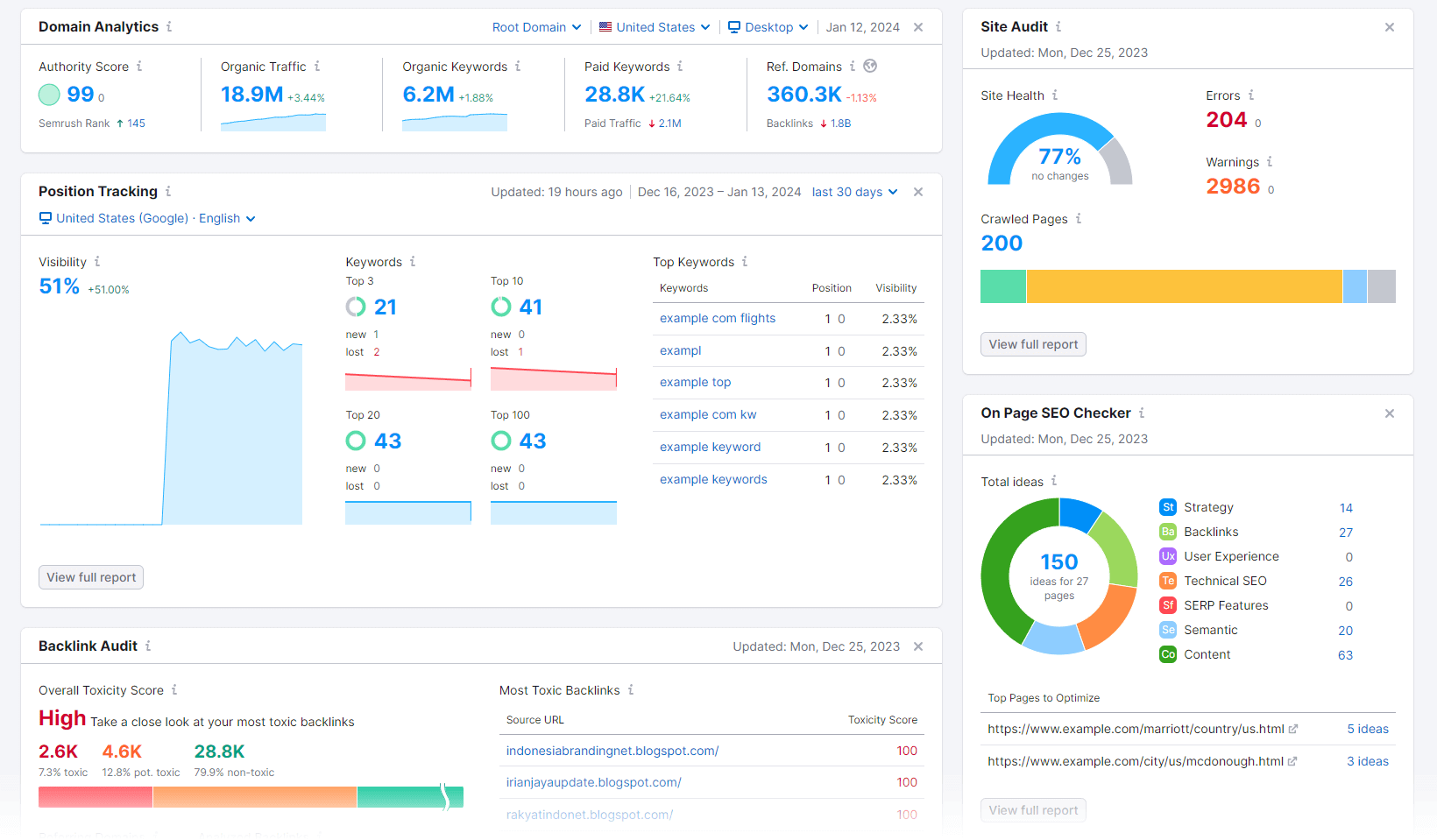
10. Semrush
A multipurpose SEO platform combining keyword research, site audits, and competitor analysis. Optional AI‑powered add‑ons, such as the AI Visibility Toolkit, track brand mentions in generative‑search results, although its core data comes from clickstream estimates.
Who is Semrush best for?
SEO specialists who need a versatile “utility belt” for day‑to‑day tasks like site audits, keyword tracking, and backlink management.
AI analysis readiness
Semrush has introduced an AI Visibility Toolkit that benchmarks brand mentions in AI‑generated answers.
Key features
- Keyword Magic Tool: Access search keywords with volume and difficulty metrics.
- Site audit tool: Flags technical issues like broken links, duplicate content, and Core Web Vitals issues.
- Position tracking: Monitors rankings across locations and devices daily.
Pros & cons
Pros:
- Breadth: Offers various tools covering SEO, PPC, and content in one interface.
- Audits: The site audit module is very good for catching technical errors that can tank rankings.
Cons:
- Data provenance: Relies heavily on clickstream estimates, which can be inaccurate for smaller sites compared to panel-based data.
- Add-on fatigue: AI visibility and other features are expensive add-ons. Per-seat pricing adds up fast, making the total cost of ownership high.
Pricing
Pro ($139.95/month), Guru ($249.95/month), and Business ($499.95/month). The AI Visibility Toolkit is an extra $99/month per domain.
My POV
Semrush is the best utility for tactical SEO. I use it to find keyword variations. However, because its core traffic data relies on clickstream estimates, I don’t use it as a source of truth for volume, traffic, or market share (that’s what I use Similarweb for).
It’s a tactical option, not a strategic one, as it doesn’t help understanding market dynamics.
Pro Tip: The “Link Intersect” tool is useful for PR. Enter your competitors’ domains to find news sites that link to all of them but not you. This is your “low-hanging fruit” outreach list.
Conclusion
The days of relying on a single SEO tool are over. To thrive in 2026, marketing leaders must assemble an Intelligence Stack that combines strategic truth, audience discovery, and tactical execution.
Start at the top of this list and build downward:
- Truth: Use Similarweb for accurate market share, AI search visibility, SEO, and app analytics. This is your strategic compass.
- Discovery: Augment it with SparkToro and BuzzSumo to understand where your audience engages and what content they consume.
- Tactics: Deploy TheSearchMonitor when you need to fix technical SEO issues or optimize specific ad campaigns.
Ready to uncover the data your competitors are hiding? Start your Similarweb free trial today and start optimizing for the future of search.
FAQs
What is the best free competitor analysis tool?
When you want a broad view of how any site performs, Similarweb’s free tools and browser extension stand out. It shows you any website’s traffic and engagement over time, the channels driving visitors, keywords, and even the top countries sending traffic. This depth of insight makes Similarweb the best overall free competitor analysis tool.
Why is data provenance important for AI search?
Because AI models hallucinate less when fed high-quality data. If you use a tool that relies on low-quality “clickstream” scraping, you are optimizing based on bad inputs. Tools with proprietary user panels (like Similarweb) provide “verified” data, ensuring you are building your strategy on real human behavior, not bot activity.
Which tool is best for mobile app competitor analysis?
If your competitors have mobile apps, you need App Intelligence. Similarweb is the leader here, offering side-by-side comparisons of App Store and Google Play performance, including downloads, daily active users (DAU), and retention rates.
Can I just use ChatGPT to analyze my competitors?
No, ChatGPT cannot replace market intelligence tools. You can use ChatGPT for qualitative analysis (e.g., “Summarize this competitor’s pricing page”), but it cannot provide quantitative data (e.g., “How much traffic did they get last month?”). ChatGPT does not have access to real-time traffic logs or app store analytics. You need a dedicated tool for the numbers, and ChatGPT for the synthesis.
How do I know if my competitors are winning in AI Search?
You need a tool that measures Share of Voice (SoV) specifically in generative engines. Similarweb is currently unique in offering a dedicated AI Search Intelligence suite, which quantifies exactly how often your brand is cited in AI responses compared to your competitors.
What is the difference between SEO and AEO tools?
SEO tools help you rank in traditional search engines by analyzing keywords and backlinks. AEO (Answer Engine Optimization) tools (like Similarweb) help you appear in AI answers by analyzing brand mentions, citation authority, and sentiment. In 2026, you need both, but the shift is heavily in favor of AEO.
How do I spot a competitor’s “Zero-Click” keywords?
A “Zero-Click” keyword is one where the user gets the answer directly from Google or AI and never visits a website. Standard tools often hide this, making high-volume keywords look valuable when they actually drive zero traffic. Similarweb’s Zero-Click Analysis reveals which terms result in clicks vs. no clicks, saving you from optimizing for keywords that won’t bring you visitors

Related Posts

How to Do A Competitive Analysis: Complete Guide & Free Templates

How to Build an AI Search Intelligence Dashboard for Client Presentations Using Claude and Similarweb MCP

AI Visibility Momentum: The VAMP Framework For Tracking What Visibility Scores Miss

The Dark Funnel Paradox: Why Your Best B2B Leads Are Invisible (And How to Find Them Anyway)
![GEO Framework For Growth Leaders [+Free Template]](https://www.similarweb.com/blog/wp-content/uploads/2026/02/attachment-growth-leader-geo-decision-framework-768x429.png)
Your full marketing toolkit for a winning strategy
The ultimate solution to help you build the best digital strategy