


 Marketing Intelligence
How to Disavow Links That Are Toxic and Spammy

Ever noticed a sudden influx of suspicious backlinks? It’s not always random. Competitors can (and do) perform negative SEO tactics. They flood a site with spammy links to undermine its authority. That’s where disavowing backlinks comes in. It’s your best defense against harmful links, allowing you to signal Google that certain referrals shouldn’t count against you.
Managing backlinks is about quality rather than volume. Google’s algorithms, like Penguin, have made it clear: manipulative link-building won’t fly. Get hit with a penalty, and say goodbye to organic traffic, conversions, and revenue. But with tools like Google’s Disavow Tool, site owners have a way to fight back. A good disavow strategy keeps your website’s reputation intact for long-term SEO stability.
What is link disavow?
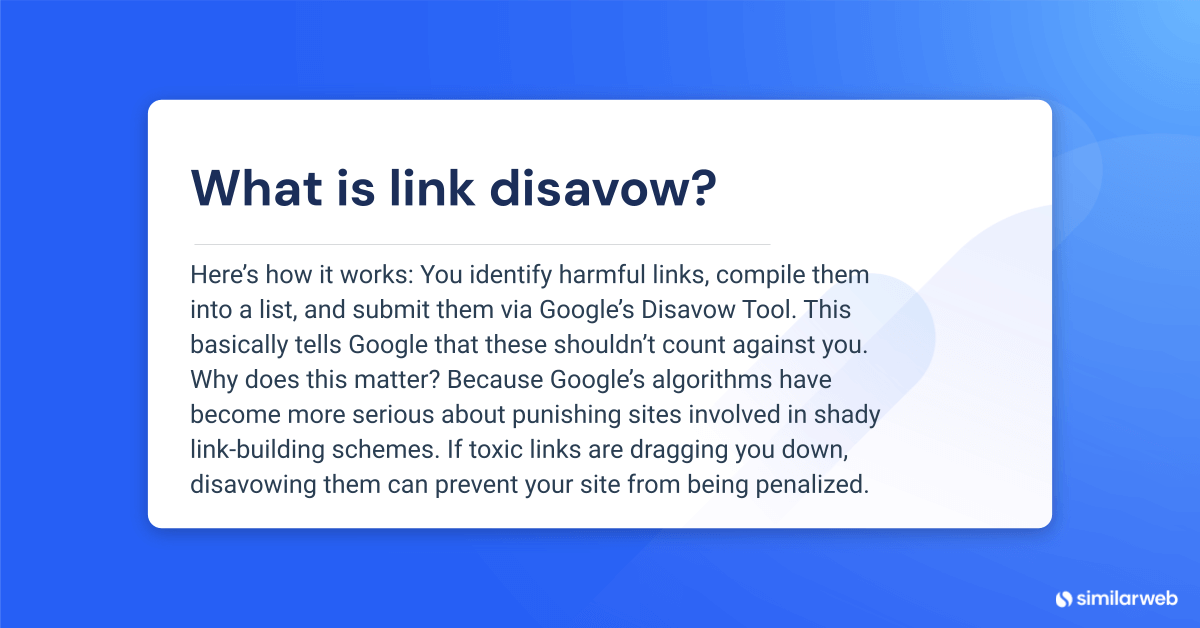
Here’s how it works: You identify harmful links, compile them into a list, and submit them via Google’s Disavow Tool. This tells Google that these shouldn’t count against you. Why does this matter? Because Google’s algorithms have become more serious about punishing sites involved in shady link-building schemes. If toxic links are dragging you down, disavowing them can prevent your site from being penalized.
And let’s not forget negative SEO – a tactic where competitors flood your site with bad backlinks in an attempt to sabotage your rankings. A clean backlink profile is a survival strategy and not just good SEO hygiene.
But here’s the catch.
Disavowing links is not a quick fix. It’s a careful, ongoing process. Remove the wrong links, and you might harm your rankings instead of helping them. That’s why savvy webmasters use advanced analytics tools to audit their backlink profile regularly, ensuring only truly harmful links get the axe.
Why and when to disavow links
When you’re disavowing links, don’t think about it as damage control. Think about it as a strategic move to keep an eye on your site’s SEO performance. The right timing is a mix of defense and offense. Poor-quality backlinks can distort how search engines see your site’s trustworthiness and relevance, and this could potentially drag down your rankings.
Think of it this way…
If Google’s algorithm sees a flood of shady backlinks pointing to your domain, it might assume you’re gaming the system, and this is not ideal.
That’s why knowing when and why to disavow links to your site is important. When done correctly, it clears out toxic links so that search engines only assess your site based on high-quality, earned links. In short, if you’re serious about long-term organic growth, regularly assessing and managing your backlink profile is a must.
What are bad backlinks?
Not all backlinks are created equal. Some can improve your SEO. For others, not so much.
The bad ones often come from low-quality, irrelevant, or outright spammy domains, and they can do more harm than good. These include:
- Link farms & PBNs: Networks designed solely to manipulate rankings (Google hates these.)
- Paid links (without disclosure): If they aren’t labeled as sponsored, they’re a risk.
- Irrelevant sites: A health blog linking to a car dealership? That’s a red flag.
- Manipulated anchor text: Over-optimized keyword stuffing in link text can signal foul play.
Some of these bad links happen naturally, while others are the result of shady SEO tactics, whether intentional or not. Either way, if too many toxic links build up, Google may take action. Penalties can range from subtle ranking drops to outright deindexing, leaving sites scrambling to recover.
Negative SEO attacks on your site
SEO isn’t always fair. In some cases, competitors or bad actors might actively try to sabotage your rankings with what’s known as Negative SEO. This is a tactic that floods your site with spammy backlinks to get your site an unwanted penalty.
If left unchecked, these attacks can erode traffic, damage credibility, and lower rankings, sometimes permanently. The best way to fight back? Regularly monitor your backlink profile. Keep an eye on Google Search Console, traffic trends, and any unusual spikes in shady backlinks.
Top warning signs of Negative SEO include:
- Sudden traffic drops: A sharp decline could indicate an algorithmic response.
- An influx of suspicious links: These could come especially from foreign, irrelevant, or spammy sites.
- Unnatural anchor texts: Random keyword-heavy links appearing in bulk.
Letting Negative SEO fester is risky. Google’s algorithms are getting better at ignoring toxic backlinks, but not perfect, so preventative disavowal is your best defense.
Staying ahead with regular link audits
Disavowing links is an ongoing process and not a one-time fix. SEO changes constantly, and what’s safe today might become a red flag tomorrow. That’s why frequent audits are important.
Using automated backlink analysis tools can help spot potential threats before they cause problems. Here’s what an adaptive backlink management strategy looks like:
- Monitor link profiles consistently: Stay ahead of bad links before they pile up
- Make use of filters and automation: Similarweb and Google Search Console help identify suspicious links fast
- Disavow strategically: Don’t overdo it, only target genuinely harmful links
- Build a healthier link network: Focus on acquiring quality, high-authority links to outweigh the bad
How to disavow backlinks with Google’s Link Disavow tool
Google’s Disavow Tool is a protection against harmful backlinks that could be undermining your site’s integrity.
This guide will walk you through the step-by-step disavow process to make sure that Google ignores harmful links and preserves your SEO standing. You’ll learn how to:
- Identify spammy backlinks
- Compile a list for removal
- Format your list correctly
- Submit your list through Google Search Console
Ready to clean up your backlink profile? Let’s begin.
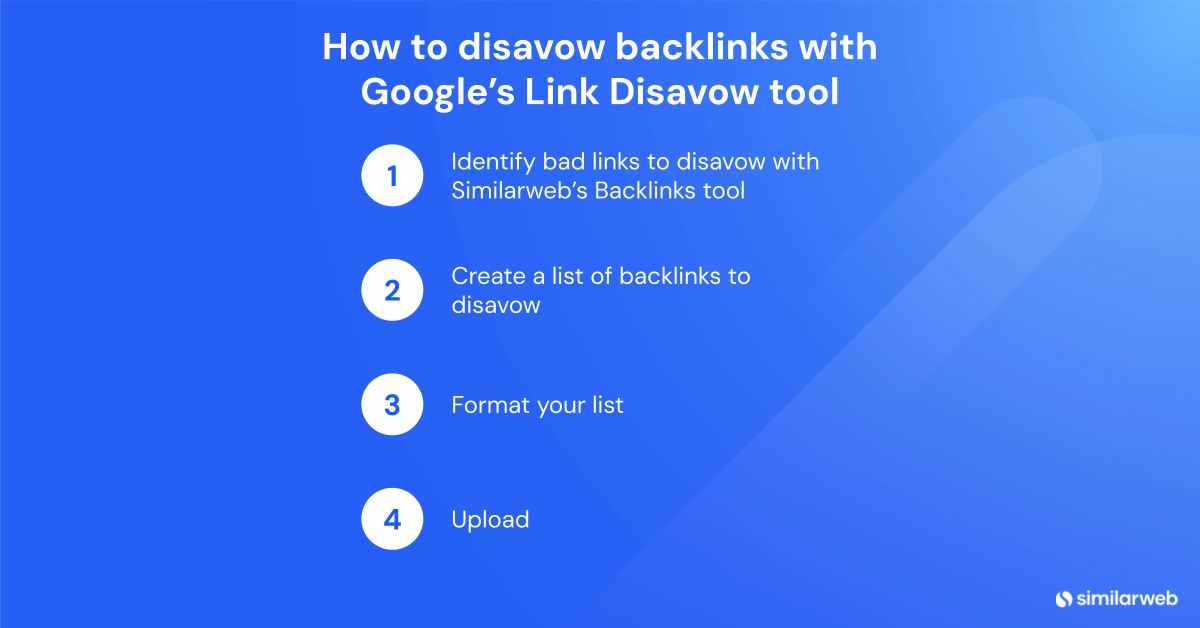
Step 1: Identify bad links to disavow with Similarweb’s Backlinks tool
The first step in the disavow process is pinpointing the bad actors. Not all backlinks are created equal, and removing the wrong ones could do more harm than good.
To start, head over to Similarweb’s Backlinks Tool for a bird’s-eye view of your backlink situation. To access this on the platform, look for Search Intelligence and under it, click on Backlink Analytics.
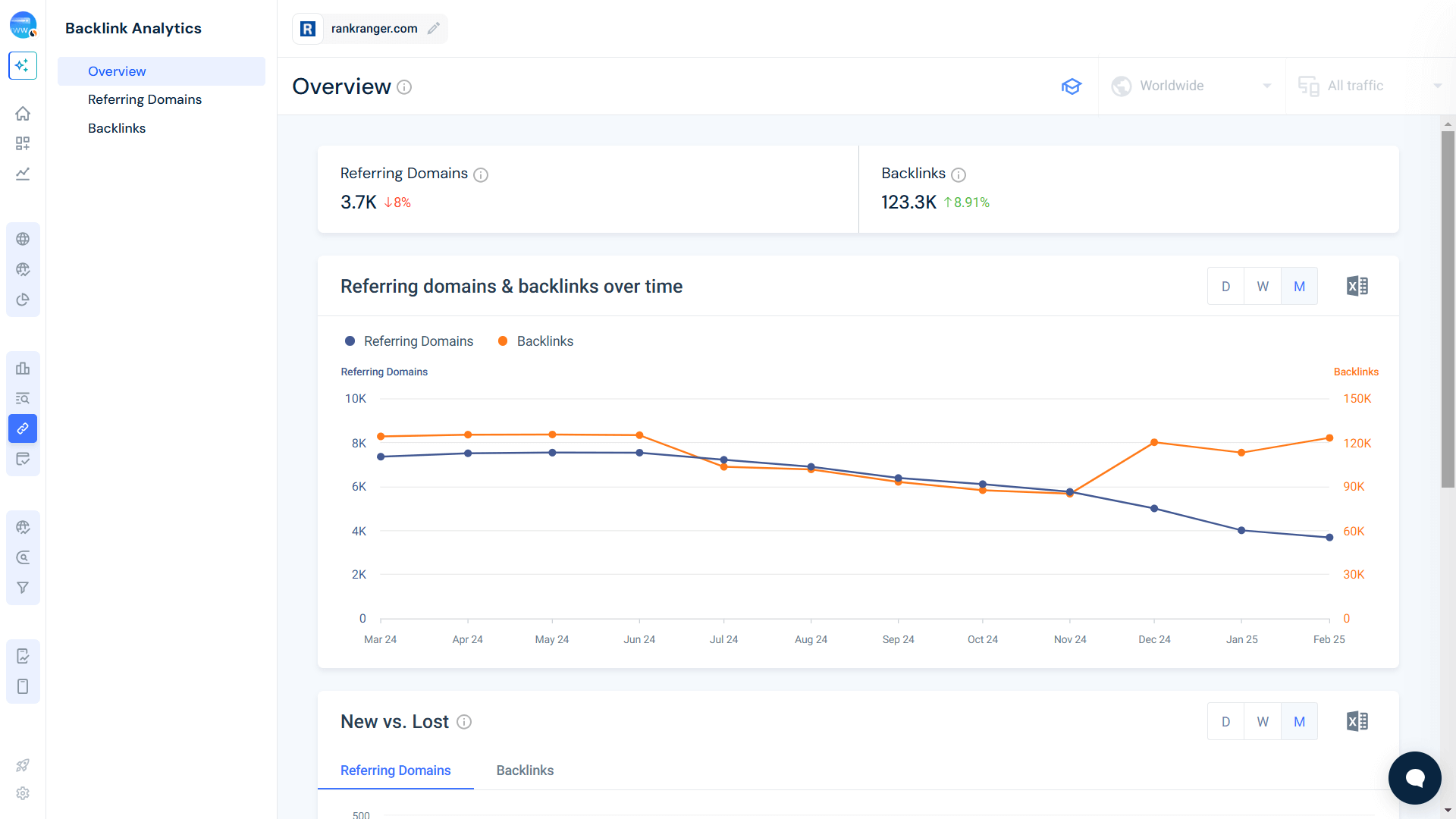
This will take you to the Overview, and on this page, these are the primary areas to analyze:
- Referring Domains & Backlinks Over Time: Watch for unusual spikes in referring domains or backlinks. A sudden surge could indicate negative SEO attacks or low-quality link farming.

- New vs. Lost: Unnatural patterns, like a sudden influx of low-quality links, can be a red flag.
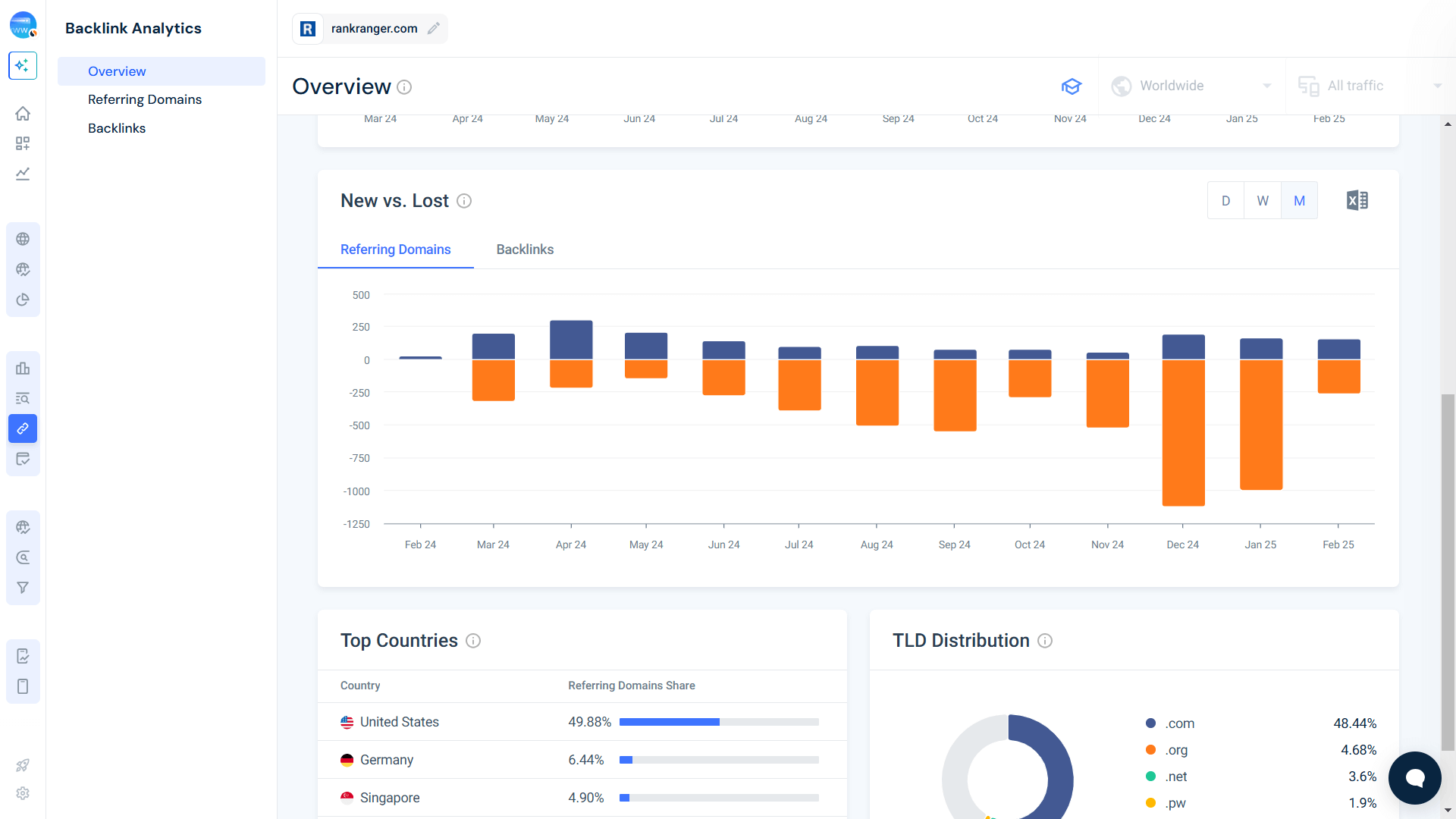
- TLD Distribution: If you’re seeing a flood of links from uncommon TLDs like .xyz, .top, or .asia, chances are they’re spam-related.
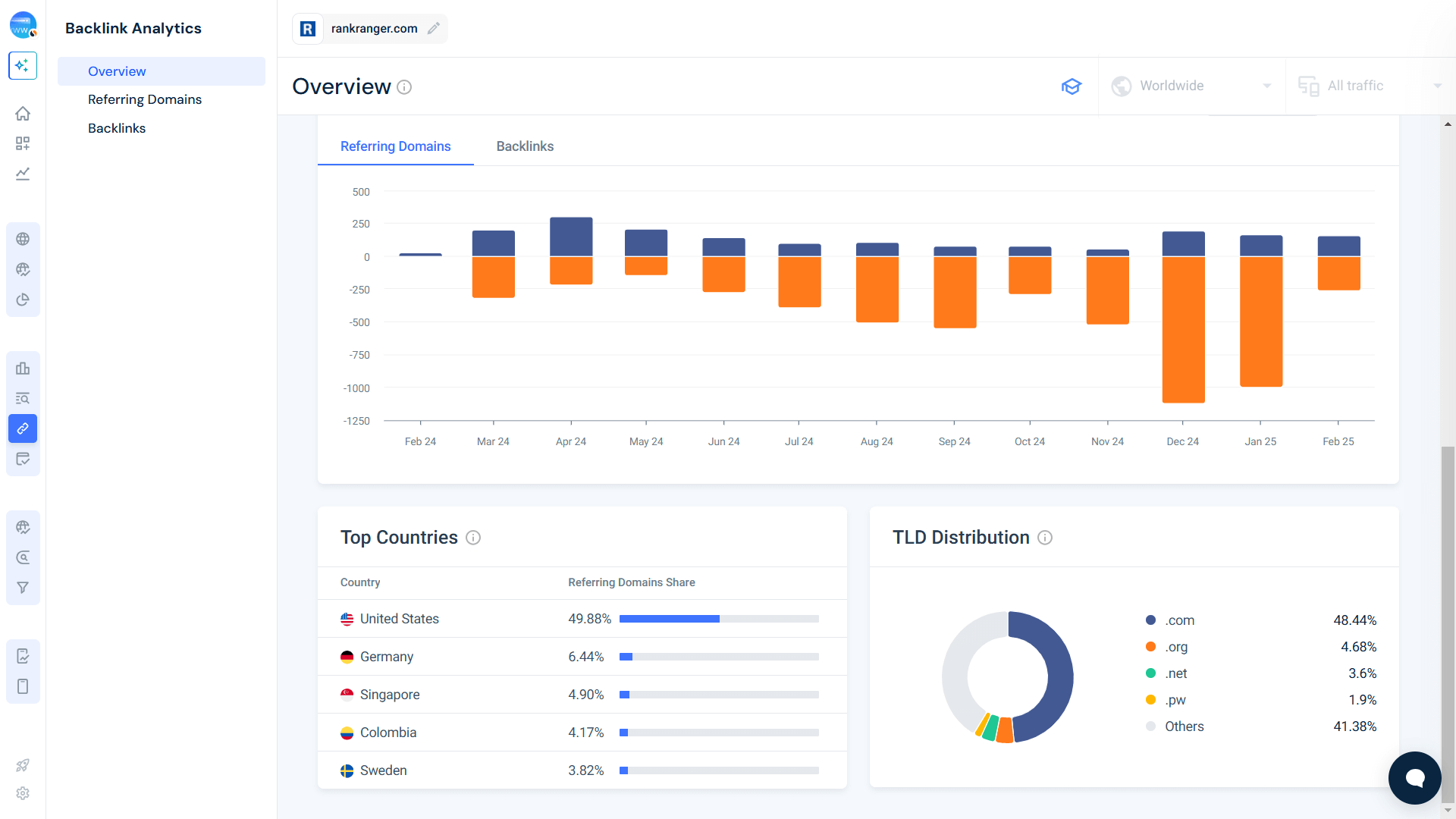
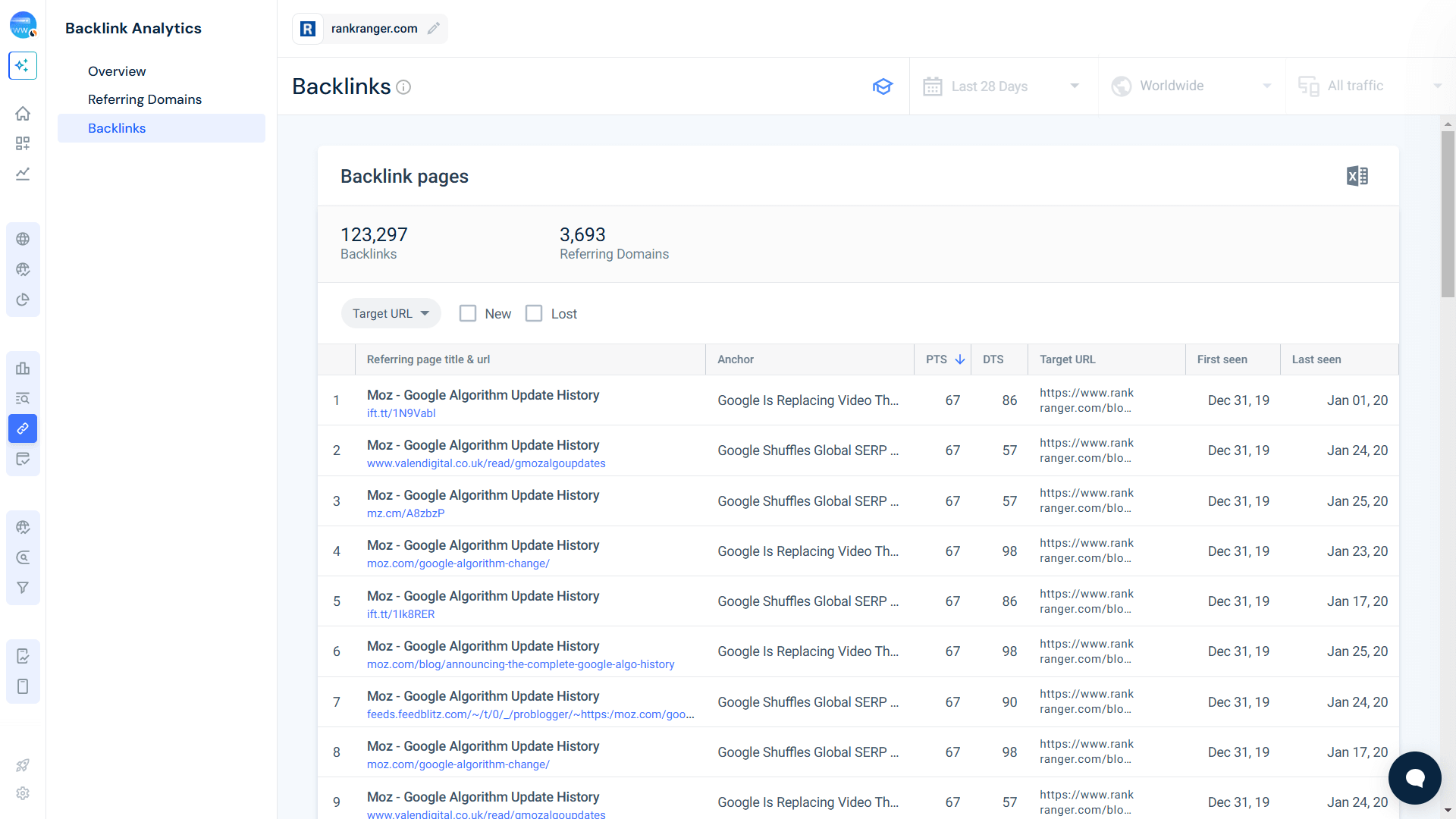
Cross-reference low-trust domains with their Domain Trust Score (DTS) inside Similarweb. If a website with a high volume of backlinks and low DTS appears shady, flag it for disavowal.
You might also want to do an anchor text analysis by going to the Backlinks report. This will show you your existing backlinks and the anchor text that’s being used by each link. Suspicious anchor texts (irrelevant or keyword-stuffed phrases) often point to manipulative linking tactics.
Step 2: Create a list of backlinks to disavow
Now that you’ve identified the problem links, it’s time to compile a disavow list. The goal? Separate the bad from the good without accidentally removing high-quality backlinks that contribute to your rankings.
Here’s how:
1. Export your backlink data from Similarweb and filter out links with:
- Low DTS (Domain Trust Score)
- High spam signals (e.g., links from irrelevant, foreign, or PBN sites)
- Excessive commercial anchor text
2. Categorize links into two groups:
- Spammy domains: If an entire domain is bad, you’ll need to disavow all links from it.
- Suspicious URLs: In some cases, only certain pages, not the full domain, should be disavowed.
Pro tip: Be selective. Disavowing high-authority, legitimate backlinks can hurt your rankings. If in doubt, reach out for manual link removal first before adding them to your disavow list.
Step 3: Format your list
Google’s Disavow Tool has strict formatting rules. A poorly formatted file won’t be processed correctly, so double-check every entry before submitting.
Make sure that you follow these formatting guidelines:
- One entry per line
- For individual URLs: https://example.com/spammy-page.html
- For entire domains: Use domain:example.com (this tells Google to ignore all links from that domain)
Here’s an example of a correctly formatted disavow file:
domain:spammywebsite.com
domain:lowqualitydirectory.net
https://shadywebsite.com/bad-link.html
https://irrelevantblog.net/spam-post.html
Before submitting, open the .txt file in a text editor and double-check for errors. An extra space, typo, or missing prefix could make your submission ineffective.
Step 4: Upload
Once your disavow file is ready, the next step is to submit it via Google Search Console. This tells Google to ignore the flagged links and prevent them from affecting your rankings.
Here’s how to upload your disavow file:
- Go to Google’s Disavow Tool
- Select your property (make sure you’re logged into the correct Google account)
- Click Upload Disavow List and select your .txt file
- Submit and confirm
That’s it! You’ve successfully told Google to disregard harmful backlinks affecting your site.
Important reminder: The Disavow Tool is a last resort. Google advises against using it unless you’re certain bad links are harming your rankings. If used incorrectly, you could accidentally remove beneficial backlinks, so proceed with caution.
Keep an eye on your backlink profile with Similarweb
Backlinks can make or break your SEO game. Get them right, and your rankings soar. But let the wrong ones slip through? Say hello to penalties, lost traffic, and a serious credibility hit.
Disavowing is your safety net, helping you eliminate harmful backlinks, reclaim lost authority, and future-proof your site’s visibility. But it’s not just about fixing past mistakes; it’s about staying ahead of the curve. The right strategy verifies that Google sees your site as a trusted source, not a penalty-prone liability.
So how do you know which links to keep and which to cut? That’s where our Similarweb Backlinks tool can help you.
With precise data in your link profile, you can proactively remove toxic links while strengthening high-quality partnerships and keep your SEO strategy airtight.
SEO success is about managing them wisely, not just about building links. Let Similarweb guide you toward a stronger, penalty-free backlink strategy.
FAQs
How often should you check your backlinks?
Think of your backlink profile like a car engine. It runs best when it’s well-maintained. A monthly check-up helps you catch any potential issues before they snowball into ranking problems. If you notice sudden traffic drops or suspicious patterns, run an extra audit. This checks that sneaky spam links don’t quietly erode your site’s authority while you’re not looking.
What makes a backlink spammy?
Spammy backlinks stick out like a sore thumb. They usually come from low-quality, irrelevant domains and are stuffed with generic anchor text. You’ll often find them lurking in blog comments, shady directories, or random forums. If it looks like a link farm or has no logical connection to your content, it’s probably dragging your rankings down. Cleaning up these links keeps your site focused on trustworthy, high-impact backlinks that actually help.
Can disavowing bad links improve rankings?
Yes, but it’s not a magic fix. Disavowing toxic links helps reset your link profile, but SEO recovery requires more than just hitting ‘disavow.’ You’ll see the best results when you combine it with high-quality content, smart link-building, and overall site improvements. Think of it like fixing a bad diet. Cutting junk helps, but you still need the right nutrients to thrive.

Related Posts

AI-Generated Content and SEO: Can Speed Compensate for Quality?


Track Gen-AI And Organic KPI's On The #1 SEO Platform
Give it a try or talk to our marketing team - it’s free!