





Top Ecommerce Companies in the USA: The 100 Brands Winning the Traffic Race in 2026
by Inbar Eytan6 Min.
Aug 30, 2026

Building a succesful app is hard.
According to Zippia, only 0.5% of apps actually make it. That means 9,999 out of every 10,000 fail, often for reasons that could have been spotted early.
With millions of apps just a swipe away, engagement is what separates one-hit wonders from long-term winners. If you’re in product, marketing, or development, tracking how users interact with your app is key.
In this guide, we’ll show you how to measure engagement, what to track, which tools to use, and how to turn analytics into action.
If you’re ready to make better decisions, improve user journeys, and know what’s working (and what’s not), keep reading.
App engagement is all about what users do inside your app. How often they log in, how they interact with features, and whether they stick around long enough to complete anything meaningful.
Think of it like this:
Every tap, scroll, and swipe is a signal. Put them together, and you get a clear picture of how interested (or not) your users are.
When we talk about “how to measure mobile app user engagement,” we’re really talking about translating those behaviors into data points. That includes actions like:
Get this right, and you’re setting the foundation for a strategy built on real user behavior.
Engagement fuels everything from retention and revenue to product decisions and brand growth.
Here’s why it matters:
The more users interact, the more likely they are to come back. Engagement reduces churn and helps create long-term stickiness.
Engaged users are more likely to subscribe, make purchases, or spend time with your content. That translates into real revenue through upgrades, in-app purchases, or ads.
Every user action tells a story. Engagement data helps you find behavior patterns, identify friction points, and improve the overall experience.
When users are happy, they become brand advocates. They leave great reviews, share your app with others, and keep coming back.
If you want to know what features work and what don’t, engagement metrics will show you. They help you focus on what matters and what might need to change.
You’ve built the app. It’s out in the world. But how do you know if users are actually engaging with it or just ghosting after the first tap?
That’s where app engagement metrics come in. These data points tell the real story behind how people use your app.
Let’s look at the ones that matter most:
This is your app’s loyalty score. Retention shows the percentage of users who come back over a set period, whether that’s a day, a week, or a month.
A strong retention rate means your app is delivering value. A low one might point to confusing UX, weak onboarding, or content that doesn’t connect.
Use retention strategy to ask the big question: Are people coming back? If not, it’s time to figure out why.
Sessions track how often users open and interact with your app. It’s a simple count, but it reveals a lot.
By watching session frequency, you can spot usage patterns, peak activity times, and how often users find a reason to return.
If sessions are frequent, it’s a good sign. If they’re rare, your app may not be staying relevant.
How long are users staying in your app? Time spent shows the duration of each session.
If users are sticking around, they’re likely exploring and finding value. If they leave after just a few seconds, you might need to improve your content, layout, or flow.
This metric shows not just if someone opened the app, but how deeply they interacted with it.
DAUs show how many unique users are active each day.
This number gives you a sense of your app’s daily reach and how often users return. If it’s growing, you’re doing something right. If not, it’s worth investigating.
MAUs are the broader view. They tell you how many users are active over an entire month.
This helps you spot longer-term trends and get a sense of overall app health. When you compare MAUs with DAUs, you can see how consistently people engage over time.
This is the percentage of users who stop using your app within a given period.
A high churn rate can mean something isn’t working, whether that’s your onboarding, your core features, or your value proposition. It’s one of the clearest signs that users aren’t finding what they need.
Every click, swipe, or purchase tells you what matters to your users.
This metric shows how people engage with specific features, whether they’re exploring content, tapping on buttons, or completing purchases. It highlights what’s driving results and what needs attention.
Want to understand what’s working inside your app? This is a great place to start.
Want to know how sticky your app really is? Here’s how to track engagement using Similarweb’s App Intelligence:
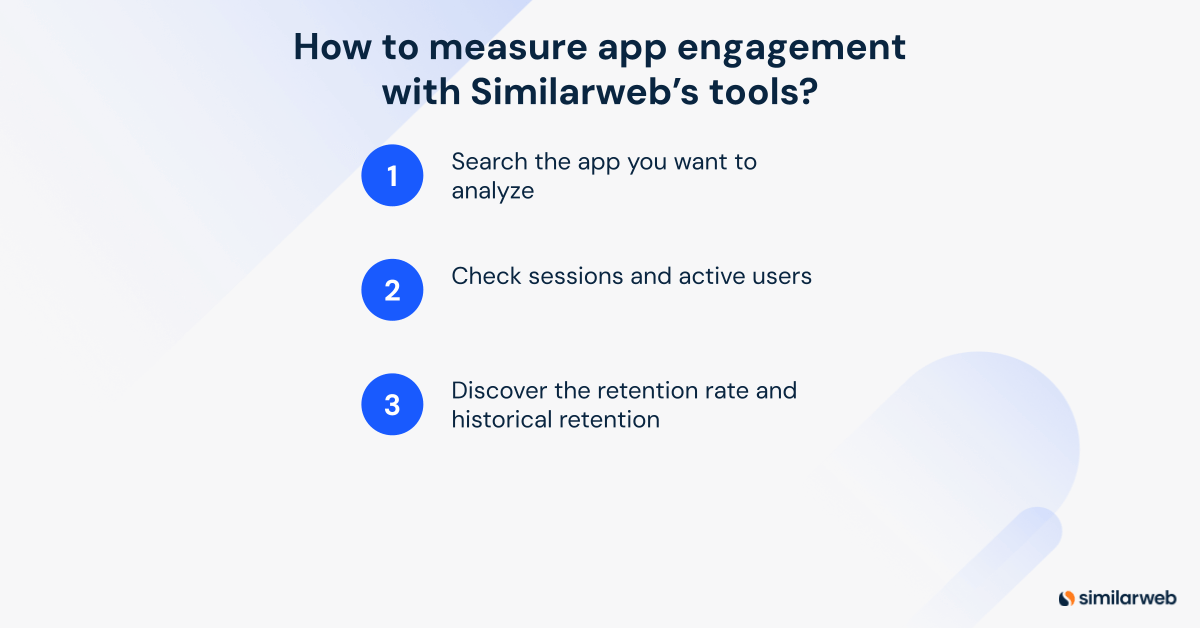
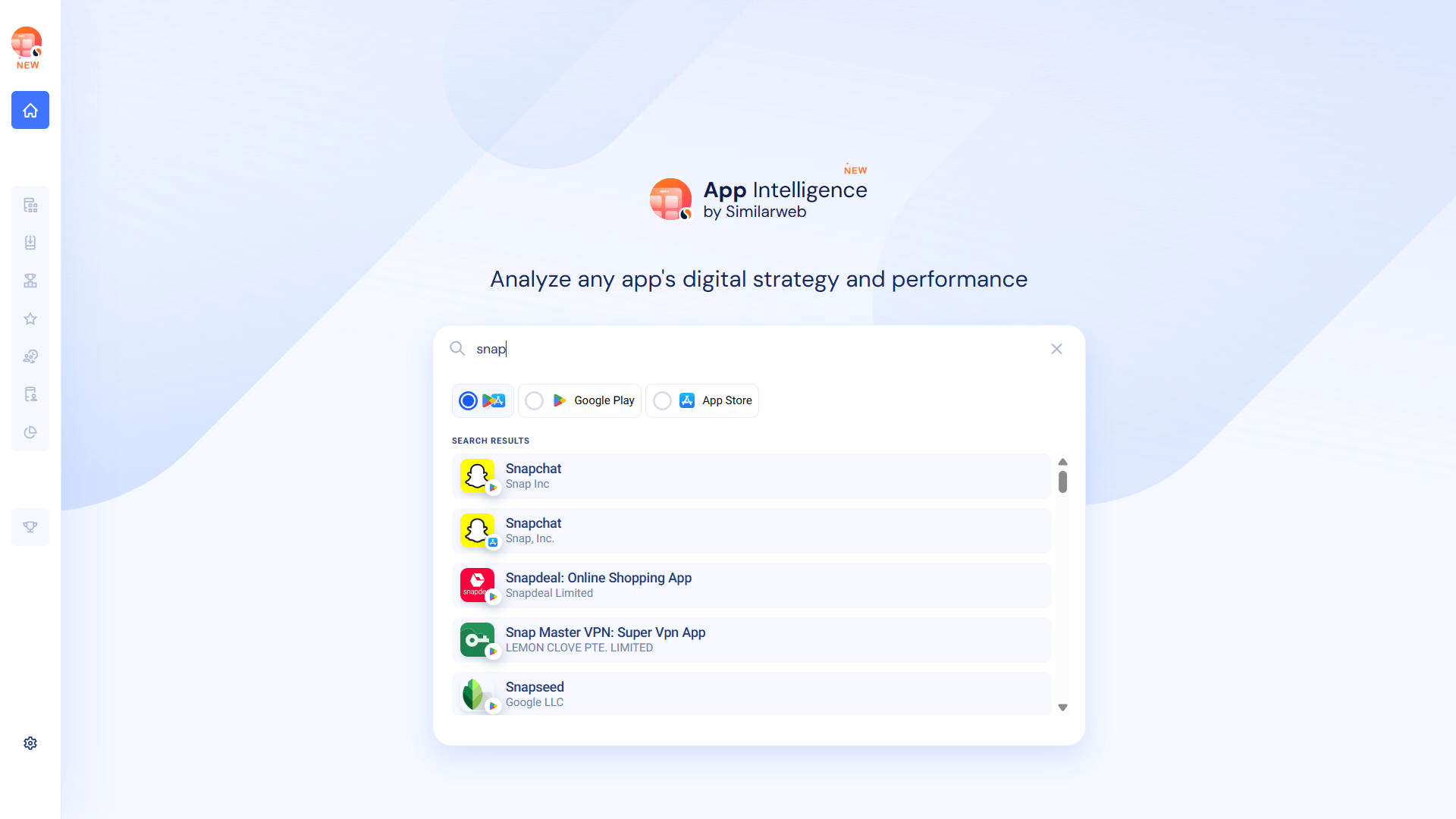
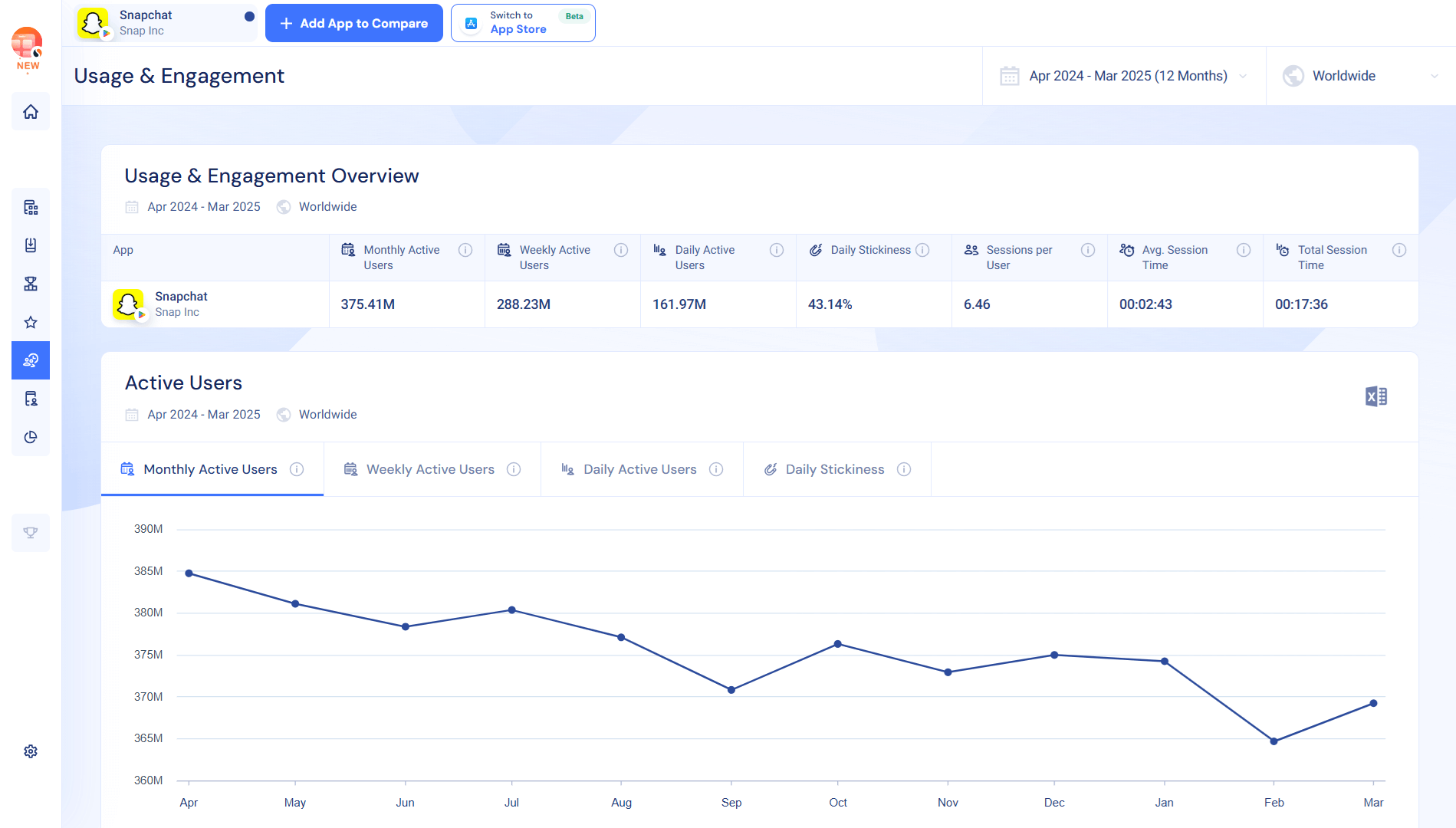
2. Head to the Usage & Engagement section. You’ll find key metrics like Sessions per User, Average Session Time, Total Session Time, and Active Users, including Daily (DAUs) and Monthly (MAUs).
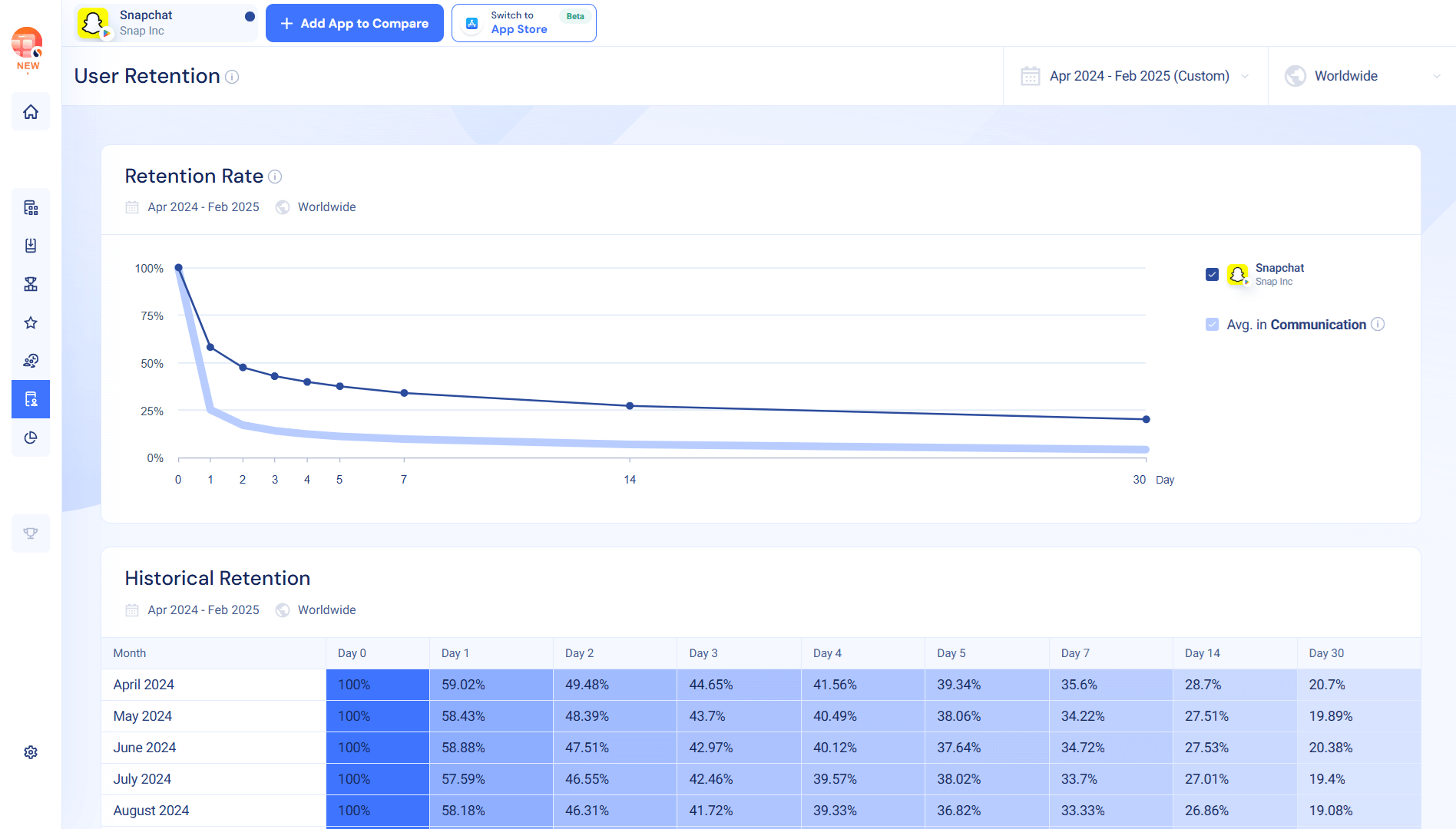
3. Check the User Retention section to see how well you’re keeping users over time. Look at both Retention Rate and Historical Retention for a complete view.
App downloads are only half the battle. What really matters is turning those installs into daily users who stick around.
Here’s how to build a strategy that keeps people active, loyal, and genuinely invested:
First impressions matter. When someone opens your app for the first time, you only get one shot to make it click.
A clean, user-friendly onboarding process helps showcase your app’s value right away. It also gives you early insights into user behavior.
Pro tip: Keep it short, visual, and focused on your core features.
Push notifications can either bring users back or drive them away. The key is relevance.
Send messages based on behavior, timing, or preferences, not just blasts to your entire audience. Personalized reminders are far more effective.
What to track: CTRs, session spikes, and frequency. If users are responding, your notifications are working.
Not everyone will dig through menus to discover your best features. So bring them to your audience.
Use tutorials, tooltips, or pop-ups to guide users to your features that matter the most. When people understand what your app can do, they’re more likely to stay.
Tailor what users see based on their behavior. This could be custom content, dynamic messaging, or layout changes that reflect their preferences.
The more relevant the experience, the stronger the engagement. People stick with what feels personal.
Think of badges, leaderboards, challenges, points, and rewards. Gamification turns casual users into invested ones because everyone likes to win.
The key is to connect rewards to meaningful actions. Want longer sessions? Create milestones. Looking for more shares? Offer incentives.
Gamification also gives you clean metrics to track through your analytics tools.
Glitches happen and questions will come up. Make sure users can get help without leaving the app.
In-app support features like live chat, quick tutorials, or searchable FAQs build trust, and trust keeps users coming back.
Sometimes the best way to improve engagement is simple: ask users what they want.
Use in-app surveys, feedback prompts, or quick rating requests to gather insights. It shows users you care, and that alone can boost engagement.
Bonus point: Feed this feedback into your analytics tools to track how your changes impact user behavior over time.
Understanding what engagement really means, beyond surface-level metrics, is the first step toward building something people actually want to use.
We’ve broken down the metrics that matter the most and paired them with strategies to keep users coming back. Do this consistently, and you’ll build an App that grows and lasts.
You need the right usage analytics tools to track engagement effectively. That’s where Similarweb’s App Intelligence comes in. It gives you the clarity, context, and data you need to make smart decisions and drive meaningful engagement.
It’s time to stop guessing. Use real data to create real results.
What part does customized onboarding play in app engagement?
Onboarding is your app’s first impression, and first impressions count. A customized onboarding experience makes users feel like the app was built for them. When you align it with their goals and preferences, they get value faster. That leads to better engagement and a stronger chance they’ll stick around.
How do push notifications drive higher user activity?
Push notifications are a direct line to your users. When done well, they remind people why they downloaded your app in the first place. Whether it’s a timely reminder, a new feature, or content they care about, a well-timed message can bring users back and encourage repeat visits. The key is to keep them personal and relevant.
Why track daily vs. monthly active users, and what’s the difference?
Daily active users help you understand short-term activity. Monthly active users show you how your app performs over a longer stretch. Looking at both gives you a clearer picture of user engagement, trends, and growth. If daily numbers are strong and monthly numbers are rising, you’re on the right track.

by Sapir Segal
Sapir is the Senior Product Marketing Manager for App Intelligence at Similarweb, bringing 10 years of experience in software companies that serve global industries like e-commerce, retail, and fintech.
Top Ecommerce Companies in the USA: The 100 Brands Winning the Traffic Race in 2026

3 of the Sharpest Minds Weigh in on the State of Gen AI in 2026

Here are two ways you can get started with Similarweb today!
