




Top Ecommerce Companies in the USA: The 100 Brands Winning the Traffic Race in 2026
by Inbar Eytan6 Min.
Aug 30, 2026
 Sales Intelligence
Many sales teams are drowning in tools to the extent that they need a tool to manage them.
It’s no joke.
Tabs, dashboards, and feeds pile up, and the most relevant data gets buried. Hunting for the one insight that matters slows everything down, and by the time you find it, the moment is gone.
That’s why we built the Sales Signals API. It brings the right signals into the one place you already live every day: your CRM (or any platform you use for that matter).
Now you can get insights that matter like vendor changes, growth or contraction, new markets, and technology shifts right where you work, as they happen.
Read the Sales Signal Playbook to learn more.
Sales signals are automated alerts that highlight meaningful changes at target accounts. They show sales teams when something important happens so reps know when to reach out and what to say.
The Similarweb Sales Signals API tracks five types of buying signals:
Unlike other providers, Similarweb provides unique traffic and ad network signals. These insights help you spot expanding markets, shifting budgets, and real competitive changes as they happen.
For example, say you’re a salesperson working in a shipping company in the UK, looking for retailers that need a cross-border delivery solution.
You can use traffic signals to track expansion to new markets for your target buyers. And when that expansion occurs, you’ll get notified straight into your CRM or any chosen platform. Your outreach is timely, insightful, separating you from competing sellers who lack this kind of intel.
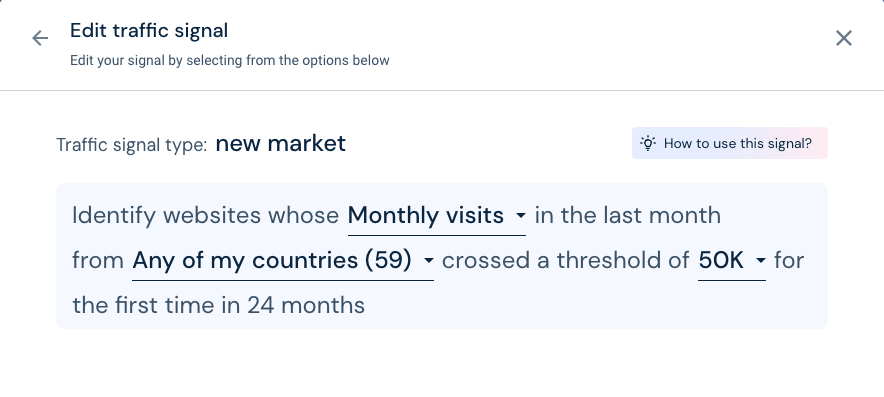
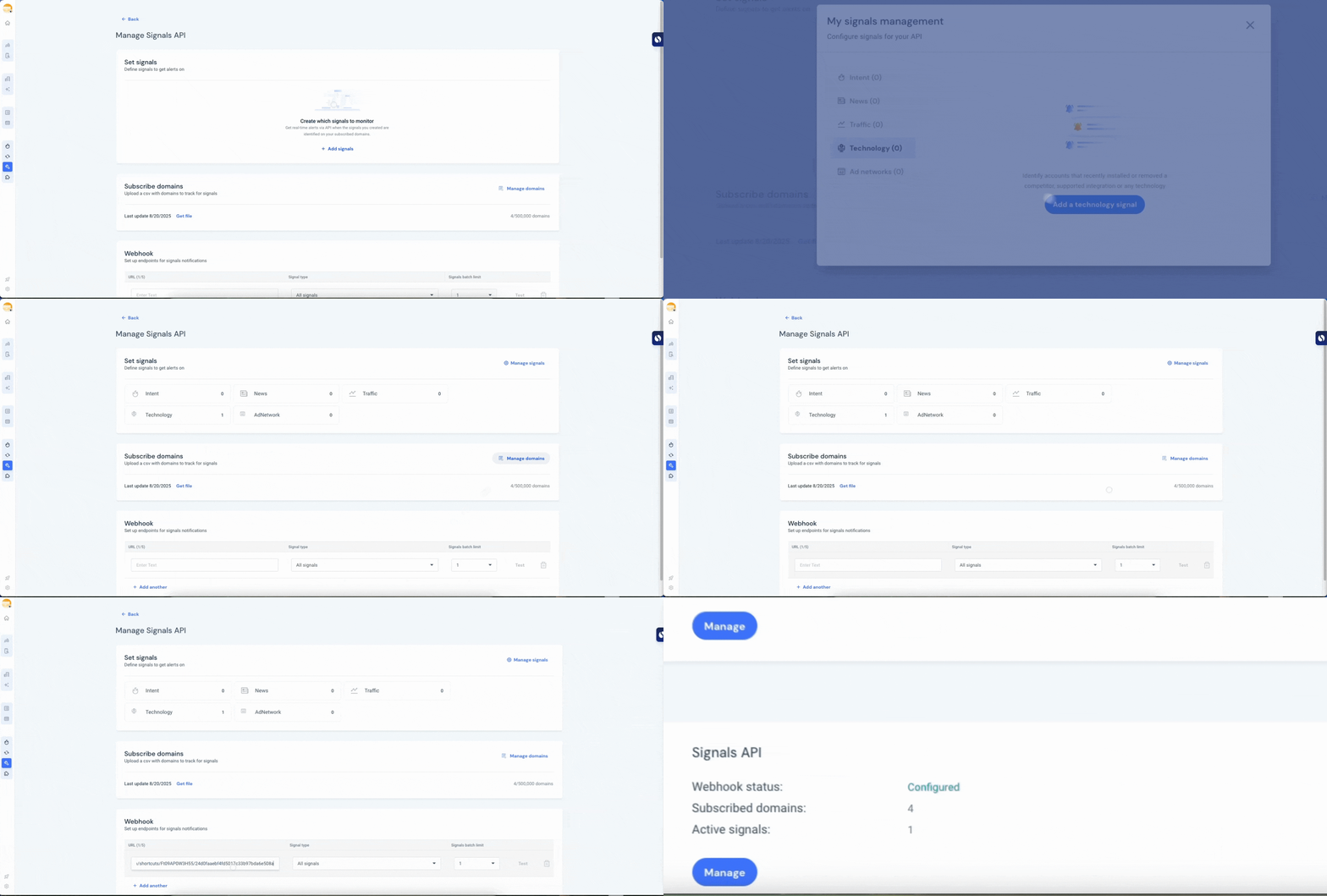
How the platform was set up

The result of that same setup
The retailer is gaining traction in those countries right now. Treat it as your timing cue. Reach out with a simple, country-specific plan that covers their needs. Because you know the exact markets, your outreach is relevant and timely.
Sales signals are powerful on their own. They help you prioritize accounts, spot the right moment to reach out, and tailor your message to what’s actually happening at a company.
That’s where the Sales Signals API comes in.
Picture two sales teams – yours and your main competitors. Your competitors are constantly switching between platforms, trying to catch important signals for an important new client. They’ve been spending their days in the CRM, managing deals and updating records. Hunting for insights across platforms will break their focus.
Now for your team. The Sales Signals API transforms that task for your team. Those signals show up automatically, right there in the CRM. Your team sees them instantly and can take action without ever leaving their primary workspace. It’s a huge boost to their efficiency.
Imagine checking your mailbox every few hours versus getting a text the second an important message arrives. One requires effort. The other just works.
Among sales-signal tools who offer an API, most of them require the CRM to request updates on a schedule, wait for data to refresh, and then sift for relevant signals. In many cases there isn’t even a dedicated Sales Signals API; signals are bundled into general enrichment endpoints. Those extra steps create delays, and in sales, timing is everything.
The Similarweb Sales Signals API uses a push model instead. New signals are delivered automatically to the CRM the moment they are detected, with no request needed.
Get up and running in minutes with a guided UI.
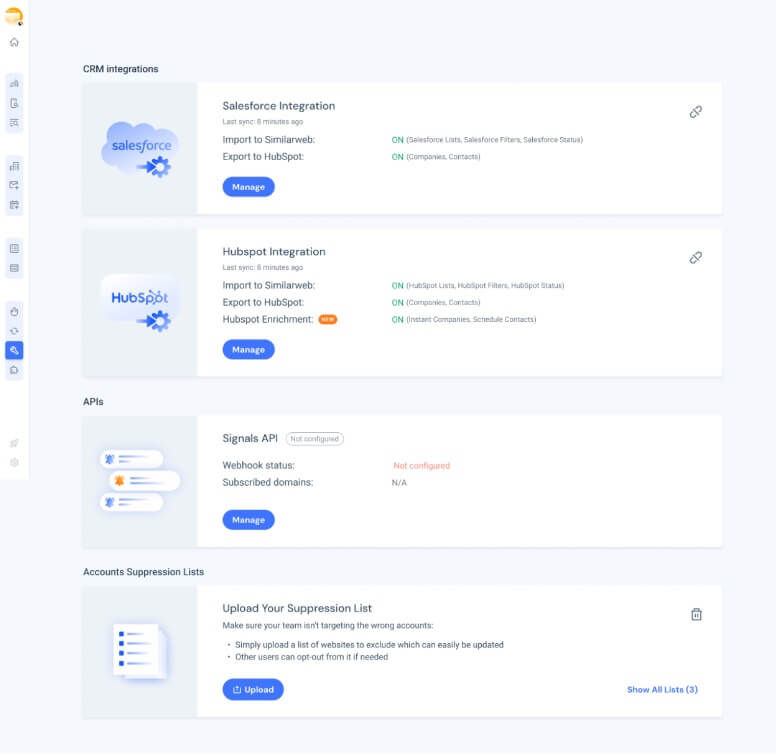
The Sales Signals UI walks you through setup: choose the signal type, set a simple rule (for example, “traffic up 20%” or “new tool installed”), select the accounts to monitor, and decide where alerts go: Salesforce, HubSpot, Dynamics, Slack, or any webhook endpoint. Preview the alert, toggle it on, and update it anytime.
See the step-by-step guide in our Knowledge Center and a User Manual in the Developer Center to help your team set it up.
The Similarweb Sales Signals API turns raw data into real insights that helps you prioritize better, personalize faster, and close deals sooner.
It’s sales intelligence that actually works the way teams do: directly in the CRM, fully automated, and built for speed.
Explore the Sales signal Playbook to see how Sales signals can help your sales teams turn timing into opportunity.
What is an API alert?
An automated notification sent from one system to another when a rule is met. In Sales Signals, an alert might fire when traffic surges or a tool is installed and land in your CRM with the details.
What is a sales API?
A programming interface that lets software read or write sales-related data and trigger actions. The Sales Signals API uses this to deliver buying signals to your CRM and start workflows.
What is an API in a CRM?
It’s how a CRM exchanges data with other tools. Using the CRM’s API, external systems can add or update records and create tasks or notifications, so signals show up where reps work.
What is a point-of-sale (POS) API?
An interface for checkout systems that connects payments, inventory, receipts, and loyalty features. It’s separate from a sales signals API, which focuses on prospect and customer activity for revenue teams.
What is a notification API?
A service that routes alerts to people or systems across channels like email, SMS, push, Slack, or webhooks. Sales Signals can use this to send instant updates so teams act right away.

Content Marketing Manager
Hanna Mathé-Cohen, by day a Content Marketing Manager; at heart, a storyteller. With 3 years in B2B SaaS, she makes complex ideas simple, and even a little fun!
Top Ecommerce Companies in the USA: The 100 Brands Winning the Traffic Race in 2026

3 of the Sharpest Minds Weigh in on the State of Gen AI in 2026

Try Similarweb Sales Intelligence today — free of charge
