

You’ve hit your search limit
Start your free trial to keep exploring full traffic and performance insights.
Get StartedPDF Scanner:Photo to PDF app analytics for February 21

PDF Scanner:Photo to PDF
- Hangzhou Keyi Network Technology Co., Ltd
- Apple App Store
- Free
- Productivity
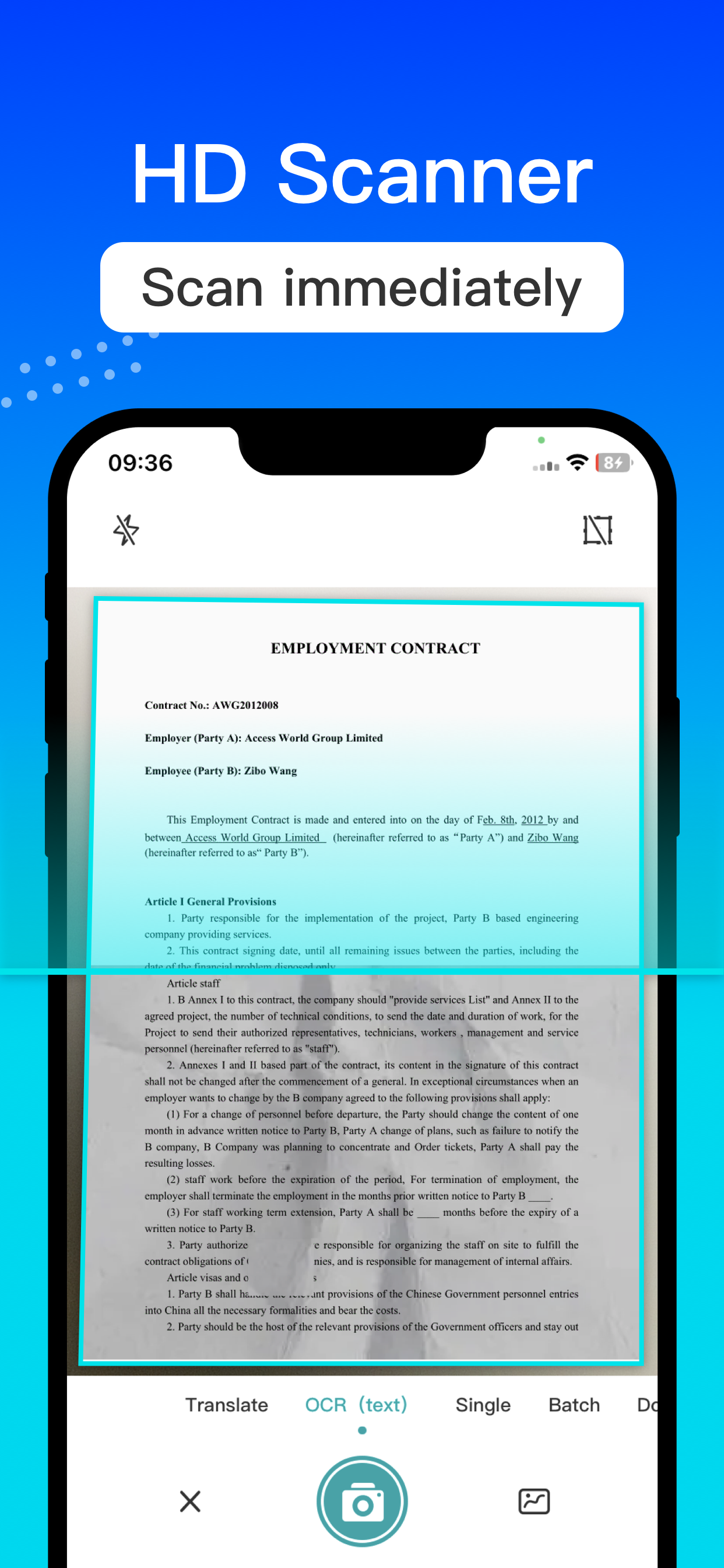
PDF Scanner is an intelligent scanning software that integrates functions such as file scanning, image text extraction and recognition, PDF content editing, and merging PDF to Word.
The main functions include:
[Text Recognition] Intelligent OCR quickly and accurately recognizes and exports text in images as text that can be edited, copied, saved, or shared.
[File Scanning] Convert captured images or images from albums into scanned copies and automatically detect boundaries.
Multi page scanning supports continuous shooting of multiple images, quick and accurate recognition of text, and copying of scanning results in one piece.
PDF toolkit: document tools such as PDF to Word, PDF to PPT, PDF to Excel, and image to PDF.
Intelligent OCR for quick and accurate recognition, directly translating text content from captured images or album images, supporting multiple languages, allowing you to freely edit, save, and share.
Usage scenario:
Business people: Business people often need to handle a large number of paper documents, contracts, business cards, etc. Using a mobile scanner app can easily and quickly digitize these documents, improving work efficiency.
[Student]: Scan textbooks, notes, and other learning materials to establish an electronic database for easy learning and lesson preparation.
Traveler: Scan important travel documents such as passports, visas, and tickets, backup them to your phone or cloud to prevent loss.
Financial personnel: Scan financial documents such as bills and invoices to facilitate financial management and reimbursement records.
Legal professionals: Scan important documents such as legal documents and contracts for easy case handling and backup.
The PDF Scanner app is suitable for people from all walks of life, helping you process paper documents quickly and conveniently, achieving the convenience of document digitization and management.
--------------------------------------------
[Subscription Instructions]
We offer you three types of membership subscriptions:
1. Permanent Membership - $24.99
2. Continuous monthly subscription - $19.99
3. Continuous package weeks - $9.99
After confirming the purchase, the fee will be deducted from your iTunes account. The subscription will be automatically renewed unless automatic renewal is turned off at least 24 hours before the end of the current subscription. To cancel automatic renewal, please manually go to "Settings" on your Apple phone, click on "Apple ID", select to enter the "Subscription" page, and select "PDF Scanner" to unsubscribe
Privacy Policy: http://static.rhinoxky.com/html/privacy/privacy_10162625006041110048.html?appName=PDF Scanner
Membership Payment Agreement: http://static.rhinoxky.com/html/paymentagreement/general.html
Store Rank
The Store Rank is based on multiple parameters set by Google and Apple.
All Categories in
United States--
Productivity in
United States--
Top Competitors & Alternative Apps
Apps with a high probability of being used by the same users, from the same store.

Doc Scan:OCR and PDF Scanner

Text Scanner:Photo to PDF

风云扫描王-文件转PDF、证件扫描、文档管理和OCR文字识别

PDF Converter-word图片转pdf转换器
 PDF Scanner:Photo to PDF VS.
 February 21, 2026