

You’ve hit your search limit
Start your free trial to keep exploring full traffic and performance insights.
Get StartedGesture Control app analytics for March 6

Gesture Control
- Conena
- Google Play Store
- Free
- Tools
Get the maximum out of your android device!
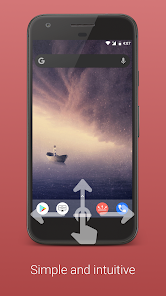
Get rid of your navigation bar and learn to appreciate the benefits of gesture-based navigation. There was never before, a more natural way, to control your smartphone. Let the future begin!
Who can benefit from this application?
▶ Tech freaks, which want to have the latest features on their device
▶ People with small hands or huge smartphones, it is much easier to expand navigation bar from bottom of screen, than from the top.
▶ People with broken hardware buttons
▶ People who use their smartphone with gloves or have problems touching the normal soft keys. The sensor area of this app is customizable, so everyone can find the perfect size.
Currently these gestures are available:
▶ Swipe up/left/right/down
▶ Swipe up/left/right/down and hold
▶ Short Swipe up
▶ Short Swipe up and hold
▶ Double/triple tap (Donation/Pro version)
▶ Long tap (Donation/Pro version)
▶ Double/triple tap and hold (Donation/Pro version)
▶ Click + Swipe up/left/right/down (Donation/Pro version)
Currently you can invoke these actions with gestures:
▶ Back, Home, Recent Apps
▶ Notifications
▶ Quick Settings
▶ Screen off
▶ Most recent app
▶ Power Dialog (Power off, reboot on some devices, etc.)
▶ Multiwindow (Android 7+)
▶ Lock device on app switch
▶ Google assistant (if installed)
▶ Execute Tasker tasks (Pro, requires Tasker)
▶ Volume actions (Partially Pro required)
▶ Show information (Partially Pro required )
▶ Media control (Partially Pro required)
▶ Brightness control (Partially Pro required)
▶ Launch other apps(Pro required)
▶ Torch (Android 6+, Pro required)
▶ Take screenshot (Android 9+, Pro required)
▶ Internal actions (Hide Bar for specific period, hide bar until app switch, etc. - Partially Pro required)
▶ Power off options, Take screenshot, etc. (Root, Partially Pro required)
▶ Numerous other actions
These features set Gesture Control apart from the competition:
▶ Possibility to create an infinite number of sensor bars
▶ Possibility to disable individual sensor bars in certain apps
▶ Possibility to activate individual sensor bars only in certain apps
▶ Configurable gesture detection
▶ Sensor bar color configurable per app (Pro)
▶ Possibility to start other apps per action (Pro)
▶ Possibility to split sensor bars into up to five parts (freely configurable, Pro)
▶ Unique stability and reliability
▶ 100% offline, no internet permission, highest possible data protection
In order to provide the above-mentioned functions, the applications uses accessibility services features.
To make the visibility and appearance of the sensor bars in individual apps customizable, and to display and launch installed apps, the app needs access to the list of installed apps.
Privacy is important to me. This application will not send any personal data to the developer or anyone else.
If you like my app, I would be very happy if you have a look at the donation/pro version (https://play.google.com/store/apps/details?id=com.conena.navigation.gesture.control.pro).
Translation credits:
Chinese - Zhao Peng
Czech - Tomáš Tihlařík
French - Julien Jaegy
Japanese - TUVIn5f0
Portuguese - Adalberto Fontenele
Russian - Игорь Иринин
Spanish - Fher Mosqueira
Turkish - Y. Eren Bektaş
Vietnamese - Alienz
If you have any questions or want to translate the app into your language, feel free to contact me: info@conena.com.
Gesture Control Usage Rank
The usage rank is based on Similarweb's algorithm that calculates current installs and active users over a 28-day period.
All Categories in
Brazil#9,309
Tools in
Brazil#1,591
Users Interests & Top Categories
Top categories and apps used by Gesture Control users





Top Competitors & Alternative Apps
Apps with a high probability of being used by the same users, from the same store.

dynamicSpot - Dynamic Island

Spatial Touch™

One Hand Operation +

Touch Screen Test
 Gesture Control VS.
 March 6, 2026