

You’ve hit your search limit
Start your free trial to keep exploring full traffic and performance insights.
Get StartedScreenshot X - Screen Capture app analytics for February 21

Screenshot X - Screen Capture
- TarrySoft
- Google Play Store
- Free
- Photography
Capture screenshots with one click!
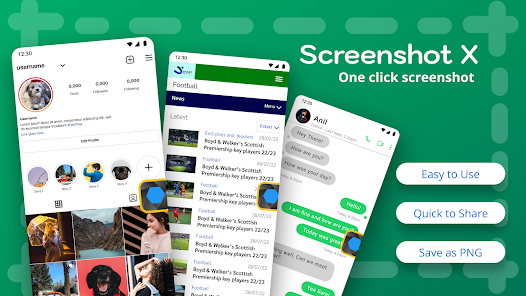
Screenshot X - Screen Capture Tool - the fastest and easiest way to take and share screenshots!
Powerful Screenshot Tool - Capture Screenshots in 1 click!
Download Screenshot X, a FREE screen tool to instantly capture screens and share screenshots. Just open the app (snipping tool), and an icon will appear on your phone's screen. Tap on the icon anytime you want to grab a screenshot. Then you can immediately share or save the screenshot through other apps: messaging apps, emails, clouds, photo editing, or other phone tools!
Screen Capture for all device types ✅
Tired of trying to capture screenshots with one hand or even two? With bigger phones, capturing the screen by pressing two buttons simultaneously is hard, and so are other gestures that mess up the screen. What if we tell you that we can help you to capture it in less than a second with only one tap of your finger with our handy screenshot capture tool? It's a flexible screen capture app that lets you share screen shots with anyone using phone tools already installed on your phone. Simple. Easy. Useful. And FREE!
BENEFITS OF USING SCREENSHOT X - SCREEN CAPTURE TOOL:
✅ ONE TAP screen capture. Just tap on the icon, and our app will instantly capture a screenshot.
✅ Seeing something nice or funny on Instagram or chat sessions? Capture Screen with Screen Grabber feature!
✅ No one will know you've taken the screenshot. One tap on your phone screen, and you're done.
✅ Share the screen record through other apps: Emails, Facebook, Photo Editing apps, Cloud Service, or any phone tools you have.
✅ Move around the" capture screen" icon to anywhere on the screen for more comfortable viewing.
✅ Screenshot X - Capture Screen Tool saves each screenshot in a new picture file called Screen Grabs.
Want to see your contacts list from months ago? Easy, if you grab a screenshot of those important clients' phone numbers. The snapshot of your screen is saved in the file labeled Screen Grabs. Want to send a map or directions to your technically-impaired friends? It doesn't get any easier than clicking (screen capturing) and sending the screenshot or screen record.
Discover a powerful tool!
Pictures, app icons, maps, tools, contacts, addresses – no matter what's showing up on your screen, you can capture it with Screenshot X and save screenshots in one place, so you don't have to fumble for what you need now.
Enhances your Android experience in every way with Screenshot X - Screen Capture Tool!
Screenshot X - Screen Capture Usage Rank
The usage rank is based on Similarweb's algorithm that calculates current installs and active users over a 28-day period.
All Categories in
Germany#6,607
Photography in
Germany#108
Users Interests & Top Categories
Top categories and apps used by Screenshot X - Screen Capture users
Top categories
Affinity
Top apps within the category
More apps
20%


11%



9%



9%


Top Competitors & Alternative Apps
Apps with a high probability of being used by the same users, from the same store.

ScreenMaster:Screenshot Markup

Private Screenshots

Screen Recorder Unlimited

Screen Recorder: Facecam Audio
Screenshot X - Screen Capture VS. February 21, 2026