

You’ve hit your search limit
Start your free trial to keep exploring full traffic and performance insights.
Get StartedLock N' Block - App Blocker app analytics for April 8
Lock N' Block - App Blocker
- Mvsweb LLP
- Google Play Store
- Free
- Tools
Lock N' Block can help you to protect any app on your phone, even those you haven't installed yet. You can also use Lock N' Block to block apps on your child's phone! With the lock function of yet-to-be-installed apps, you'll be able to choose a type or a category for automatic protection or locking. You can block access or protect any app on your phone in just 2 clicks! Want to protect sensitive data? Prevent apps access to the Internet with firewall function. Afraid that your child will see obscene content? Turn on keyword-based protection/lock. Want the protection to turn on under certain conditions? Choose when to activate the protection, at certain time, days, when connecting to selected Wi-Fi or Bluetooth networks or according to your location, select the types of new apps and they will be added automatically to the specified conditions after installation. Don't want to be disturbed at an inconvenient time? Turn off notifications of selected apps at specific time! Want to block apps while you're in a certain location? You can also easily do this with Lock N' Block. Left your phone in another room and someone tried to open a secure app? Activate the alarm function and you will be aware of it! Want to know who tried to open a secure app without you knowing? Use the built-in history feature, you can save password attempts, passwords and photos of those who tried to do it! Don't want the user to realize that the app is blocked? Use the fake app error page!
Types of protection:
Choose the type of protection that is most convenient for you: password, pin code or drawing.
Lock types:
You can choose a fake bug so that the user doesn't know if there is a lock, but you can also use the standard lock page.
Key features:
Block or protect apps with a password
Turn on the block or access to the apps by the password
Firewall
You'll be able to block access to the Internet for any app
Block or protect apps using keywords
Add keywords and if they appear in the app's content protection will turn on
Notifications block
Block notifications for selected apps and they will no longer appear on your phone
Additional functionality:
Each of the above features has additional functionality
Protect or block new apps
For core features you can automatically add new apps. Choose the type of apps you want to add to a specific type of protection/lock and they will be added as soon as you install them.
Lock conditions
If you want certain apps to be blocked under certain conditions, you can use this option, it is available for all major features. It also has built-in support for adding new apps. The following block/protection conditions are maintained:
On certain days
At certain time intervals
When connecting to certain Wi-Fi networks
When connecting to certain Bluetooth networks
In certain locations
History
To see all the events associated with app protection/blocking, use the history feature.
Apps opening records
Lock/protect apps records
Blocked notifications records
Password attempts records
Incorrect passwords records
Saving a photo after several incorrect password attempts
Settings
With the help of settings, you can:
Set protection and lock types
Set a limit on the number of password attempts
Set a wrong password alarm
Protect Lock N' Block from removal
Permissions
BIND_ACCESSIBILITY_SERVICE
This app uses the Accessibility services to block unwanted apps and keywords, also it detects app uninstallation.
DEVICE ADMINISTRATOR
This app uses the Device Administrator permission to protect the app from unauthorized removal.
SYSTEM_ALERT_WINDOW
This app uses System Alert Window permission to show block or protection window over selected apps.
VPNService
This app uses VPNService to secure internet connection and block internet connection for selected apps.
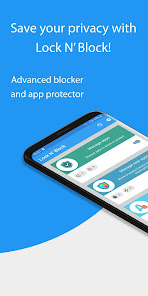
Lock N' Block - App Blocker Usage Rank
The usage rank is based on Similarweb's algorithm that calculates current installs and active users over a 28-day period.
All Categories in
United States--
Tools in
United States--
Users Interests & Top Categories
Top categories and apps used by Lock N' Block - App Blocker users
Top categories
Affinity
Top apps within the category
44%




31%


10%

10%
 Lock N' Block - App Blocker
April 8, 2026