

You’ve hit your search limit
Start your free trial to keep exploring full traffic and performance insights.
Get StartedSticky Notes app analytics for March 3

Sticky Notes
- Nemunoma
- Google Play Store
- Free
- Productivity
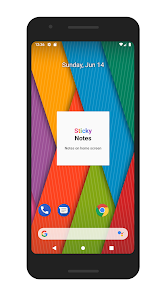
*This app does not have an icon on the home screen. It is only a widget app.
Widget with a simple design. Can be matched with any wallpaper. A variety of configurations are possible: Cute pastel colors, dark background for a cool look, vivid colors to make it easy to read, transparent background to blend in with the wallpaper, etc.
The widget is scrollable. If the text exceeds the widget size, you can scroll.
Editing screens are all on one screen in a simple design. The editing screen can be configured in different ways such as dark mode and color palette editing.
Data for up 200 previous sticky notes can be saved. If a note was deleted by mistake, it can still be recovered. (Although this feature is similar to a backup feature, it is slightly different. The data for previous sticky notes will all be deleted if the app is uninstalled. For important notes or if you will replace your device, first share or copy your notes to the cloud or to another app.)
■Instructions
Creating a new sticky note: ① Press the home screen for a few moments. ② Select "Widget". ③ Press the "Sticky Notes" icon for a few moments. ④ A new note will appear on the home screen.
Editing a sticky note: Tap the sticky note widget on the home screen to open the editing screen.
Resetting the color palette: You can reset the color palette by emptying it, then saving it.
■Note
This app does not have an icon on the home screen. It is only a widget app.
Depending on the home launcher, certain widget functions might be restricted. In such a case, this app might not work. If problems such as a sticky note disappearing often or the widget cannot be added, use a different home launcher app.
If the widget does not appear right after being installed, restart the device. If "loading… " is displayed, wait a few moments and then it will become usable.
When a previous sticky note data is edited, it will be updated after the editing is completed. However, screen rotation or the creation of multiple windows will be saved at irregular times.
Sticky Notes Usage Rank
The usage rank is based on Similarweb's algorithm that calculates current installs and active users over a 28-day period.
All Categories in
Germany--
Productivity in
Germany#1,401
Users Interests & Top Categories
Top categories and apps used by Sticky Notes users
Top categories
Affinity
Top apps within the category
More apps
18%





15%


12%





10%





Top Competitors & Alternative Apps
Apps with a high probability of being used by the same users, from the same store.

NoteLedge - Digital Notebook

Nested Folder Notes - Folino

DayDew - Daily Journal, Diary

Inkpad Notepad & To do list
Sticky Notes VS. March 3, 2026