

You’ve hit your search limit
Start your free trial to keep exploring full traffic and performance insights.
Get StartedPassword Autofill app analytics for April 12

Password Autofill
- Neon Apps, Inc.
- Google Play Store
- Free
- Tools
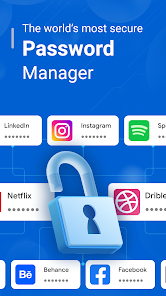
A Password Manager app is a software tool designed to securely store and manage passwords and sensitive information.
This app aim to enhance online security by generating strong, unique passwords for each account and ensuring you don't have to remember multiple complex passwords.
The Password Autofill app offers an after-call feature that allows you to quick access your password & secret notes easily also quick send replies & set reminders directly from the after-call screen.
A Password Manager app typically offers:
1. Secure Password Storage:
The app securely stores passwords, credit card details, and other sensitive information in an encrypted format. Encryption ensures that even if the data is intercepted, it remains unreadable without the decryption key.
2. Password Generation:
It includes a password generator that helps you create strong and unique passwords for different accounts. These passwords usually consist of a mix of uppercase and lowercase letters, numbers, and special characters.
3. Secure Notes and Data:
Besides passwords, you can store secure notes, Wi-Fi passwords, software license keys, and other confidential information in the app.
4. Auto-Fill and Auto-Login:
Password Manager app can automatically fill in login credentials on websites and apps, streamlining the login process. Some even offer automatic login features, where the app logs in the user with a single click.
5. Backup and Recovery:
Password Manager app offer backup and recovery options, allowing user to retrieve their stored passwords in Google Drive, if they ever lose access to the app or their device.
6. Intuitive User Interface:
The app typically has an easy-to-use interface, allowing you to organize passwords into categories, search for specific entries, and manage their data efficiently.
Remember, A Password Manager app offer these functionalities, more advanced versions might include features like secure password sharing, encrypted file storage, and integration with other security tools. You should choose a Password Manager app that meets their specific needs and security requirements.
Password Autofill Usage Rank
The usage rank is based on Similarweb's algorithm that calculates current installs and active users over a 28-day period.
All Categories in
United States#4,556
Tools in
United States#558
Users Interests & Top Categories
Top categories and apps used by Password Autofill users
Top categories
Affinity
Top apps within the category
More apps
33%




14%



8%




8%



Top Competitors & Alternative Apps
Apps with a high probability of being used by the same users, from the same store.

LastPass Password Manager
1Password: Password Manager

Keeper Password Manager

Enpass Password Manager
Password Autofill VS. April 12, 2026