

You’ve hit your search limit
Start your free trial to keep exploring full traffic and performance insights.
Get StartedAndroid 13 Style Lock screen app analytics for March 21

Android 13 Style Lock screen
- Silky Apps Studio
- Google Play Store
- Free
- Personalization
PERMISSION
• ACCESSIBILITY_SERVICE
A - This app needs to be activated in accessibility service to show lock screen overlay view on top of all views in mobile screen.
B - This application also use accessibility service features as follow
1 - take screen shots
2 - show power menu
3 - close system dialogs
4 - Turn on/off WiFi and data connection on behalf of user by automatically clicking on related system menu tiles
5 - Turn on/off location and Airplane mode on behalf of the user action.
6 - This application can also automatically clicks on system menu tiles where Android API do not allow the action in a programmatic way. But this action is only done when user want to change the setting by clicking on the control menu interface provided by this application
• READ_NOTIFICATION read notification to show media control or notifications on lock screen.
• Bluetooth permission for earbuds and airpods
FEEDBACK
• If you have any problems while using this application, please let us know we will check and update as soon as possible.
This is Android™ 13 Style Lock Screen APK file for Android 5.0+ and up. Q Style Lock Screen is a free Personalization app. It's easy to download and install to your mobile phone.
The average rating is 4.80 out of 5 stars on playstore. If you want to know more about T Style Lock Screen then you may visit Silky apps studio Launchers and Themes support center for more information
All the apps & games here are for home or personal use only. If any apk download infringes your copyright, please contact us. Android T Style Lock Screen is the property and trademark from the developer Silky apps studio Launchers and Themes.
In the world of phones, we are always looking for new ways to get information faster. Many developers have started with the lock screen. At a very basic level, stock lock screens carry some sort of shortcuts to the camera as well as time and weather apps. There are a few lock screens that even show you a few headlines or recent apps.
🔑 Lock screen is a highly customization lock screen with a number of ways. Starting off, there are four main things you get to control, Notifications, Weather.⏱
🌈 With the weather, just like most stock options, you choose your location, either automatically or manually. Now where it gets cool is the notifications. It gives you the option to light up the screen when you get a message from apps as well as which apps you get notifications from. ⏰ The countdown day is exactly what it sounds like, where it allows you to set a timer. And the news setting gives you many options of the types of news you get to see.🌍
📮 Within Q Lockscreen there are some deeper settings you can access such as the color for the time, date and camera icons. You can select different types of lock screen unlocks like slide to unlock, unlock sound and more. There are tons of style and wallpaper options this app offers for download. In order to download these you must watch a short video .🚰
🔮 Q Lockscreen also has a built-in a battery saving element that will alert you of things running needlessly in the background consuming precious power. The application is an excellent with live wallpapers. It is beautiful, safe and custom.📔
🌏 Q Lockscreen Feature 🌏
💧 A lot of beautiful wallpaper Android 10 including the famous live wallpaper smoke.
💧 Slide to easily unlock your phone with subtle animations and sounds.
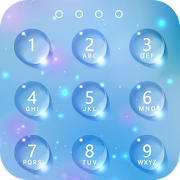
💧 Set Pin or Password via Keypad Lock Screen to Enhance Security Lock your Phone.
💧 Supports custom slide text, you can use your name or other words to personalize your Lockscreen.
💧 Live wallpaper effect with snow fall and fly fireflies with magic touch.

Android 13 Style Lock screen Usage Rank
The usage rank is based on Similarweb's algorithm that calculates current installs and active users over a 28-day period.
All Categories in
United States--
Personalization in
United States--
Users Interests & Top Categories
Top categories and apps used by Android 13 Style Lock screen users
Top categories
Affinity
Top apps within the category
More apps
49%


33%


5%



4%


Top Competitors & Alternative Apps
Apps with a high probability of being used by the same users, from the same store.

Game Booster GFX - No Lag

Vera Icon Pack: shapeless icon

3D Fish Live Wallpapers 4k HD
ADW Launcher 2
Android 13 Style Lock screen VS. March 21, 2026