

You’ve hit your search limit
Start your free trial to keep exploring full traffic and performance insights.
Get StartedSplit Screen: Multitasking app analytics for April 5

Split Screen: Multitasking
- kurekoo
- Google Play Store
- Free
- Productivity
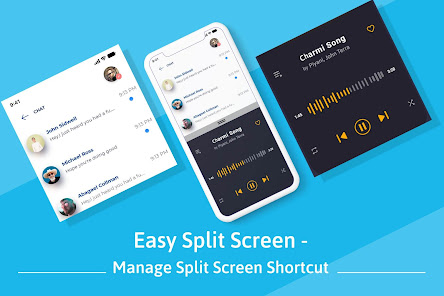
If you want to work with two different apps at the same time then you can do it using the Easy Split Screen app. This app creates dual windows on your phone screen so you can do multitasking.
To split your screen into two parts first you have to enable split-screen service from the app. Then there are two shortcut ways available to get the split-screen, the first way is using the floating button and the second way is using the notification.
Features of Easy Split Screen:
- You can adjust the size of the floating button.
- You can customize the foreground color and background color of the floating button.
- You can change the opacity of the floating button.
- The floating button will automatically get adjusted towards the sides of the screen if the Adjust to sides option is turned on.
- Your phone will vibrate when you activate or deactivate the split-screen.
Download the app to split your mobile phone’s screen into dual windows and access any two apps simultaneously.
Note: Split screen will only work on those apps which supports screen splitting, if split is applied on non-supported apps it won't work and will show error message.
Our application needs accessibility services since we need to use the accessibility API to perform actions like Split Screen on floating button or using notification action.
Split Screen: Multitasking Usage Rank
The usage rank is based on Similarweb's algorithm that calculates current installs and active users over a 28-day period.
All Categories in
United States--
Productivity in
United States#1,480
Users Interests & Top Categories
Top categories and apps used by Split Screen: Multitasking users







Top Competitors & Alternative Apps
Apps with a high probability of being used by the same users, from the same store.

blockit | stop phone addiction

Floating Apps (multitasking)

Nova Launcher

Taskbar
 Split Screen: Multitasking VS.
 April 5, 2026