


 Sales Intelligence
Lead Qualification Guide: Criteria, Steps & Tools

SDRs are drowning in leads. Web forms, events, partner referrals, cold lists, ads. you name it. But here’s the catch: not all leads are worth your time. And time, for any SDR, is the most valuable (and limited) resource. That’s where lead qualification steps in.
We’ll walk you through the full lead qualification process: from first touch to hand-off. You’ll learn why lead qualification matters, how to define your lead qualification criteria, which frameworks top teams rely on, and where AI-driven tools can supercharge your pipeline. Whether you’re just getting started or optimizing your current flow, this is your blueprint.
What is lead qualification?
Lead qualification is the filter between chaos and pipeline clarity. It’s how SDRs decide which leads deserve attention, and which go straight to nurture.
Think of it as sales triage. Every lead gets checked for fit, budget, timeline, and authority. If it clears the bar, it moves forward. If not? Save the energy.
The goal is to give sales and marketing one shared view of priority. A clean lead qualification process reduces guesswork, makes forecasts more reliable, and keeps hand-offs tight. The most effective lead qualification steps start with basic firmographics and move into real signals: engagement, intent, and two-way conversations.
Why lead qualification matters?
Let’s spell out why lead qualification matters: because it drives the numbers SDRs live and die by.
Saves bandwidth
SDRs spend less than 30% of their time actually selling (source: Salesforce). Every minute wasted on a bad lead tanks productivity and morale.
Lifts win rates
Qualified leads convert better. When they match your criteria, you build momentum, rack up wins, and feed future deals.
Speeds up the cycle
Good leads come in knowing the problem and with budget in hand. That means fewer slowdowns, faster decisions.
Improves forecast accuracy
Better qualification means better data. Which means pipeline stages reflect reality, not guesswork. Your forecasts? Way sharper.
Reduces acquisition costs
Why burn budget on leads that won’t close? Tight qualification helps teams focus spend where it actually returns value.
Improves the experience
Nobody likes to feel rushed into a sale. When leads get fast-tracked before they’re ready, you lose trust. Qualification protects the relationship.
Reveals missing data
Structured qualification surfaces what you don’t know: firmographics, tech stack, intent. That prompts data enrichment and sharper targeting.
Recovers revenue
Industry research says two-thirds of lost sales trace back to poor qualification. Fix this, and the upside isn’t small, it’s huge.
The value shows up in the numbers: more booked meetings, cleaner pipelines, shorter sales cycles. And when you plug in AI-powered sales intelligence; tracking intent, surfacing competitive signals, validating contact data, you turn lead qualification from a manual slog into a high-precision machine. And a pipeline that performs.
Types of qualified leads
Leads aren’t created equal. So here’s the rundown of four types of qualified leads, each with their own signals, timelines, and tactics.
1. Information Qualified Leads (IQLs)
These sit right at the top of the sales funnel. Think: someone downloaded a white paper, signed up for a webinar, or filled out a quiz. They’re just starting to explore a pain point and not shopping yet.
At this stage, SDRs should tag the lead, enrich it with firmographic data (company size, location, tech stack), and hand it off to marketing for automated nurture. But don’t ignore sales intelligence here. Behavior tracking helps identify when curiosity turns into intent.
2. Marketing Qualified Leads (MQLs)
Now we’re talking real engagement. MQLs are coming back for comparison guides, checking out pricing pages, or using ROI calculators. They match your ICP on industry, revenue, or tech stack and their activity suggests they’re problem-aware.
Lead scoring kicks in, SDRs get notified, and outreach gets tailored. Coordination is important here. Sales and marketing need to speak the same language so MQLs don’t get lost in the shuffle.
3. Sales Qualified Leads (SQLs)
At this stage, the lead has confirmed need, timeline, and authority. There’s a real conversation happening. Maybe a demo’s booked, goals are discussed, and a budget’s on the table.
The SQL handoff is a trigger point: this is when a forecastable opportunity enters the pipeline. Expect a high standard of proof. AI tools can step in to transcribe calls, flag objections, and track sentiment. This arms reps with context that speeds up movement through the funnel.
4. Product Qualified Leads (PQLs)
For freemium or trial-based models, the data does the talking. Logins, feature usage, or hitting usage caps signal when someone’s ready to convert. PQLs rely more on behavior than conversation.
SDRs collaborate with customer success to map out the buying team, identify power users, and tee up the right upgrade path. AI does the heavy lifting here. It scans patterns, scores likelihood to expand, and generates a clear outreach list.
How to qualify sales leads
Let’s discuss the actual lead qualification steps SDRs follow in the real world. It’s the day-to-day process that keeps pipelines clean and conversion-ready. You can run these moves in sequence or zone in on the stage that’s letting deals slip. Each one plugs directly into Similarweb’s Sales Intelligence workspace, showing how AI assists in lead qualification without switching tools or tabs.

1. Define your ideal customer profile (ICP)
Everything starts here. Who really wins with your product? Map it out: industry, company size, revenue range, where they’re based, and what tools they run. Then layer in those less obvious traits: are they scaling fast? Managing compliance? Tied into a partner system that makes integration urgent?
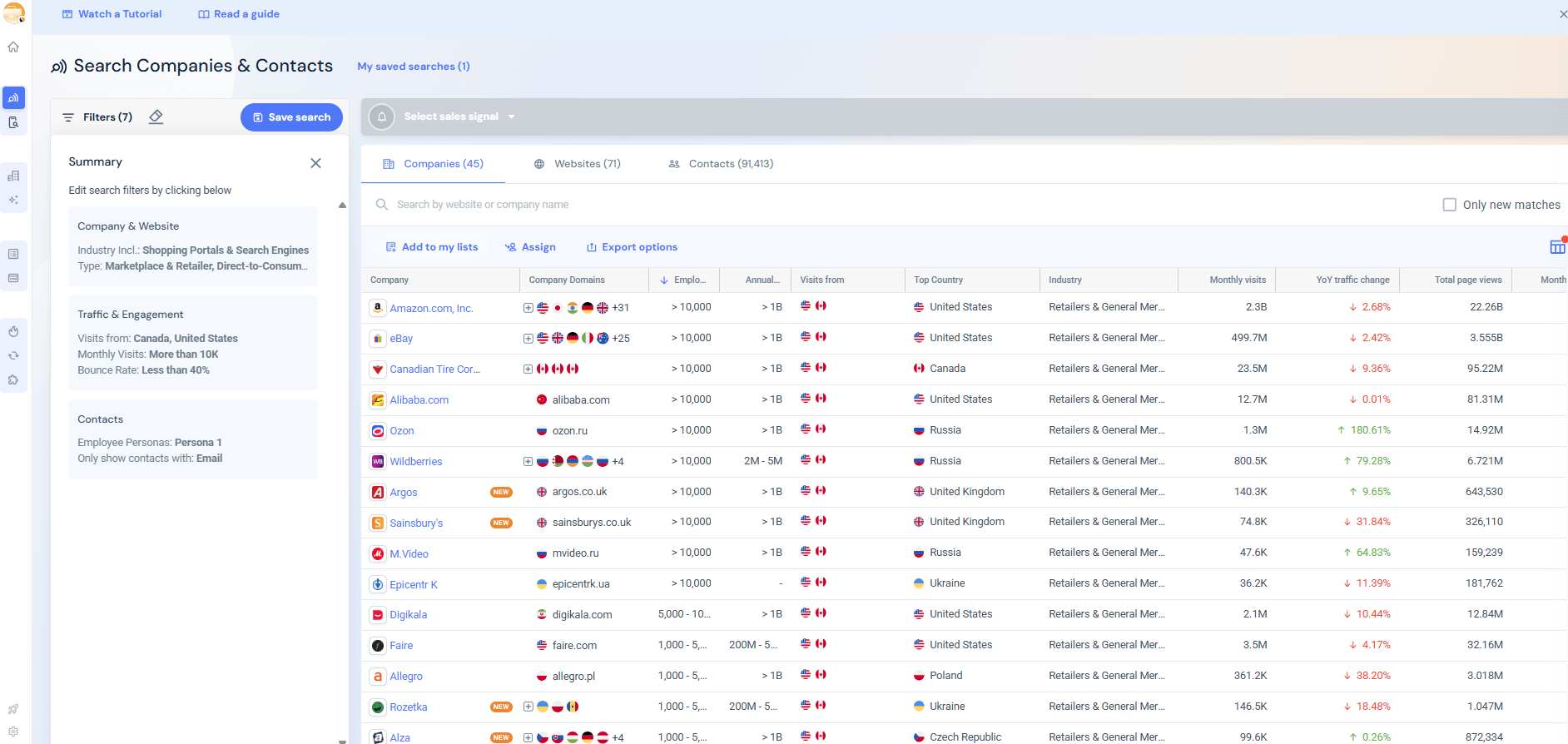
Inside Sales Intelligence’s Search Companies, stack filters under Company & Website (like Company Type, HQ Location, Annual Revenue), then dive into the Tech Stack panel. This is where things click. You’ll see who’s already using your product, who’s on a rival, and who’s adjacent enough to need you next.

Save this as a named audience. Marketing can mirror it. Sales can score it. You can refresh it every quarter. Why? Because Similarweb’s AI flags new clusters of closed-won deals and nudges you when your ICP is going stale.
2. Establish basic criteria
Now that you know who to go after, make sure they’re legit.
Start with the basics: what does the company do? Retail, SaaS, marketplace, industrial, or media? Similarweb’s Traffic & Engagement view shows visit volume, time on site, bounce rate, clues that help separate real buyers from casual browsers.
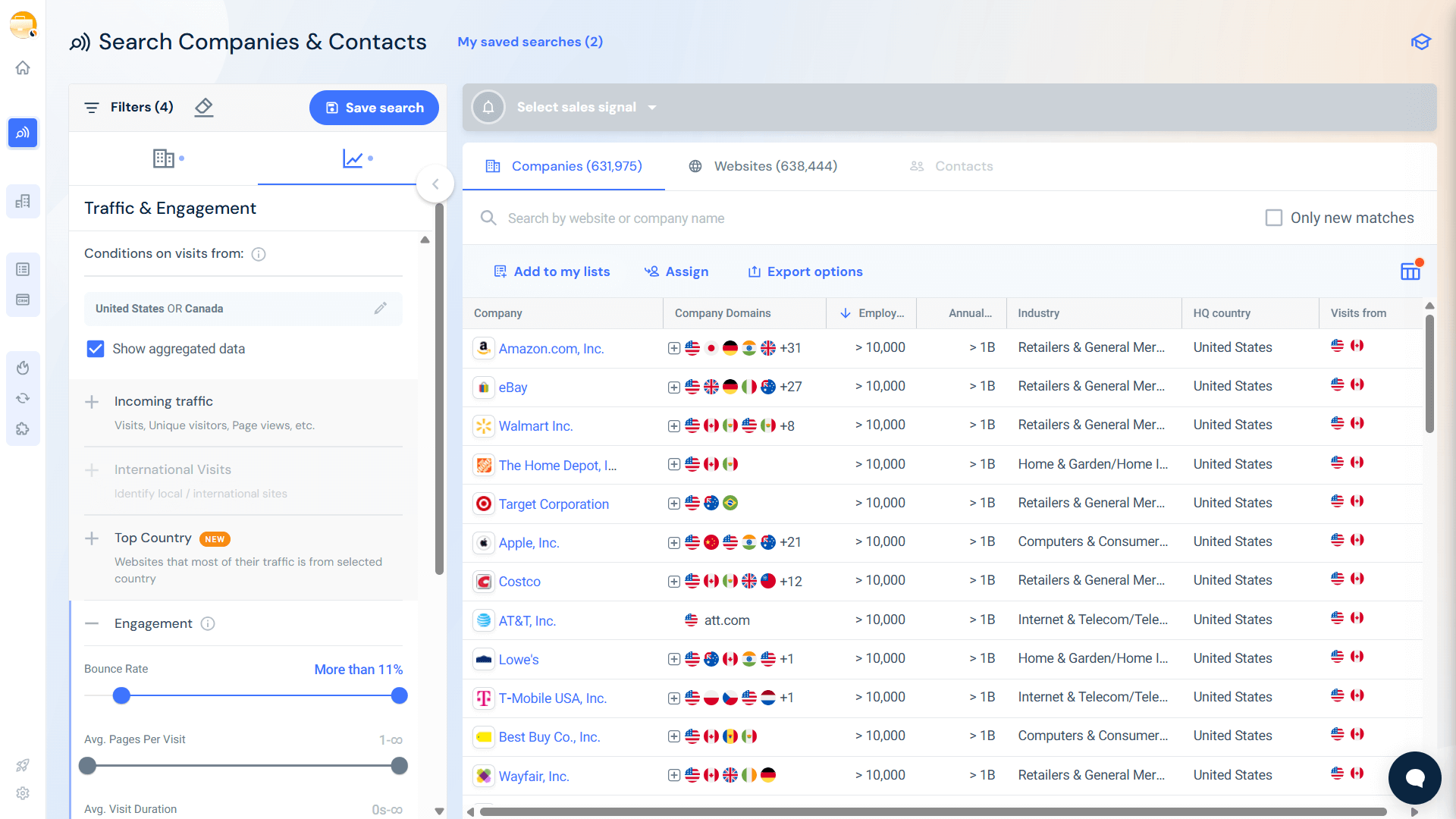
Need international reach? Use the International Visits filter to spot global players. Ecommerce? Pull in Estimated Online Revenue. Large, multi-market orgs? Check for multiple Top-Level Domains (TLDs). Want a people-power snapshot? Add employee count.
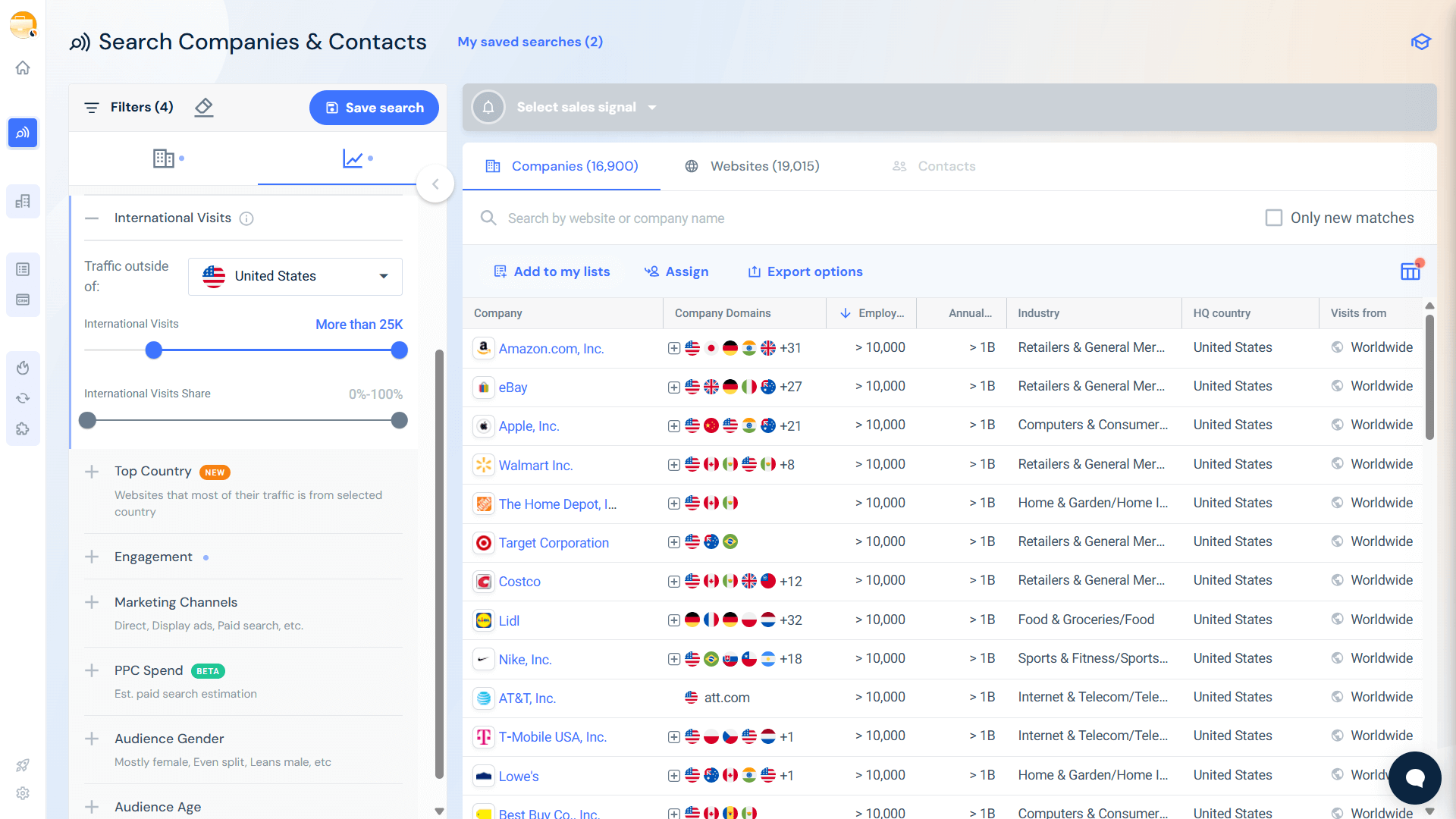
Build this into your CRM’s lead scoring model so every inbound lead gets graded without guesswork. Review your criteria each quarter. If surprising wins come through a specific mid-market revenue band, let AI highlight it, and tweak your filters to catch more of them.
3. Reach out at the right time
You’ve got the right company. But do they want to hear from you right now?
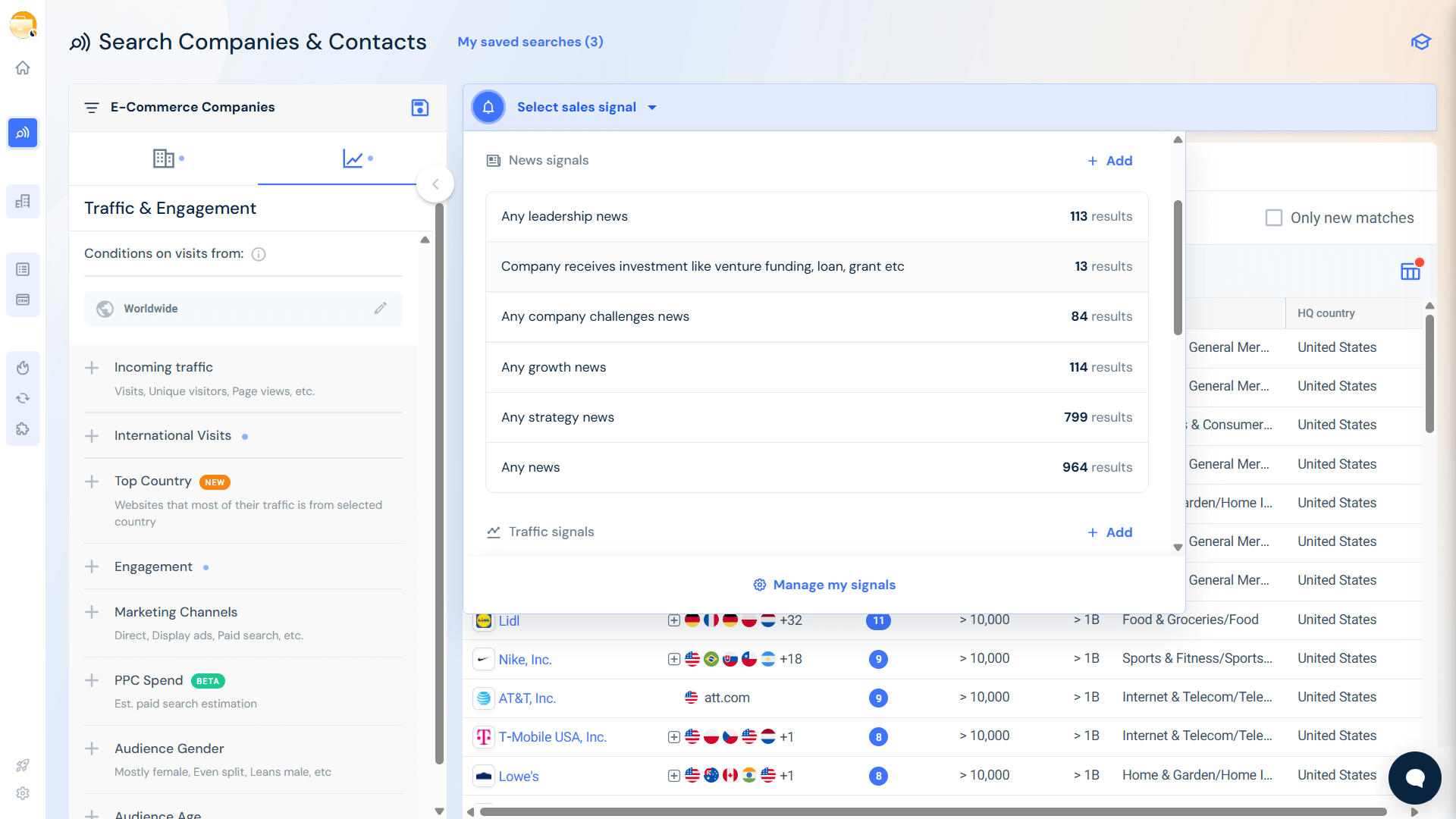
Timing makes the difference between a reply and radio silence. In Search Companies, click Select Signals and monitor four event types.
- Intent signals: They’re Googling stuff that screams “we need you.” Pair this with employee location to focus outreach where you’re licensed or staffed.
- News signals: Funding rounds. C-suite hires. Global launches. These moments give you a reason to reach out without being random.
- Traffic signals: Spikes or slumps in visits suggest opportunity. A 30% jump? Something’s working. They may need conversion help. A drop? Pain is brewing.
- Tech stack signals: Renewals, removals, replacements. If a platform you displace just got unplugged, this is your opening.
And yes, this is where AI gets real. It ranks these buying signals by relevance and recency so you know who’s hot right now.
Set a triage rule:
- High-priority? Call them today.
- Medium? Add to a custom email flow.
- Low? Drop them into nurture and wait for new signals.
Sales moves fast. These signals make sure you’re not the last to know when timing is on your side.
4. Initiate contact
Channel choice still plays a part: email for depth, phone for energy, LinkedIn for presence, but what really cuts through is relevance. That’s where you’ll need Similarweb’s Contact Data.
Filter by department, seniority, even exact job title, then export your list directly from the company profile. Or grab them one-by-one using the Sales Extension inside LinkedIn.
Once you’ve got your contact, take advantage of SAM Insights. This AI-powered assistant pulls from traffic shifts, press mentions, and competitor moves to give you a ready-made playbook, plus subject lines to match.
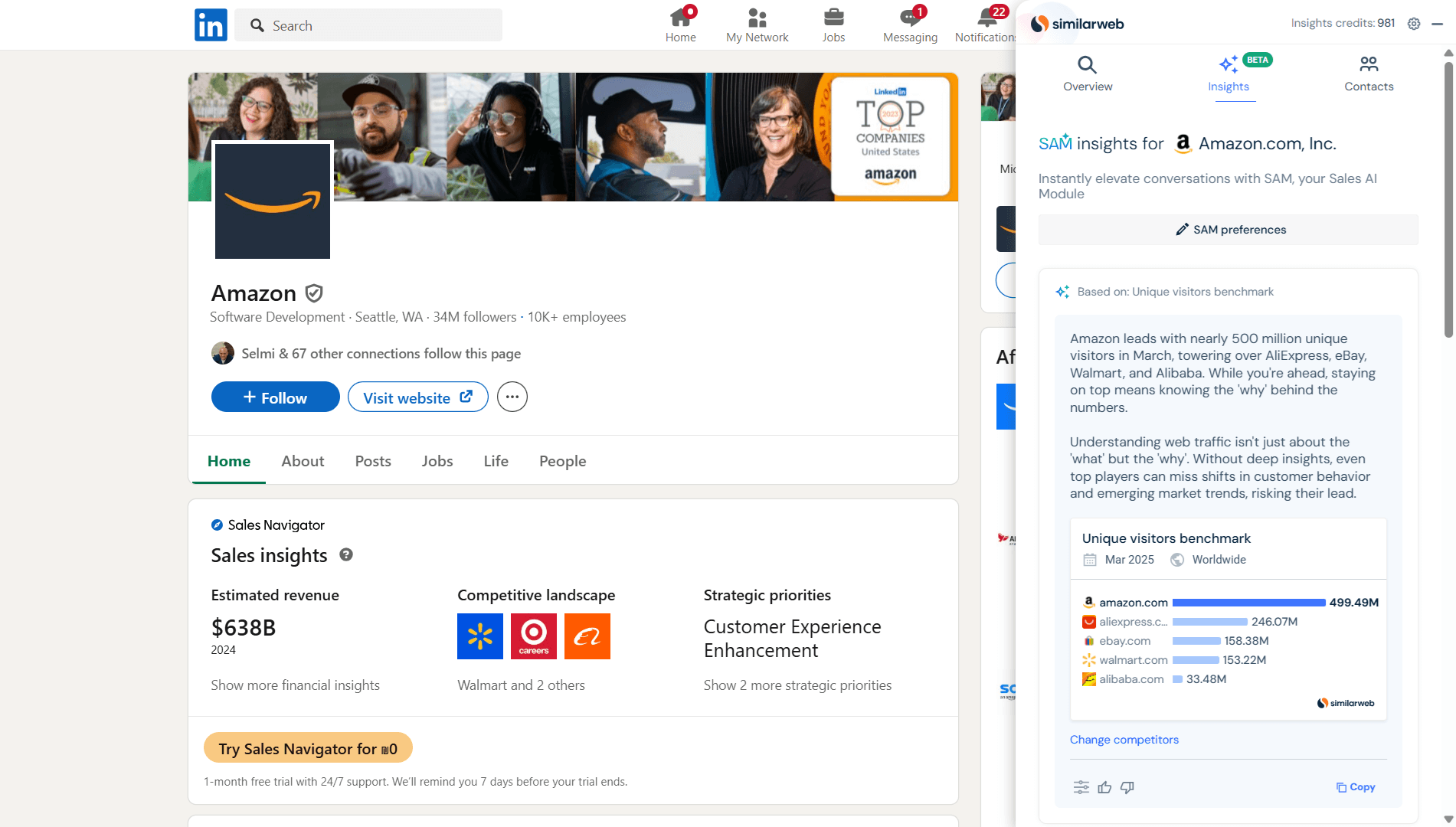
Your prospect doesn’t see a cold template. They see research-backed outreach.
Test what lands. Try one message built around a spike in traffic, another tied to a recent product launch by a rival. Log reply rates. The AI will learn what works and sharpen your future sends.
5. Engage in conversation
Good discovery is a co-pilot session. Ask open questions and let the data fill in the blanks.
Bring others into the loop early using Similarweb’s 370-million-record Contact Information. Champions, blockers, influencers, get them all matched before they stall you later.

Got a live call? Open the Insights Generator. You’ll instantly see how your prospect’s traffic sources, device splits, and keyword coverage stack up to direct competitors. Drop in a fresh data point mid-call and frame the conversation like a benchmark.
As you go, tick the lead qualification boxes: Do they see the problem? Can they fund the fix? Are they on a timeline?
Everything gets captured. AI transcripts tag objections, agreements, and next steps. It even pushes a summary into the CRM for you.
And if it’s a no? Be the pro. Thank them, flag the misalignment (budget, timing, fit) and send over a relevant asset. It’s not wasted effort. Every closed-loop feedback helps the scoring engine behind your next batch of leads get smarter.
6. Schedule a follow-up
Momentum dies in silence, so don’t let a great call go cold.
Book the next meeting right there and then with a purpose baked in: demo, POC kickoff, pricing workshop. Use the Sales Signals to drop in fresh signal cards directly into the invite so stakeholders see what’s changed and why it matters.
Tie every meeting to a tangible outcome, whether that’s traffic gains, conversion lifts, or savings.
While they do their internal sync, Similarweb Sales Signals keep an eye on the account. If funding news or a new hire breaks, send a note. If layoffs hit, show empathy and recalibrate your timeline.
AI reminders keep you from losing track. If a follow-up’s overdue, you’ll know.
Here’s what separates closers from clutter: follow-up that shows you listened. Circle back to the needs they shared. Echo their goals. And position the next step as progress, not pressure.
Lead qualifying frameworks
Discovery calls can spiral fast if you’re not following a proven structure. That’s where you’ll need lead qualification frameworks. They give SDRs a playbook to lean on and help teams keep conversations sharp and relevant. Below are the five most popular frameworks, plus when and why to use them.
BANT (Budget, Authority, Need, Timing)
The classic. Four straightforward questions tell you if a lead can actually buy. BANT works best when speed matters, think transactional deals or inbound hand-raisers.
Don’t fire these off too early or you’ll kill momentum. Use your sales intelligence tools to get a read on budget and buying power before the call.
CHAMP (Challenges, Authority, Money, Prioritization)
CHAMP flips the script by starting with pain. Smart SDRs come in with a strong hunch: pulled from intent data, traffic patterns, or industry trends, and validate it early. It’s a perfect fit for crowded markets where leading with empathy wins you airtime.
MEDDIC (Metrics, Economic Buyer, Decision Criteria, Decision Process, Identified Pain, Champion)
This one’s built for enterprise software and high-stakes deals. It’s heavy on structure and documentation, but the payoff is clear: cleaner pipelines, better forecasts.
AI tools can even auto-tag MEDDIC fields in call transcripts, so reps can stay present instead of scribbling notes.
GPCTBA/C&I (Goals, Plans, Challenges, Timeline, Budget, Authority / Consequences & Implications)
Consultative sellers love this one. It digs into strategy, timelines, and what happens if your solution gets ignored. It’s not built for a single call so spread it across multiple touches. And make sure to replay answers back to the buyer to keep them engaged and show you’re tracking.
SPIN (Situation, Problem, Implication, Need–Payoff)
This is storytelling in sales. You walk the buyer through where they are now, highlight what’s broken, then project the business impact and how you can fix it.
This is great for uncovering hidden costs and missed opportunities. Use sales intelligence to add context to the Situation stage. Let AI help you phrase tight, resonant Need–Payoff statements.
So which framework wins?
It depends on the deal. BANT and CHAMP lead in mid-market sales. SPIN shapes broader solution conversations. For seven-figure enterprise motions, MEDDIC or GPCTBA/C&I are the go-to. But here’s the real takeaway: you don’t have to stick to one. Today’s best teams mix and match. Start with CHAMP to uncover pain, pivot into SPIN to deepen the narrative, then seal the Budget and Authority with BANT.
Lead qualification: the unsung hero of pipeline health
Think of lead qualification as the rhythm section of your sales band. It may not always grab the spotlight, but it keeps everything moving in sync.
Get this part wrong, and your outreach becomes noise. Get it right, and suddenly every call hits the right note.
Here’s the playbook: match clear, well-defined criteria with sales intelligence. That combo means SDRs reach out to the right accounts, at the right time, with messaging that speaks to what prospects actually care about, now.
The frameworks we’ve already covered? That’s your foundation.
But layer in Similarweb’s lead generation tool, complete with live ICP filters, verified contact data, AI-driven insights, and dynamic intent signals, and you’ve got a setup that skips the guesswork entirely.
It’s all right there in a single view. No tab juggling, no chasing data across five platforms.
Stick with the tools and tactics we’ve outlined, review monthly, and refine based on what works. The longer you commit, the more predictable things become: tighter forecasts, better use of ad spend, smoother handoffs, and happier buyers.
And it all starts when SDRs apply a smarter, data-backed strategy to every outbound motion.
FAQs
How does AI cut down time spent on manual research?
AI picks up what humans miss. It scans traffic patterns, tech stacks, funding events, and intent data in real time, then flags the accounts that meet your criteria. Instead of spending hours digging, SDRs go straight into high-context outreach that lands faster and hits harder.
Which data points matter most when building an ICP?
Start with the basics: industry, company size, location, and revenue. Then go deeper. Think tech stack, traffic sources, and recent signals like hiring sprees or leadership changes. The goal is to pinpoint who’s most likely to buy and not just who fits.
How often should lead-qualification criteria be updated?
Quarterly is a good cadence for most teams. Check your closed-won and closed-lost deals, find the patterns, and adjust. But if the market’s changing fast (new regs, macro swings), go monthly. You’ll stay matched with how buyers are behaving right now.

Related Posts

Why Your B2B Lead Generation Strategy Fails: The MQL-SQL Gap And 8 Fixes That Work in 2026





Enhance prospecting with unique data and buying signals
Try Similarweb Sales Intelligence today — free of charge