




by Darrell Mordecai4 Min.
Oct 21, 2026
Tired of wrestling with product groupings that just don’t fit your ecommerce business strategy?
Then you’ll be glad to hear Retail Intelligence has introduced Custom Categories, a new way to create product groupings that reflect your business’s structure (not just Amazon’s).
The result? Cleaner reporting. Sharper insights. Faster decisions. Plus, an analysis that aligns with how your team actually works. Just what you need for this year’s 4-day Prime Day event.
So, you’ve been using Product Groups and ASIN Lists? They’re like a trusty old car. Sure, it’s old enough to have a CD player, but you know it’ll get you from point A to point B. But somewhere at the back of your mind, you know you’re ready for an upgrade.
Here’s why?
Neither option truly mirrors how your business organizes its product lines, assortments, or competitive sets. It’s like trying to fit a European plug into a US socket. And if you’re a large-scale consumer goods company, you need to be able to build and analyze categories at scale, quickly, flexibly, and in a way that aligns with your team’s reporting logic.
Wouldn’t it be great if there was a tool that gave you both scale and control, all while fitting perfectly with your business structure?
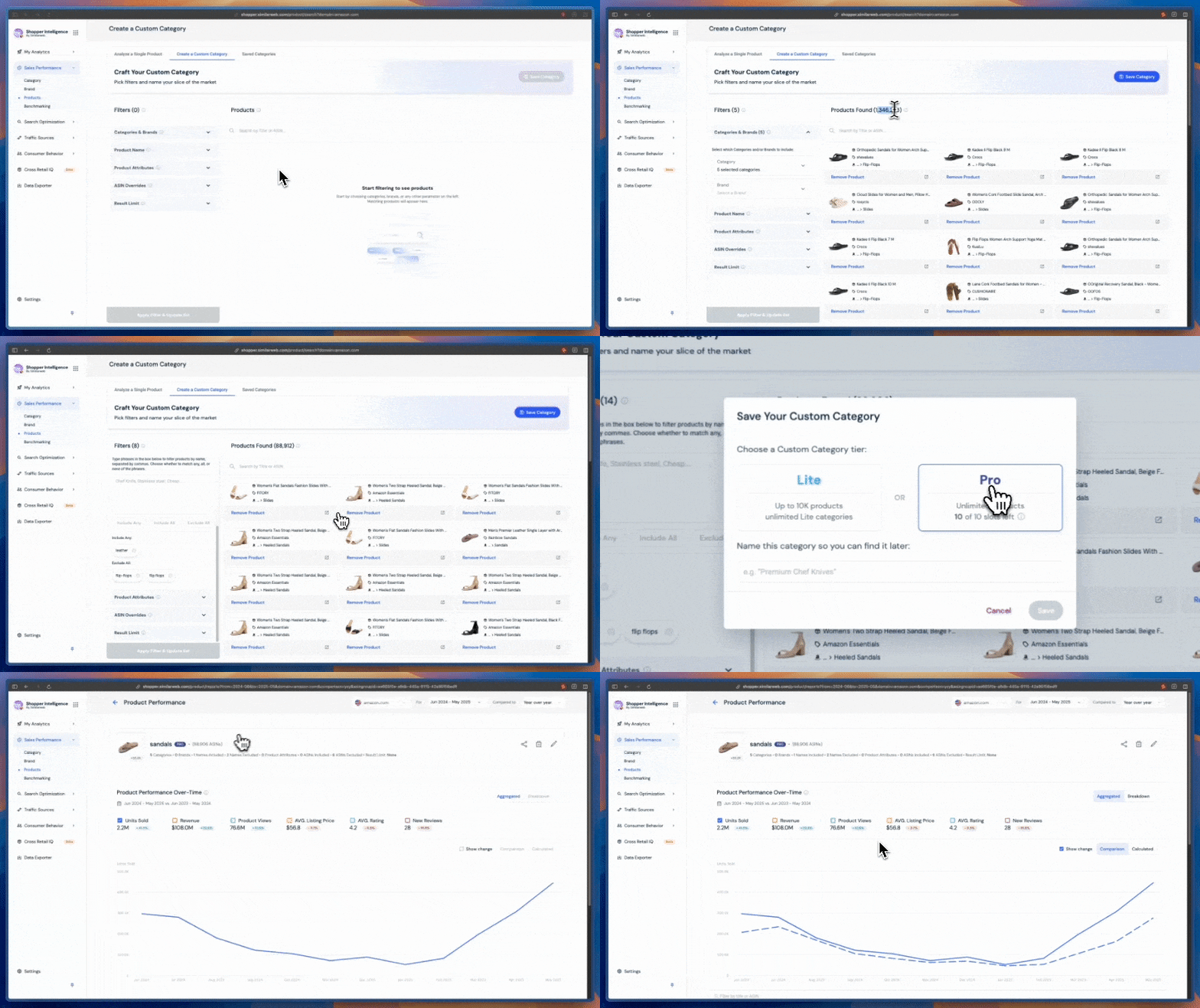
Say hello 👋 to Custom Categories: Pulling together Product Groups and ASIN Lists, but without the baggage. It’s one tool to rule them all, with a workflow so clear, it’s practically self-explanatory.
Flexible? Check. Scalable? Double-check. Does it work the way your team actually works? Yes!
Build categories using a range of inclusion/exclusion filters, manual ASIN picks, or a mix of both. No more choosing between control or scale. Now you can have your cake and eat it too.
Whether you’re organizing by product line, competitive set, or retailer taxonomy, Retail Intelligence’s new Custom Categories adapts to your business like a Swiss Army knife. With real-time previews, you see exactly what you’re building before you commit.
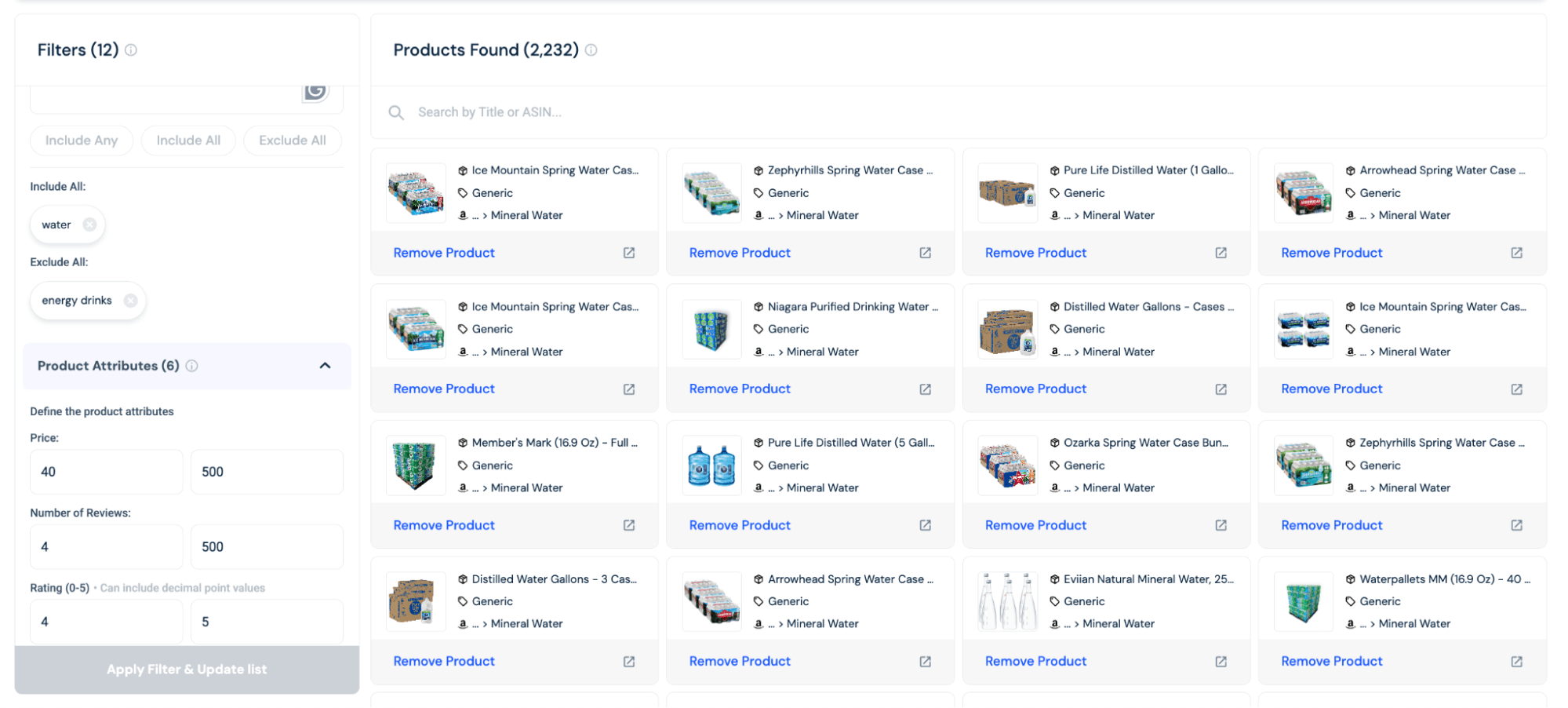
With Custom Categories, you’re no longer stuck with Amazon’s default taxonomy. Build categories that reflect your internal product lines, competitive sets, or retailer taxonomies. Choose whatever makes sense for you.
The reporting is cleaner. The insights are sharper, and because everything is aligned, business decisions come faster.
You can also preview your group in real time. No more silos. No more second-guessing.
Customers have two options available for creating custom categories:
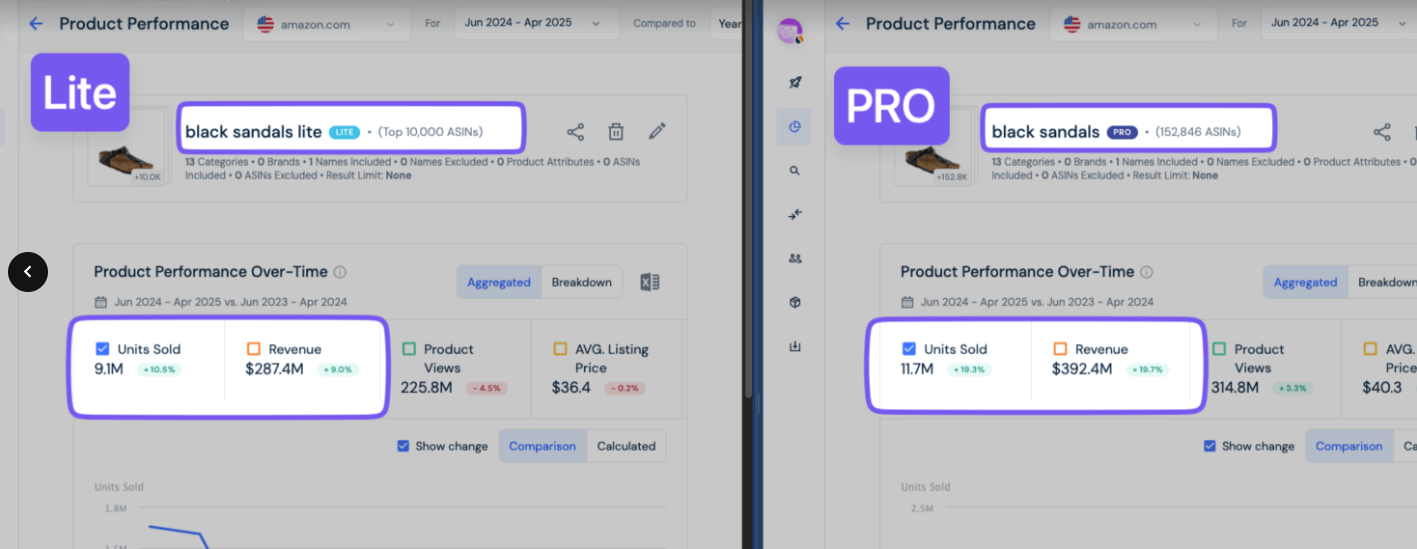
Either way, you get the tools to move faster, think clearly, and work smarter.
As of July 2025, users can create, update, and fully analyze their own categories directly, just like standard Amazon categories.
You can now track performance over time for key metrics such as units sold, revenue, product views, conversion rates (CVR), and more, all focused on the products that matter most to them.
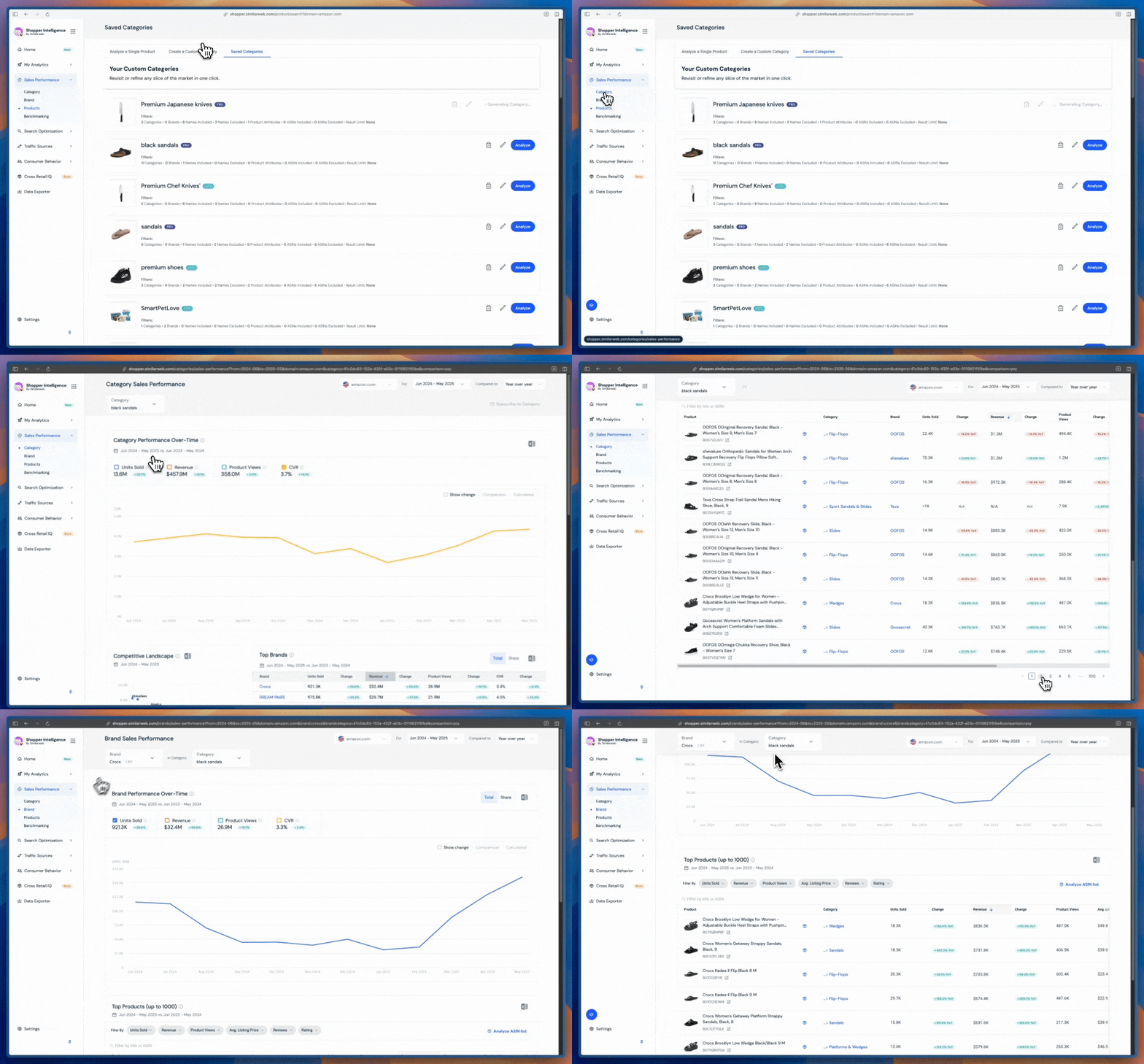
Try Custom Categories today and say goodbye to product grouping headaches.
Custom Categories make product analysis clear and simple. One tool, one workflow, built to match how your team works (not how Amazon thinks you should).

Team Manager, Content Marketing
James is an former journalist & content strategist in B2B tech, who has previously created content for companies like EDF and X (Twitter). He also has a journalism post-grad from LCC.

What Is Retail Intelligence? How It Works and Why It's Essential to Digital Commerce

Most Searched Things on Google in 2026
Give it a try or talk to our insights team — don’t worry, it’s free!

