

Sie haben Ihr Suchlimit erreicht
Starten Sie Ihren kostenlosen Testzugang, um weiterhin alle Traffic- und Performance-Insights zu erkunden.
Los geht'sAR Draw Sketch & Trace © App-Analysen für 18. Februar

AR Draw Sketch & Trace ©
- BSOFT VIET NAM JOINT STOCK COMPANY
- Apple App Store
- Kostenlos
- Versorgungseinrichtungen
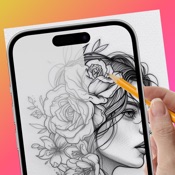
AR Draw Sketch is a creative drawing application for iPhone/iPad devices, using augmented reality (AR) technology to turn your ideas into unique works of art.
Convert all beautiful moments into unique works of art with the Draw Sketch app. With AR Draw Sketch, you can express your creativity through various key features:
* Sketch: Allows you to draw freely from real images. You can use your phone's camera to create freehand artwork from real-life images. Draw, sketch, and paint, bringing your artistic visions to life like never before.
* Draw on paper: Transfer an image into line work from a photo or artwork. You place your tracing paper over it and draw the lines that you see. This feature is very useful for beginners learning to draw, helping them practice basic skills such as line drawing, and perspective,...
* Video Recording: Capture your AR artwork in time by capturing snapshots of your creations. Share your unique sketches with friends and social media, showcasing the intersection of your imagination and the real world.
* You can learn from AR Draw Sketch to make art an immersive experience with many different drawing objects:
+ Animals
+ Anime
+ Chibi
+ Doodle
+ Butterfly
+ Learn to Draw
+ For kid
+ Flowers
+ Nature
+ Vehicle
And more...
Advanced Features:
- Edge size: Adjust the edge size to make your strokes thicker
- Opacity: Make the drawing template more or less transparent
- Start with basic drawing exercises to familiarize yourself with the drawing tools. Experiment with different brushes, colors, and line styles.
* Easy to Use: AR Draw Sketch is designed for artists of all levels. The user-friendly interface ensures a seamless experience, allowing you to focus on your creativity without any technical hurdles.
AR Draw Sketch is an iOS application suitable for all ages, from beginners to professional artists.
-------------Using-------------:
1. Position the phone on a stable stand
2. Open the AR Draw Sketch & Trace app
3. Import or select photos from Art Gallery
4. Convert your photo into a contour sketch
5. Adjust the AR version of the image on canvas or paper
6. Create your own beautiful masterpieces
Try AR Draw Sketch today and explore the exciting world of creativity!
If you find AR Draw Sketch & Trace helpful, please rate us and share the app with your friends. Thank you!
Links to our Terms of Service and Privacy Policy can be found below
https://sites.google.com/view/btb-ios-group/
ToS: https://sites.google.com/view/btb-ios-group-tos/

Rang speichern
Der Store-Rang basiert auf mehreren Parametern, die von Google und Apple festgelegt wurden.
Alle Kategorien in
Vereinigte Staaten--
Versorgungseinrichtungen in
Vereinigte Staaten--
Top-Wettbewerber und alternative Apps
Apps mit hoher Wahrscheinlichkeit, von denselben Benutzer:innen aus demselben Store verwendet zu werden.

AI Photo Editor: BG Remover

Don't Touch Phone : Anti-Theft

Find Phone By Clap, Flash
AR Drawing: Trace to Sketch '
 AR Draw Sketch & Trace © VS.
 Februar 18, 2026