

Sie haben Ihr Suchlimit erreicht
Starten Sie Ihren kostenlosen Testzugang, um weiterhin alle Traffic- und Performance-Insights zu erkunden.
Los geht'sSwitch Access App-Analysen für 2. April

Switch Access
- Google LLC
- Google Play Store
- Kostenlos
- Tools
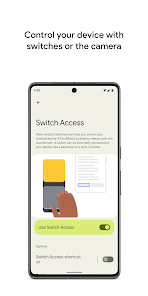
Control your phone or tablet using switches or the front camera. You can use switches to select items, scroll, enter text, and more.
Switch Access helps you interact with your Android device using one or more switches instead of the touchscreen. Switch Access can be helpful if you can't interact directly with your device.
To get started:
1. Open your device's Settings app.
2. Tap Accessibility > Switch Access.
Set up a switch
Switch Access scans the items on your screen and highlights each item until you make a selection. You can choose from a few kinds of switches:
Physical switches
• USB or Bluetooth switches, like buttons or keyboards
• On-device switches, like volume buttons
Camera switches
• Open your mouth, smile, or raise your eyebrows
• Look left, right, or up
Scan your device
After setting up a switch, you can scan and interact with things on the screen.
• Linear scanning: Move between items one at a time.
• Row-column scanning: Scan one row at a time. After a row is selected, move through items in that list.
• Point scanning: Use moving lines to select a specific horizontal and vertical location, then press "Select".
• Group selection: Assign switches to different color groupings. All items on the screen will be assigned a color. Press the switch corresponding to the color around the item you want. Narrow down the size of the group until you reach your choice.
Use the menus
When an element is selected, you'll see a menu with available interactions, like select, scroll, copy, paste, and more.
There will also be a menu at the top of the screen to help you move around your device. For example, you can open notifications, go to the home screen, change the volume, and more.
Navigate with Camera Switches
You can use Camera Switches to navigate your phone with facial gestures. Browse or select apps on your phone with the use of your phone’s front camera.
You can also customize the sensitivity and duration of each gesture to better fit your needs.
Record shortcuts
You can record touch gestures that can be assigned to a switch or started from a menu. Touch gestures can include pinching, zooming, scrolling, swiping, double tapping, and more. You can then start frequent or complex actions with a single switch, for example, recording a gesture that swipes left twice to turn two pages of an ebook.
Permissions Notice
• Accessibility Service: Because this app is an accessibility service, it can observe your actions, retrieve window content, and observe text that you type.
Switch Access-Nutzungsrang
Das Ranking der Nutzung basiert auf dem Algorithmus von Similarweb, der aktuelle Installationen und aktive Benutzer:innen über einen Zeitraum von 28 Tagen berechnet.
Alle Kategorien in
Deutschland#8,280
Tools in
Deutschland#1,150
Benutzerinteressen und Top-Kategorien
Top-Kategorien und -Apps, die von Switch Access Benutzern verwendet werden
Top-Kategorien
Affinität
Top-Apps innerhalb der Kategorie
Weitere Apps
27%






16%



8%




6%




Top-Wettbewerber und alternative Apps
Apps mit hoher Wahrscheinlichkeit, von denselben Benutzer:innen aus demselben Store verwendet zu werden.

DevCheck Device & System Info

MacroDroid - Device Automation

Xiaomi Community

Xiaomi Home
Switch Access VS. April 2, 2026