

Sie haben Ihr Suchlimit erreicht
Starten Sie Ihren kostenlosen Testzugang, um weiterhin alle Traffic- und Performance-Insights zu erkunden.
Los geht'sBoomerang Parental Control App-Analysen für 22. Februar

Boomerang Parental Control
- National Education Technologies Inc.
- Google Play Store
- Kostenlos
- Tools
Boomerang Parental Control: Empower Your Child’s Digital Wellbeing
Boomerang Parental Control is your trusted partner in fostering healthy tech habits for your children. With our comprehensive tools, you can monitor, manage, and guide your child's digital experiences. Use our activity reports to spark conversations about your child's online activities and understand their interests.
Transform screen time battles into opportunities for growth with Boomerang’s robust features for Android devices.
Flexible Screen Time:
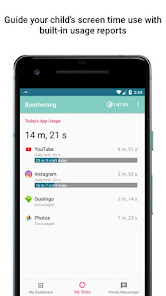
Set daily device time limits and schedules to encourage balanced tech use. Our detailed app usage reports provide insights into your child's digital habits.
Screen Time Schedules:
Implement device downtime at bedtime to eliminate distractions from games and social media. Ensure devices are charged outside the bedroom for a restful night.
Per App Daily Limits:
Customize screen time further by setting individual daily limits for specific apps, ensuring that high-use apps like social media and streaming services are balanced within the overall device usage.
Safe Browsing:
Protect your child with our free SPIN Safe Browser (or continue using Chrome), which enforces Google SafeSearch and blocks millions of inappropriate websites. Many other parental control apps do not offer web filtering, including Family Link. Additionally, Boomerang's app blocking feature ensures a safe browsing experience by blocking all other web browsers both installed or not installed on your child's device.
Location Tracking Safety:
Check-in on your child's device recent location. Set geofences and get notification when your child arrives / leaves. Review your child's recent location history (up to 30 days).
App Control:
Monitor and control app installations and usage. Approve or block new apps and receive alerts for games, social media and even inappropriate apps. Engage in meaningful conversations about their app interests and sources.
YouTube App History Monitoring:
Access your child's YouTube viewing and search history from your parent device. Ensure safer YouTube usage by enabling Restricted Mode and following our how-to guide: https://goo.gl/Do8h9a.
Encourage Good Apps:
Promote positive screen time by allowing unlimited access to educational and beneficial apps. Set preferences for learning, language, math, health, and other valuable apps that support your child's development.
Why Choose Boomerang Parental Control?
Boomerang Parental Control is designed to help parents like you nurture a healthy digital environment for your children. Join thousands of parents who trust Boomerang to balance screen time, safeguard online activities, and encourage positive digital habits.
Download Boomerang Parental Control today and take the first step towards empowering your child's digital wellbeing.
Important Notes for Child Mode
This app uses the Device Administrator permission
This app uses AccessibilityService API to perform key functions such as screen time and app controls.
Samsung Knox: Exclusive to Samsung devices to enhance the security and capabilities of the Boomerang Parental Control app.
Notification Access: Needed to mute notifications when time's up
Supports Android 9.x and higher
Resources
Visit our Knowledge Base for frequently asked questions: https://community.useboomerang.com/hc/en-us
Contact our Support Team: support@useboomerang.com
Boomerang Parental Control-Nutzungsrang
Das Ranking der Nutzung basiert auf dem Algorithmus von Similarweb, der aktuelle Installationen und aktive Benutzer:innen über einen Zeitraum von 28 Tagen berechnet.
Alle Kategorien in
Brasilien#9,072
Tools in
Brasilien#1,574
Benutzerinteressen und Top-Kategorien
Top-Kategorien und -Apps, die von Boomerang Parental Control Benutzern verwendet werden
Top-Kategorien
Affinität
Top-Apps innerhalb der Kategorie
Weitere Apps
28%




14%


13%


11%





Top-Wettbewerber und alternative Apps
Apps mit hoher Wahrscheinlichkeit, von denselben Benutzer:innen aus demselben Store verwendet zu werden.

Quitch

Asthma Diary

Reflect: AI Journal, Gratitude

Dreamlife-Sim
Boomerang Parental Control VS. Februar 22, 2026