

Sie haben Ihr Suchlimit erreicht
Starten Sie Ihren kostenlosen Testzugang, um weiterhin alle Traffic- und Performance-Insights zu erkunden.
Los geht'sCast to TV & Screen Mirroring App-Analysen für 25. Februar

Cast to TV & Screen Mirroring
- T&T Company
- Google Play Store
- Kostenlos
- Tools
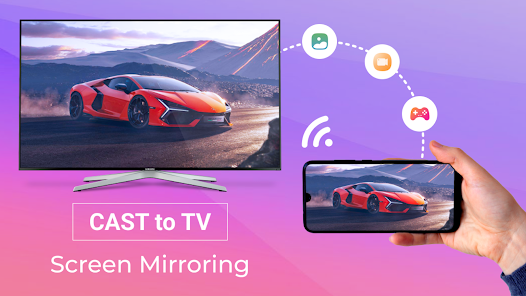
All Screen Mirroring App for Android to smart view TV screen mirroring assistant for screen casting & display smartphone mobile screen, widget & shortcut. All share mirror screen casting for smart TV like samsung or LG without Wifi just by using dongles or adaptors.
Smart view screen mirroring provides an easy shortcut and widget to use the Mira cast external display screen casting feature included for Android 4.2 and above! With this app, you will more conveniently be able to mirror your screen or use the cast feature from supported applications.
Enjoy streaming Video & TV cast to TV like Panasonic and Toshiba & roku and all local cast series.
Smart view TV is able to play games and videos also photos in my smartphone with any devices (smartphone and laptop or tablet, etc) at anywhere.
Always remember to use Cast to TV, Cast for Chromecast: you must connect everything to the same wifi. Cast to TV & Screen Mirroring app will assist you to scan and mirror your android phone or tab screen on your smart TV/Monitor (Miracast enabled) or Wireless Adapter or adapter and will get an experience with a phone and big screen. As simple as that, you can experience everything at your fingertips.
All your devices are supported:
• Chromecast
• Roku, Roku Stick, and Roku TVs
• Most smart TVs: Hisense, Samsung, LG, Sony, Panasonic, TLC, Toshiba, etc.
• Xbox, FireTV, and Fire Stick
• Other DLNA receivers
Features of "Cast to TV & Screen Mirror for Chromecast Stream" app:
- Connect your phone to the TV in two simple and quick steps.
- Screen mirroring everything amazing from your phone to your TV through the cast to tv app.
- Control everything conveniently: volume, pause, fast forward, rewind video with no delay.
- Cast to tv with photos, videos on the big screen.
- Enjoy music, play games on your smart TV.
- Access Youtube, IPTV easily.
- Use Remote control for smart TVs.
- Get to know your files fast.
Usage:
- For cast to tv to work properly, make sure your phone and device are connected to the same Wi-Fi
- Enable Miracast on your TV and Enable Wireless Display
- Select your existing device
- Enjoy everything, mirror any image, video, or audio you want to the big screen
This app is not affiliated with Google or any of the other brands mentioned.
Cast to TV & Screen Mirroring-Nutzungsrang
Das Ranking der Nutzung basiert auf dem Algorithmus von Similarweb, der aktuelle Installationen und aktive Benutzer:innen über einen Zeitraum von 28 Tagen berechnet.
Alle Kategorien in
Vereinigte Staaten--
Tools in
Vereinigte Staaten--
Cast to TV & Screen MirroringFebruar 25, 2026