

Sie haben Ihr Suchlimit erreicht
Starten Sie Ihren kostenlosen Testzugang, um weiterhin alle Traffic- und Performance-Insights zu erkunden.
Los geht'sPlayerPro DSP pack App-Analysen für 15. April
PlayerPro DSP pack
- BlastOn SA
- Google Play Store
- Kostenlos
- Musik und Audio
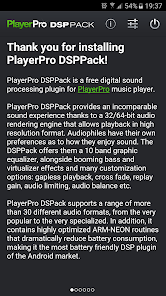
PlayerPro DSPPack is a free digital sound processing plugin for PlayerPro. PlayerPro is an advanced music and video player for Android devices.
PlayerPro DSPPack provides an incomparable sound experience thanks to a 32/64-bit audio rendering engine that allows playback in high resolution format. Audiophiles have their own preferences as to how they enjoy sound. The DSPPack offers them a 10 band graphic equalizer, alongside booming bass and virtualizer effects and many customization options: gapless playback, cross fade, replay gain, audio limiting, audio balance etc.
PlayerPro DSPack supports a range of more than 30 different audio formats, from the very popular to the very specialized. In addition, it contains highly optimized ARM Neon and X86 routines that dramatically reduce battery consumption, making it the most battery friendly DSP plugin of the Android market.
INSTALLATION INSTRUCTIONS:
* From PlayerPro app, go to Settings > Audio and check the "Activate the DSP pack" option. Alternatively, if you are performing an upgrade, you need to click on the "Upgrade the DSP pack" option.
* Restart PlayerPro app for the changes to take effect (PlayerPro will ask you to do so).
* You can now access the audio effects screen via the options menu or from the player screen (EQ button).
* Use the audio settings menu to customize your preferences: adjust manual and auto crossfade time, activate gapless or replay gain, adjust left-right volume balance, adjust resampling/dithering options etc.
HIGH-RESOLUTION AUDIO:
The DSP pack comes with a 32/64-bit audio rendering engine that allows playback in high resolution format:
* Automatic detection of internal and USB DAC configurations.
* Direct output to internal/USB DAC format without any limitation.
* Support of bit depths and sampling rates up to 32-bit and 384 kHz.
* Choice between SW (high quality) and SoX (very high quality) resamplers.
* Ability to change the resampler dithering method.
* You can check the output sampling rate in Settings / Audio / Resampler section.
* Make sure the "Use 32 bit output" option is checked for high-resolution playback (automatically configured).
DSP PACK FEATURES:
* Supports playback of all common audio formats, directly from PlayerPro music player: mp3, mp4, m4a, aac, wma, ogg, wav, flac, 3gp, mov, alac.
* Supports playback of some less popular audio formats, using an external file browser app like ES File Explorer or ASTRO File Manager: ape, opus, mpc, wavpack, aiff, mp1, mp2, au.
* 10 band graphic equalizer with more than 20 default presets.
* Ability to edit existing presets or create new ones.
* Preamp control.
* Bass boost control.
* Virtualizer control.
* Gapless playback.
* Auto and manual crossfade.
* Replay gain.
* Audio limiter.
* Volume balance control.
* Mono output playback (optional).
* Support of bit depths and sampling rates up to 32-bit and 384 kHz.
* Audio resampler (SW or SoX).
* Resampler dithering method.
* Runs on all ARM and X86 processors (32/64-bits).
* Contains highly optimized ARM Neon and X86 routines that dramatically reduce battery consumption.
TROUBLESHOOTING.
In case you experience playback skipping, you can try one of the following:
* Increase the audio buffer: from the Settings / Audio menu, change the "Audio buffer" value to "Very large".
* Change the equalizer implementation: from the Settings / Audio menu, change the "Equalizer" value to "Playerpro low-end".
* Change the resampler implementation: from the Settings / Audio menu, change the "Resampler" value to "SW resampler".
* Disable the dithering: from the Settings / Audio menu, change the "Dithering method" value to "None".
* Disable 32 bit output format: from the Settings / Audio menu, uncheck the "Use 32 bit output" checkbox (this will disable high-resolution audio).
PlayerPro DSP pack-Nutzungsrang
Das Ranking der Nutzung basiert auf dem Algorithmus von Similarweb, der aktuelle Installationen und aktive Benutzer:innen über einen Zeitraum von 28 Tagen berechnet.
Alle Kategorien in
Vereinigte Staaten--
Musik und Audio in
Vereinigte Staaten--
Benutzerinteressen und Top-Kategorien
Top-Kategorien und -Apps, die von PlayerPro DSP pack Benutzern verwendet werden
Top-Kategorien
Affinität
Top-Apps innerhalb der Kategorie
Weitere Apps
28%

21%





14%




10%

Top-Wettbewerber und alternative Apps
Apps mit hoher Wahrscheinlichkeit, von denselben Benutzer:innen aus demselben Store verwendet zu werden.

Music Worx: EDM for DJs & Fans

Poweramp Equalizer

FiiO Music

AIMP
PlayerPro DSP pack VS. April 15, 2026