

Sie haben Ihr Suchlimit erreicht
Starten Sie Ihren kostenlosen Testzugang, um weiterhin alle Traffic- und Performance-Insights zu erkunden.
Los geht'sWebDAV Server Pro App-Analysen für 2. April
WebDAV Server Pro
- The Olive Tree
- Google Play Store
- Bezahlt
- Tools
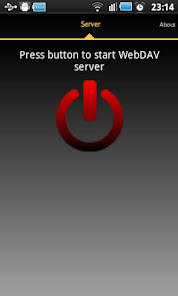
With this application you can mount any directory on your phone, including memory card, as a drive on Windows or Linux. You can also use a WebDAV client to browse a phone directory.
This application has been tested using Windows8 Explorer (should also work with Windows7 but it will not work on WindowsXP) and WebDAV client bitkinex. You can download it from http://www.bitkinex.com/
Special thanks to: Beatriz Vera, Peter Ulrich, Gabor Fodor, Manuela Merino García and Anna Rainieri.
Implemented Intents
com.theolivetree.webdavserver.StartWebDavServerPro
com.theolivetree.webdavserver.StopWebDavServerPro
You can find a lock setting to specify how the device should be kept awake while server is running. There are three modes available:
New locks used
*SCREEN_DIM_WAKE_LOCK : Existing mode. Screen is on so energy consumption is higher. Use this mode if connections is dropped.
*WIFI_MODE_FULL : New mode. Screen is off so device will use less energy while server is running but data connection can be dropped. It is not recommended to use this mode.
*WIFI_MODE_FULL_HIGH_PERF: New mode only available on Android >= 3.1. Screen is off so energy consumption should be less than in the first mode. This mode is recommended to save energy but you might find problems so you might to select default lock mode.
How to connect with WebDAV server using USB cable:
This can useful when you have USB cable and no network available.
1) On your phone go to Settings->Applications->Development and set option "USB debugging".
2) Connect your phone to your PC using USB cable.
3) Start adb server. On your PC run command "adb start-server".
adb is a program that you can find on android sdk. Usually you will find it on android-sdkplatform-toolsadb.
4) Forward needed ports from your PC to your phone. On your PC run command "adb forward tcp:8080 tcp:8080"
With this, any connection in your pc to 127.0.0.1:8080 will be forwarded to your phone in port 8080.
5) Run WebDAV server in your phone, open settings and in "Network interfaces" select "Loopback (127.0.0.1)"
6) Start WebDAV server.
7) In your PC connect your WebDAV client to http://127.0.0.1:8080 (port might be different, it depends on your WebDAV Server configuration).
Permissions needed:
INTERNET
ACCESS_NETWORK_STATE
ACCESS_WIFI_STATE
Network permission to enable server to open network communication with WebDAV clients.
WRITE_EXTERNAL_STORAGE
Enables WebDAV server write received files from WebDAV clients on sdcard.
WAKE_LOCK
Keeps phone wake only while server is running. If phone is not wake WebDAV server can not be accessed.
Problems with big files:
If you have problems handling big files it might be due to a limitation in Windows webdav client. You can try the following to increase the size of files that Windows webdav client is able to manage:
1) You have to turn on BasicAuth via regedit to allow accessing the App's server by username and password.
[HKEY_LOCAL_MACHINESYSTEMCurrentControlSetservicesWebClientParameters]
"BasicAuthLevel"=dword:00000002
2) You have to change Window's limit to file size when using the integrated WebDAV client.
[HKEY_LOCAL_MACHINESYSTEMCurrentControlSetservicesWebClientParameters]
"FileAttributesLimitInBytes"=dword:000f4240
3) Restart windows.
This allows file sizes up to 4 Gigabytes handled by the client.
WebDAV Server Pro-Nutzungsrang
Das Ranking der Nutzung basiert auf dem Algorithmus von Similarweb, der aktuelle Installationen und aktive Benutzer:innen über einen Zeitraum von 28 Tagen berechnet.
Alle Kategorien in
Vereinigte Staaten--
Tools in
Vereinigte Staaten--
Top-Wettbewerber und alternative Apps
Apps mit hoher Wahrscheinlichkeit, von denselben Benutzer:innen aus demselben Store verwendet zu werden.

Cardata Mobile

Tetra Browser & VPN

yescan - PDF OCR Scanner

Dokobit
 WebDAV Server Pro VS.
 April 2, 2026