

Sie haben Ihr Suchlimit erreicht
Starten Sie Ihren kostenlosen Testzugang, um weiterhin alle Traffic- und Performance-Insights zu erkunden.
Los geht'sAnalog Basic WF Wear OS 5+ App-Analysen für 8. April

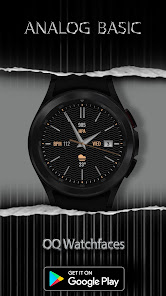
Analog Basic WF Wear OS 5+
- OQ Watchfaces
- Google Play Store
- Kostenlos
- Personalisierung
=======================================================
NOTICE: READ THIS ALWAYS BEFORE AND AFTER DOWNLOADING OUR WATCH FACE TO AVOID ANY SITUATION YOU DON'T LIKE.
=======================================================
a. This watch face Wear OS 5+ contains a lot of options in customization menu.If for some reason it takes time to load customization options in Wearable app wait for at least 8 secs to let load up all customization menu options while opening on Galaxy wearable app.
b. An Effort has be done to make a INSTALL GUIDE which is attached as an image with screen previews.It is the last image in previews for newbie android Wear OS Users or for those who do not know how to install the watch face to your connected device. So it is requested to users to read it before posting cannot install statements reviews.
=======================================================
FEATURES AND FUNCTIONS
=======================================================
This watch face for Wear OS 5+ has following features:-
1. Tap on 12 o clock hour number to open watch Google Maps app.
2. Tap on 6 o clock hour number bar to open watch Google Play Store App.
3. Tap on 3 o clock hour index bar to open watch dial app.
4. Tap on 9 o clock hour index bar to open watch messages app.
5. Tap on Day Text to open watch Alarm app.
6. 1 x invisible complication customizable shortcut available via customization menu
7. 6 x customizable complications for main also available in customization menu.
8. You can turn Hands Color Off/On from customization menu now.
9. Seconds Needle movement style option can be selected from the customization menu.
10. Background styles are available in customization menu default is pure black.
11. Background style for AoD by default is pure black.
12 Dim Modes For Main and AOD available separately from customization menu.
Analog Basic WF Wear OS 5+-Nutzungsrang
Das Ranking der Nutzung basiert auf dem Algorithmus von Similarweb, der aktuelle Installationen und aktive Benutzer:innen über einen Zeitraum von 28 Tagen berechnet.
Alle Kategorien in
Deutschland--
Personalisierung in
Deutschland--
Top-Wettbewerber und alternative Apps
Apps mit hoher Wahrscheinlichkeit, von denselben Benutzer:innen aus demselben Store verwendet zu werden.

Minimal black v24 watch face

CELEST5465 Smart Watch

Analog Basic 2 for WEAR OS 4

DAUPHINE (unicolor, random)
 Analog Basic WF Wear OS 5+ VS.
 April 8, 2026