

Sie haben Ihr Suchlimit erreicht
Starten Sie Ihren kostenlosen Testzugang, um weiterhin alle Traffic- und Performance-Insights zu erkunden.
Los geht'sMiniPhone Launcher 26: Cool OS App-Analysen für 2. Mai

MiniPhone Launcher 26: Cool OS
- SaS Developer
- Google Play Store
- Kostenlos
- Personalisierung
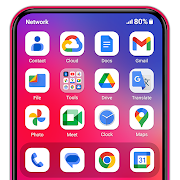
MiniPhone Launcher's interface is designed to be simple, intuitive and user-friendly. The user interface is clean, easy to use and has a consistent, smooth design. From the app icons, menus to control gestures, everything is designed to optimize the user experience. Features include:
*App Icons*:
- App icons are arranged in a grid, which can be customized and moved as desired by the user.
- Apps can be placed in folders for better organization.
- The App List automatically organizes all your apps into categories such as Social, Productivity, Entertainment.
- The App List can be accessed by swiping to the last page of the home screen.
- Allows quick searching and opening of apps, without manual sorting.
- Provides a rich ecosystem of themes, wallpapers, widgets, and tools
*Dock*:
- The dock at the bottom of the screen contains the most commonly used applications such as Phone, Messages, web browser, and Music.
- You can change the applications in the dock as you like.
*Status bar*:
- Located at the top of the screen, displaying key information such as time, battery status, signal strength, and Wi-Fi connection.
*Quick access to settings*:
- Quickly access settings and functions such as turning on and off Wi-Fi, Bluetooth, airplane mode, flashlight, adjusting volume and screen brightness.
- You can open the quick settings panel by swiping from the upper right corner
*Notifications*:
- Displays notifications from applications in the device such as messages, emails, missed calls.
- Notifications are organized by date and application, making it easy for users to track and handle.
- Users can view notifications by swiping down from the top or swiping down from the middle of the screen.
*App Search*:
- Access by swiping down from the middle of the home screen.
- Allows quick search for apps, contacts, maps, and information on the web.
*Widget*:
- Widgets provide summary information from apps without opening the app.
- Users can add, move, and resize widgets on the home screen or in the Widget Library.
- Widgets can display weather information, calendar, clock, and more.
*Multitasking*:
- With the X Home Bar feature: Users can switch between open applications by swiping up from the bottom, go to the home screen or perform a back action by swiping up from the bottom
*Dark Mode*:
- Dark Mode helps reduce eye strain when using the device in low light conditions and saves battery for the device
The MiniPhone Launcher interface is designed to be easy to use, helping users easily access and control functions with just a few simple operations. Launcher OS is not only beautiful but also extremely convenient. The design always puts the user first, with careful consideration of user experience and performance.
The above features make Launcher os a launcher worth choosing, not only in terms of features but also in terms of user experience, stability and aesthetics.
Note:
- This app requires Accessibility Services to perform the opening of the recently running apps dialog, the Back function in the X Home Bar, and the Touch
- This app require Query All Packages
Thank you for using Phone Launcher. We’re always happy to help.

MiniPhone Launcher 26: Cool OS-Nutzungsrang
Das Ranking der Nutzung basiert auf dem Algorithmus von Similarweb, der aktuelle Installationen und aktive Benutzer:innen über einen Zeitraum von 28 Tagen berechnet.
Alle Kategorien in
Brasilien#2,336
Personalisierung in
Brasilien#56
Benutzerinteressen und Top-Kategorien
Top-Kategorien und -Apps, die von MiniPhone Launcher 26: Cool OS Benutzern verwendet werden
Top-Kategorien
Affinität
Top-Apps innerhalb der Kategorie
Weitere Apps
25%




16%



16%


9%


Top-Wettbewerber und alternative Apps
Apps mit hoher Wahrscheinlichkeit, von denselben Benutzer:innen aus demselben Store verwendet zu werden.

EDGE Lighting -LED Borderlight

Move to iOS

Color Widgets, Theme: iWidgets

A Launcher : Galaxy A Launcher
MiniPhone Launcher 26: Cool OS VS. Mai 2, 2026