

Sie haben Ihr Suchlimit erreicht
Starten Sie Ihren kostenlosen Testzugang, um weiterhin alle Traffic- und Performance-Insights zu erkunden.
Los geht'sDIGI Clock Widget Plus App-Analysen für 17. April

DIGI Clock Widget Plus
- ForestTree
- Google Play Store
- Bezahlt
- Personalisierung
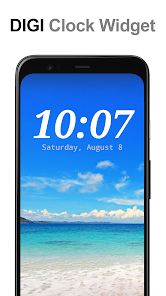
"DIGI Clock Widget Plus" is ad-free version of "DIGI Clock Widget" - highly customizable digital time and date widgets:
2x1 widget - small
4x1 widget - wide optionally with seconds
4x2 widget - big
5x2 widget - for tablets and especially for Galaxy Note
6x3 widget - for tablets.
Features lots of customizations, like:
- widget preview during setup (on Android ICS+)
- select widget click actions: tap on widget to load alarm application, widget settings or any installed application
- allows you select your preferred colors for time and date separately
- shadow effect with selectable color
- outlines
- locale preference, set date output in your language
- plenty of date formats + customizable date format
- show/hide AM-PM
- 12/24 hour selection
- alarm icon
- show time with seconds option (for 4x1 widget)
- widget background with selectable color and opacity from 0% (transparent) to 100% (completely opaque)
- use picture as widget background
- 40 great fonts for time and date ...
- ... or use your favorite font saved on memory card
- ready for Honeycomb, ICS and Jelly Bean Android versions
- recommended for tablets
... and even more ...
Problems with installation?
This is home screen widget and not the application, please read the instructions on how to use the widget:
Older phones (before Android 4.0 ICS):
• To add a widget, touch and hold an empty location on a home-screen. Menu will pop-up, select Widgets.
• "Choose Widget" menu will popup. From there, find and select "DIGI Clock Plus" widget of desired size.
Newer phones and tablets, Android 4.0 and later (Ice Cream Sandwich, Jelly Bean):
• Touch the All Apps icon on your Home screen.
• Click “Widgets” tab at the top of the screen.
• From the main Widgets screen, you can swipe left until you find "DIGI Clock Plus”
• Touch and hold the desired widget’s icon, slide your finger where you want to place it, and lift your finger.
If there are missing "DIGI Clock Plus" in list of widgets, try to restart phone, it might help.
To add the widget to your Android 4.2+ device's lock screen, simply swipe to the left-most page of your lock screen and touch the big "+" icon. Then, select "DIGI Clock Plus" add the widget. You can make this the primary lock screen widget, replacing the default clock, by first touching-and-holding it and then dragging it horizontally to the very rightmost position.
NOTICE
Do NOT move this app to SD-card! Widgets won't work once you move them to SD card.
Please exclude this widget from any task killers, this will resolve the time freezing issue in most instances.
When you want help me with translation of "DIGI Clock Widget Plus" to your language, visit please this site:
http://www.getlocalization.com/DIGIClockWidget/
Thanks for using DIGI Clock Widget Plus!
DIGI Clock Widget Plus-Nutzungsrang
Das Ranking der Nutzung basiert auf dem Algorithmus von Similarweb, der aktuelle Installationen und aktive Benutzer:innen über einen Zeitraum von 28 Tagen berechnet.
Alle Kategorien in
Deutschland#195
Personalisierung in
Deutschland#7
Benutzerinteressen und Top-Kategorien
Top-Kategorien und -Apps, die von DIGI Clock Widget Plus Benutzern verwendet werden
Top-Kategorien
Affinität
Top-Apps innerhalb der Kategorie
Weitere Apps
46%






24%




12%


6%

Top-Wettbewerber und alternative Apps
Apps mit hoher Wahrscheinlichkeit, von denselben Benutzer:innen aus demselben Store verwendet zu werden.
Digital Clock Widget

Photo Widget Pro

Good Lock: Premium Lock Screen

Borealis - Icon Pack
DIGI Clock Widget Plus VS. April 17, 2026