What's newtag icon
Our latest AI innovations will deliver tomorrow's market todayDiscover howbanner icon

Analyse de l'application TV Cast: Screen Mirroring pour le 4 décembre

TV Cast: Screen Mirroring

TV Cast: Screen Mirroring

  • Remote Control - TV Remote, TV Cast
  • Google Play Store
  • Gratuit
  • Outils
TV Cast: Screen Mirroring is the ultimate screen mirroring app that allows you to easily mirror your phone screen and cast media to smart TV. You can cast music, cast images, cast videos or even cast web contents. Say goodbye to small screens—cast everything to TV within seconds using a smarter view Enjoy high-quality screen mirroring for smart TV with TV Cast: Screen Mirroring, whether it's TV shows, IPTV channels, playing games or more. Thanks to the fast cast feature that connects your phone to TV in seconds via the same Wi-Fi network, offering seamless casting and watching TV. In addition to mirroring your phone's screen and media sharing, TV Cast: Screen Mirroring also helps control your TV with the built-in remote, enhancing the screen mirroring experience for Android devices. Share your favorite moments and more things on the big screen with TV Cast: Screen Mirroring! 🔑 Key feature of TV Cast: Screen Mirroring: 🌟 Setup cast to TV quickly: Connect your phone to your TV in just a few simple steps for seamless screen mirroring. 🌟 Screen mirror: Effortlessly cast everything that you want, enjoy screen sharing with no interruptions with our Chromecast screen mirroring app. 🌟 Cast media: Cast photos and videos to your TV, showcase your favorite everything from family photos, friend photos to travel videos with just a few taps. 🌟 Access IPTV and web video caster: Stream your favorite web videos and IPTV services easily, enjoying smooth cast performance. 🌟 Cast music and play games on your big TV screen: Immerse yourself in entertainment by casting to TV and playing games or listening to music with greater quality, enhancing your experience with smarter cast capabilities. 🌟 Remote Control: With TV Cast: Screen Mirroring, you can connect your phone to TV, use your phone as a remote control for your TV, including adjusting or controlling playback. 📺 How to use TV Cast: Screen Mirroring: - Step 1: Ensure that your phone and Smart TV are connected to the same Wi-Fi network. - Step 2: Activate TV Miracast Display settings on your TV. - Step 3: Select your Smart TV from the list on your phone screen and connect. - Step 4: You’re all set! Explore and enjoy all the features of our cast application! 👉 Download TV Cast: Screen Mirroring today and enjoy the ability to cast to TV with favorite contents. Our app will be the perfect companion for all your casting needs! Disclaimer: This app is not affiliated with or endorsed by Google or other brands. 💌 Thank you for choosing TV Cast: Screen Mirroring. If you have any questions or feedback, please contact us at hoangvan94.inc@gmail.com.
TV Cast: Screen Mirroring

Rang d'utilisation de TV Cast: Screen Mirroring

Le classement d'utilisation est basé sur l'algorithme de Similarweb qui calcule les installations actuelles et les utilisateurs actifs sur une période de 28 jours.

Toutes les catégories dans
États-Unis--
Outils dans
États-Unis#3,919

Utilisateurs actifs quotidiens

Analysez les habitudes d'utilisation des utilisateurs de TV Cast: Screen Mirroring en consultant les téléchargements de TV Cast: Screen Mirroring et les utilisateurs actifs quotidiens au fil du temps.

Utilisateurs

Analysez les habitudes d'utilisation des utilisateurs de TV Cast: Screen Mirroring en consultant les téléchargements de TV Cast: Screen Mirroring et les utilisateurs actifs quotidiens au fil du temps.

Unlock daily active users
oct.nov.4éc.

Statistiques de classement dans le temps pour TV Cast: Screen Mirroring

Classement d'utilisation et classement Google Play Store de Similarweb pour TV Cast: Screen Mirroring

Classement d'utilisation

Classement

Ranking par pays pour TV Cast: Screen Mirroring

Pays dans lesquels TV Cast: Screen Mirroring est le mieux classé dans ses principales catégories


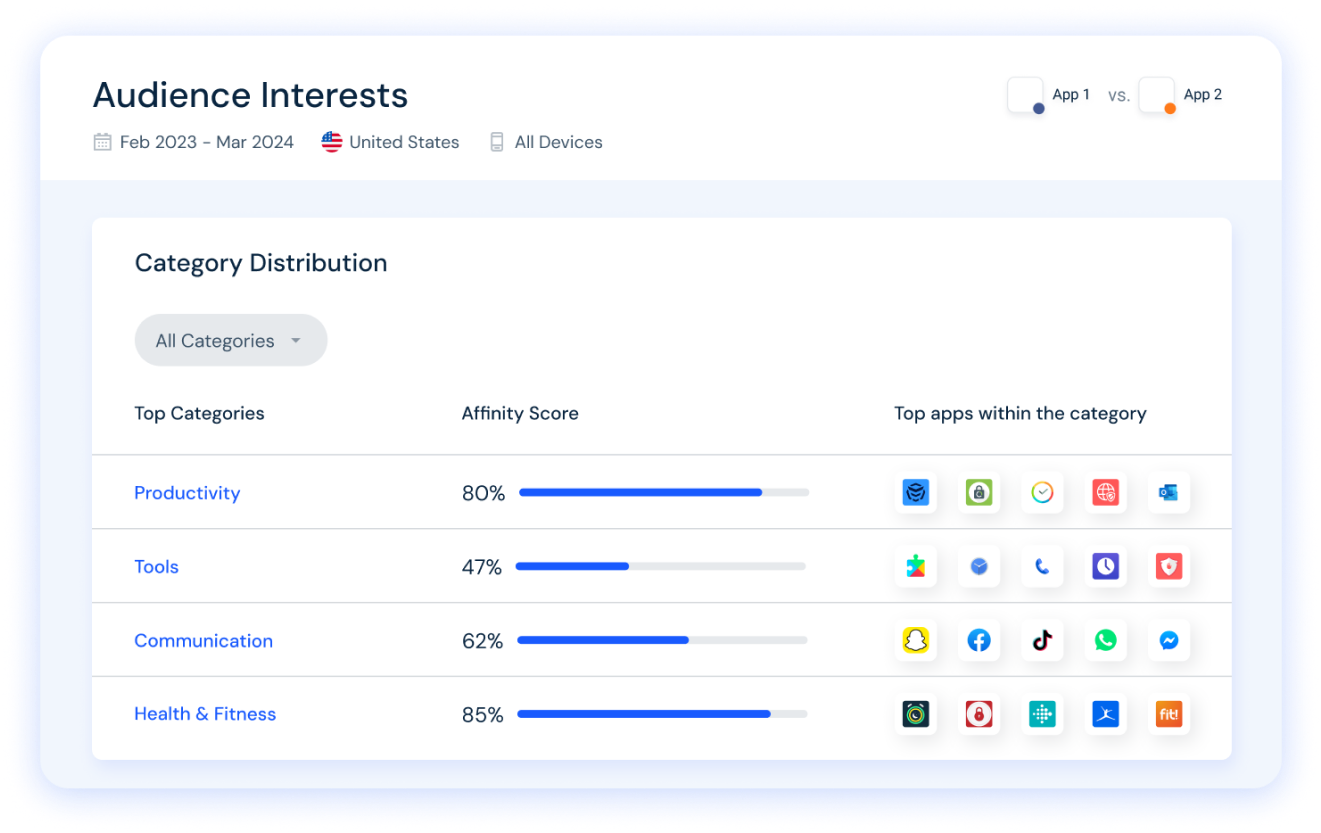
Intérêts des utilisateurs & catégories principales

Principales catégories et applications utilisées par les utilisateurs de TV Cast: Screen Mirroring

Top des catégories
Affinité
Top des applications pour cette catégorie
Plus d'applis
29%
TV Cast for Chromecast
Cast to TV & Screen Mirroring
Screen Mirroring for Roku
Smart Remote - Easy TV Control
Epson Print Enabler
9%
Mazda Financial Services
Airtel Thanks: Recharge & Bank
Google Pay: Save and Pay
Crypto.com: Buy BTC, ETH & CRO
Testerup: Make Money Fast
9%
OKEN - camscanner, pdf scanner
Roku Screen Mirror & Cast TV
Link to Windows
WPS Office-PDF, Word, Sheet
ChatGPT
7%
botim
Visible mobile
Messenger
Zangi Private Messenger
Truecaller: Spam Call Blocker

Principaux concurrents & apps alternatives

Applications ayant une forte probabilité d'être utilisées par les mêmes utilisateurs, à partir du même store.

Cast for Chromecast & TV Cast

Cast for Chromecast & TV Cast

iKame Applications - Begamob Global

Home V

Home V

Puwell Technology Inc

VIDAA Smart TV

VIDAA Smart TV

VIDAA USA, Inc.

Screen Mirroring: Cast to TV

Screen Mirroring: Cast to TV

DiceX Studio

TV Cast: Screen Mirroring VS.

4écembre d, 2025