

You’ve hit your search limit
Start your free trial to keep exploring full traffic and performance insights.
Get StartedCostX - Work & Cost Estimate analisi dell'app per 21 aprile

CostX - Work & Cost Estimate
- 皓 李
- App Store di Apple
- Gratis
- Produttività
Break down and visualize your work, costs and products.
CostX helps you efficiently break down work, costs and products in your projects into manageable parts and automatically aggregate them from branch to trunk. CostX can be used to create Work Breakdown Structures (WBS), Cost Breakdown Structures (CBS) and Product Breakdown Structures (PBS) and is suitable for a wide range of applications thanks to its powerful customization capabilities.
CostX makes it easy and convenient to break down objects to create tree structures and provides multiple forms of views to visualize your work. Thus, you have the freedom to display your project data in graphical, list and columns views, depending on your needs - CostX makes your work more efficient and intuitive.
With carefully designed data entry, CostX gives you intuitive graphical manipulations, professional table manipulations, and familiar column manipulations in data entry to break down and create nodes, change attributes, and summarize costs. costX makes these tasks much easier than you might think, with minimal operating and learning costs.
The application takes advantage of the powerful interactive capabilities offered by the system, helping you share information with the system and other applications extremely efficiently. By dragging and dropping, as well as copying and pasting, you can convert multiple lines of text into multiple nodes and build a tree structure in a single step, or create nodes with multiple information fields in bulk. In addition, you can batch copy data from multiple cells in Apple Number and MS Excel to the CostX spreadsheet.
CostX’s customization options allow you to better adapt the program to your business needs and get creative. Users can customize the attribute fields they want, the display order, and how nodes are displayed in the various views as needed. More freedom leads to more usage scenarios.
## Ease of use
- Multiple views for viewing and editing, you can choose the most suitable one for your needs.
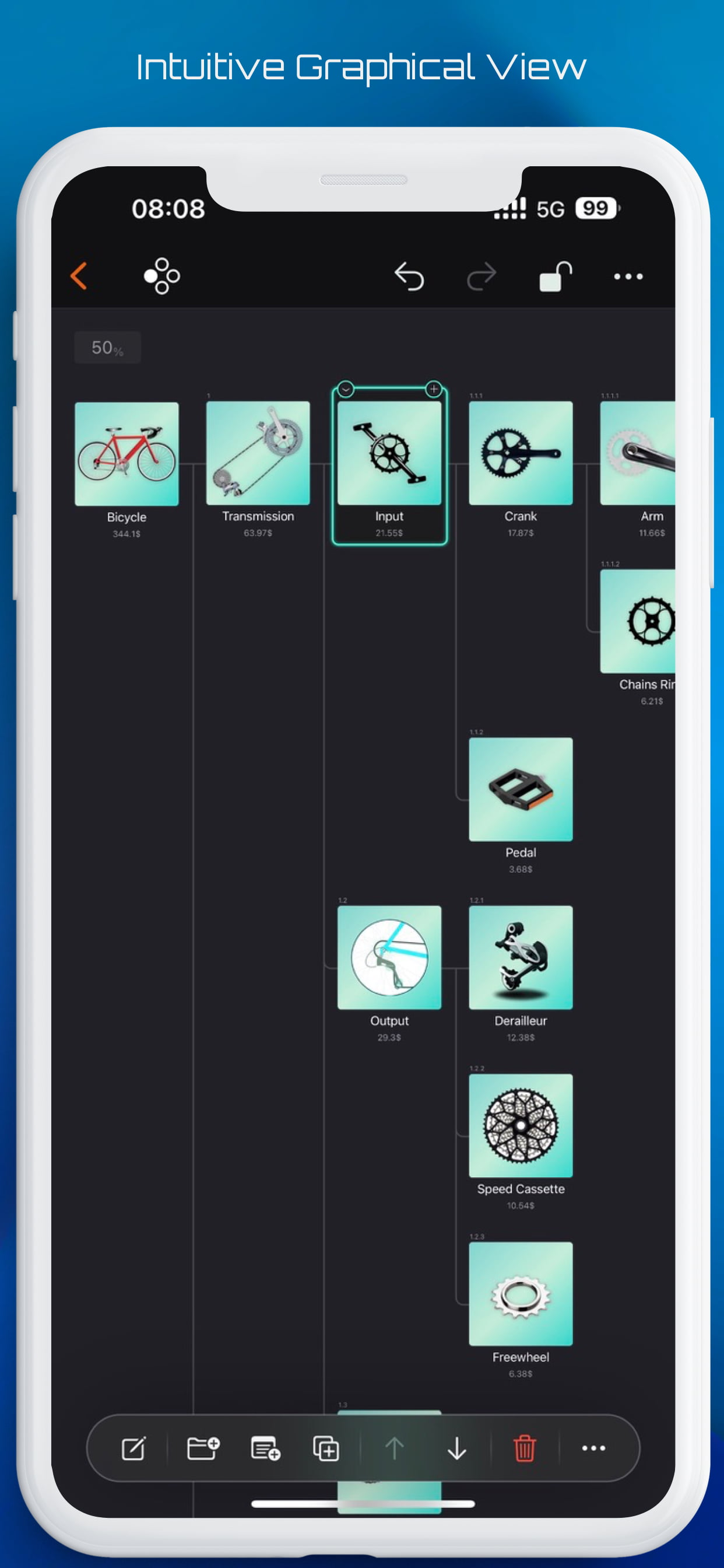
- Graphical view, allowing you to view and edit nodes in an intuitive way.
- List view, with detailed data display and table editing that supports continuous input and switching and modifying cells.
- Columns view, for convenient and familiar operation, similar to the columns view of the file application.
- Property editor, maintenance of all properties of the node for changes.
- Convenient operation of adding, duplicating, folding and indenting.
## Efficient
- Powerful drag-and-drop support for:
- Move and copy nodes within a document.
- Merge costs within a document.
- Drop CostX files into a node to insert its contents.
- Drag images from Files app, Photos app, and Web browser.
- Powerful copy and paste support.
- Copy and paste within a document and between multiple documents.
- Nodes
- Cells
- Copy text from outside:
- Single-line text to create a new node.
- Multiline text to create multiple nodes in series and get tree structure information.
- Modify cell contents.
- Copy data from Apple Number and Microsoft Excel:
- Change cell contents in batch at once.
- Batch add nodes with multiple fields at once.
## Customization
- Base currency, cost rate and category settings.
- More than fifty fields to choose from, including category, photo, simple and compound cost, text, date, percentage complete, etc. Costs can also be divided into two groups for comparison purposes.
- Field settings.
- Visibility in each view and in the property editor.
- Field display title.
- Field display width in the list view.
- Field display order.
- Display style of nodes in graphical view and columns view.
- Use any CostX document as a template.
## Import & Export
- Export the selected node as a CostX file.
- SwiftApps WBS file into a CostX document.
- CSV export.
Terms of Use: https://www.apple.com/legal/internet-services/itunes/dev/stdeula/
Classifica degli store
La classifica del store si basa su diversi parametri stabiliti da Google e Apple.
Tutte le categorie in
Stati Uniti--
Produttività in
Stati Uniti--
Principali concorrenti e app alternative
App con un'alta probabilità di essere utilizzate dagli stessi utenti, provenienti dallo stesso store.

Underlist

Buildern

Timelogger Plus: Hours tracker

Field Service Mobile Center
 CostX - Work & Cost Estimate VS.
 aprile 21, 2026