

You’ve hit your search limit
Start your free trial to keep exploring full traffic and performance insights.
Get StartedFRep - Finger Replayer analisi dell'app per 18 febbraio

FRep - Finger Replayer
- StrAI
- Google Play Store
- Gratis
- Produttività
FRep is Finger Record/Replay App for Android 2.3~10. Once you record the routine operation, you can replay it by single trigger. For newer Android version, please try FRep2 instead.
- Record and Replay/Repeat/Edit operations of touchscreen and/or keystroke
- Easy record/play on current app, by pushing the button of floating console
- Console shows/hides depending on playable records for current app
Unlock key provides the unlimited number of records & Tasker/Locale plugin functionality.
Usage Example
- Recording analog Push/Swipe/Flick operations for automatic process/scroll/gesture
- Playing continuous virtual space key push with interval for browsing
- Preload delayed or continuous pushing in prospect of processing delay, such as CPU load or network communication
- Avoid blind area or blurring by the finger operation
- Combination with automation App through FRep replay shortcut/Tasker plugin
- Demonstrate your App in actual device
=== Initial Setup ===
FRep needs the initial setup below. If your Android is ROOTED, you can skip this section by permitting su.
To setup FRep initially or when Android rebooted, you need USB connection to Win/Mac/Linux/Android. Please retrieve and run the setup tool from following URL.
FRep Setup Tool http://strai.x0.com/frep/#tool
================
Tutorials http://strai.x0.com/frep/category/tutorial
Show/Hide console
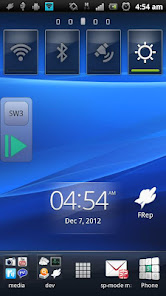
After starting service, FRep will stay in the notification. By tapping it, the console shows/hides. Once you record by the recording circle button, FRep automatically show console on the app on recorded. Then, the record can be replayed by the playing triangle button.
Recording mode
Choose which you like at the FRep front app;
Simple: record until Power push.
Till Gap: record until designated seconds of no input.
Progress: record continuously and construct editable sequence separated by input gap.
Repeat/Edit playing
By setting the Repeat number >1 in Manage Traces, FRep play the record continuously by the count. You can also create/edit the playing sequence consisting of multiple records/controls. In addition, each stroke in traces can be moved/set wait/clipped.
Power button
FRep do not record Power push, which will finish any recording/playing immediately.
Restrict by current App
In record/replay, occasional call or App change may cause a problem. To avoid that, FRep is restricted on Phone, Google Play and FRep itself. You can configure restriction for other Apps.
Interruption of playing
To abort replaying, you can interrupt easily by the overlapping the operation.
Virtual keyboard
Double-tapping the upper button on the console, you can open another page which has key operation editor.
Customization
Notification type/icon, console size/transparency, drag/flick sensitivity, default settings, etc.
= Notice&Tips =
- This app uses Accessibility Service by ACCESSIBILITY_SERVICE permission to detect current app, for responsive switching function of floating console.
- Full network access permission is used only for communication with the setup process in localhost.
- Do not record including personal information and/or password.
- The replay result may differ depending on the CPU load or such. To make good reproducibility, take longer delay for processing wait, stop touch at end point for dragging/flick, and more, try to Edit Sequence with image matching (see Tutorial in support site).
- The records have no compatibility with other device.
If you have any question or request, please mail us. The reply will be in English.
== DISCLAIMER ==
THIS SOFTWARE AND THE ACCOMPANYING FILES ARE DISTRIBUTED and SOLD "AS IS" AND WITHOUT WARRANTIES AS TO PERFORMANCE OR MERCHANTABILITY OR ANY OTHER WARRANTIES WHETHER EXPRESSED OR IMPLIED. LICENSEE USES THE SOFTWARE AT HIS/HER OWN RISK. NO LIABILITY FOR CONSEQUENTIAL DAMAGES.
================
Ranking di utilizzo di FRep - Finger Replayer
Il ranking di utilizzo si basa sull'algoritmo di Similarweb che calcola le installazioni correnti e gli utenti attivi su un periodo di 28 giorni.
Tutte le categorie in
Stati Uniti--
Produttività in
Stati Uniti#2,273
Principali concorrenti e app alternative
App con un'alta probabilità di essere utilizzate dagli stessi utenti, provenienti dallo stesso store.

Macrorify - Image Auto Clicker

TAP Kiln Control Mobile

Touch Screen Test

Gallup Access
 FRep - Finger Replayer VS.
 febbraio 18, 2026