

You’ve hit your search limit
Start your free trial to keep exploring full traffic and performance insights.
Get StartedDIGI Clock Widget Plus analisi dell'app per 8 aprile

DIGI Clock Widget Plus
- ForestTree
- Google Play Store
- A pagamento
- Personalizzazione
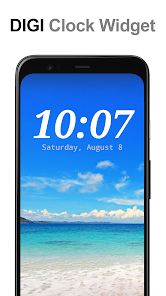
"DIGI Clock Widget Plus" is ad-free version of "DIGI Clock Widget" - highly customizable digital time and date widgets:
2x1 widget - small
4x1 widget - wide optionally with seconds
4x2 widget - big
5x2 widget - for tablets and especially for Galaxy Note
6x3 widget - for tablets.
Features lots of customizations, like:
- widget preview during setup (on Android ICS+)
- select widget click actions: tap on widget to load alarm application, widget settings or any installed application
- allows you select your preferred colors for time and date separately
- shadow effect with selectable color
- outlines
- locale preference, set date output in your language
- plenty of date formats + customizable date format
- show/hide AM-PM
- 12/24 hour selection
- alarm icon
- show time with seconds option (for 4x1 widget)
- widget background with selectable color and opacity from 0% (transparent) to 100% (completely opaque)
- use picture as widget background
- 40 great fonts for time and date ...
- ... or use your favorite font saved on memory card
- ready for Honeycomb, ICS and Jelly Bean Android versions
- recommended for tablets
... and even more ...
Problems with installation?
This is home screen widget and not the application, please read the instructions on how to use the widget:
Older phones (before Android 4.0 ICS):
• To add a widget, touch and hold an empty location on a home-screen. Menu will pop-up, select Widgets.
• "Choose Widget" menu will popup. From there, find and select "DIGI Clock Plus" widget of desired size.
Newer phones and tablets, Android 4.0 and later (Ice Cream Sandwich, Jelly Bean):
• Touch the All Apps icon on your Home screen.
• Click “Widgets” tab at the top of the screen.
• From the main Widgets screen, you can swipe left until you find "DIGI Clock Plus”
• Touch and hold the desired widget’s icon, slide your finger where you want to place it, and lift your finger.
If there are missing "DIGI Clock Plus" in list of widgets, try to restart phone, it might help.
To add the widget to your Android 4.2+ device's lock screen, simply swipe to the left-most page of your lock screen and touch the big "+" icon. Then, select "DIGI Clock Plus" add the widget. You can make this the primary lock screen widget, replacing the default clock, by first touching-and-holding it and then dragging it horizontally to the very rightmost position.
NOTICE
Do NOT move this app to SD-card! Widgets won't work once you move them to SD card.
Please exclude this widget from any task killers, this will resolve the time freezing issue in most instances.
When you want help me with translation of "DIGI Clock Widget Plus" to your language, visit please this site:
http://www.getlocalization.com/DIGIClockWidget/
Thanks for using DIGI Clock Widget Plus!
Ranking di utilizzo di DIGI Clock Widget Plus
Il ranking di utilizzo si basa sull'algoritmo di Similarweb che calcola le installazioni correnti e gli utenti attivi su un periodo di 28 giorni.
Tutte le categorie in
Stati Uniti#131
Personalizzazione in
Stati Uniti#4
Interessi degli utenti e categorie principali
Le categorie principali e le app utilizzate dagli utenti di DIGI Clock Widget Plus
Categorie principali
Affinità
Le migliori app all'interno della categoria
Altri applicazioni
24%


15%





14%





11%


Principali concorrenti e app alternative
App con un'alta probabilità di essere utilizzate dagli stessi utenti, provenienti dallo stesso store.
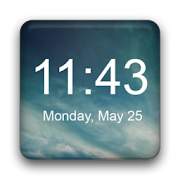
Digital Clock Widget

Photo Widget Pro

Alarm Clock

Good Lock: Premium Lock Screen
DIGI Clock Widget Plus VS. aprile 8, 2026