

StickyNote: Home Screen Notes のアプリ分析 5月3日
StickyNote: Home Screen Notes
- Shota Yamashita
- Apple App ストア
- 無料
- 生産性
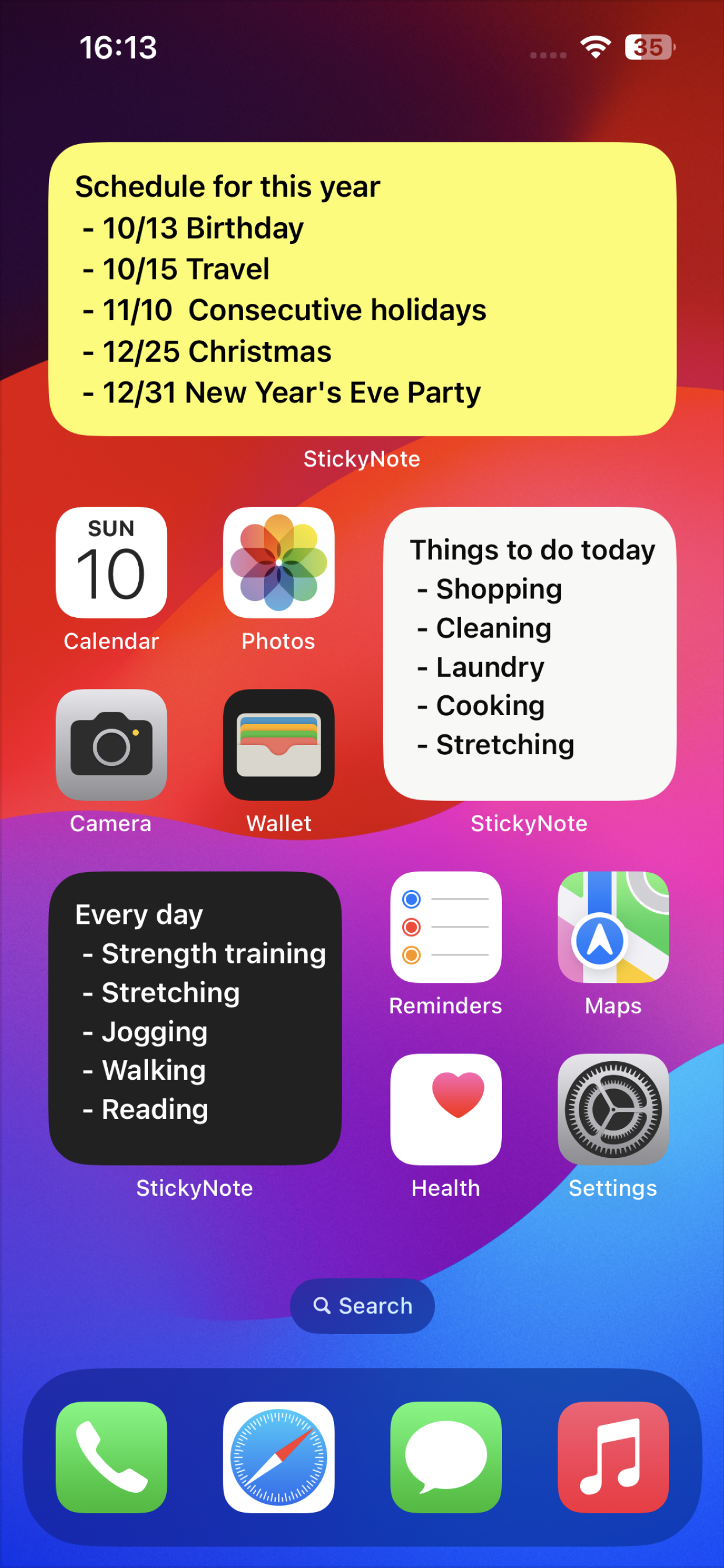
StickyNote is a notepad app you can use just like sticky notes.
Pin your memos to the Home Screen so you can see them anytime and edit with a single tap.
The simple, easy-to-use design makes it great for task management, to-do lists, and scheduling, too.
We hope you'll give it a try.
■ App highlights
- Pin memos to your Home Screen or Lock Screen for instant access anytime
- Sort memos by purpose to manage to-dos for work or school
- Customize the background with colors or photos to make a notepad that's truly yours
- Choose cute fonts and freely adjust the text size
■ Powerful customization
- Background of your choice (color, pattern, or photo)
- Switch fonts (handwriting-style and cute fonts available)
- Adjust text size, line height, and letter spacing
- Change text color
- Set your own photo as the background
■ Suggested uses
- Keep your schedule, to-dos, and tasks in plain sight on the Home Screen
- Work task management
- As class notes
- Schedule planning
- Goal tracking (pin them to the Home Screen so they stay top of mind)
- Capture ideas the moment they hit you
- Shopping lists
■ Handy memo features
- Character count helps you gauge length for social posts or assists with writing
- Undo or redo your latest input with a single tap
- Open the memo info screen to see character, line, and paragraph counts, plus a list of links, email addresses, and phone numbers — all easy to copy
- Copy the memo's contents with one tap
- Share memos to other apps or run various actions from the share sheet
■ Widget types
- Memo widget
- Memo list widget
- Lock Screen-only widget
- Apple Watch widget
■ Super easy to set up
1. After installing, open the app once
2. Go back to the Home Screen and add a StickyNote widget — that's it.
Customize the background and fonts however you like to design your own notepad.
With this app, you'll never forget a memo or to-do again. Check your notes right from the Home Screen and breeze through task management.
■ Get more with Premium
Upgrade to Premium to keep the simple feel and unlock even handier extras.
Benefit 1. All ads removed
Benefit 2. Set your own photos as memo backgrounds (use wallpapers from your favorite anime or manga, family photos, anything you love)
Benefit 3. The memo list widget becomes available
*The one-time Pro plan supports Family Sharing, so when one family member buys it, everyone in the family can use Premium features.
■ Subscription
Please review the following for subscription terms:
- Privacy Policy: https://rands-app.com/privacy-policy-en/
- Terms of Use: https://rands-app.com/terms-en/
We'll keep updating the app and adding features. If you have an "I wish it could do this" idea, please send your feedback through the App Store rating page — we'll use it as inspiration for future updates.
ストアランキング
ストアランキングは、GoogleとAppleが設定した複数のパラメータに基づいています。
業界別 ウェブサイトカテゴリーで
米国--
生産性で
米国--


 StickyNote: Home Screen Notes VS.
 5月 3, 2026