

i-Repo FreeDraw のアプリ分析 4月29日

i-Repo FreeDraw
- CIMTOPS CORPORATION.
- Apple App ストア
- 無料
- 生産性
Do you have any of the following problems in digitizing forms?
- It takes a lot of time and effort to prepare images to be used in creating forms.
- Drawings and photos with direct notes written on them cannot be managed in the same way as other forms.
- Image quality may be rough and difficult to see, or large images may not load on the device.
- There are various note-taking apps, but they lack functionality when it comes to business use.
i-Repo FreeDraw is the best handwriting note taking app for digitizing forms in construction, manufacturing, maintenance and inspection works! Handwritten notes and documents of all kinds can be centrally managed.
[What is i-Repo FreeDraw]
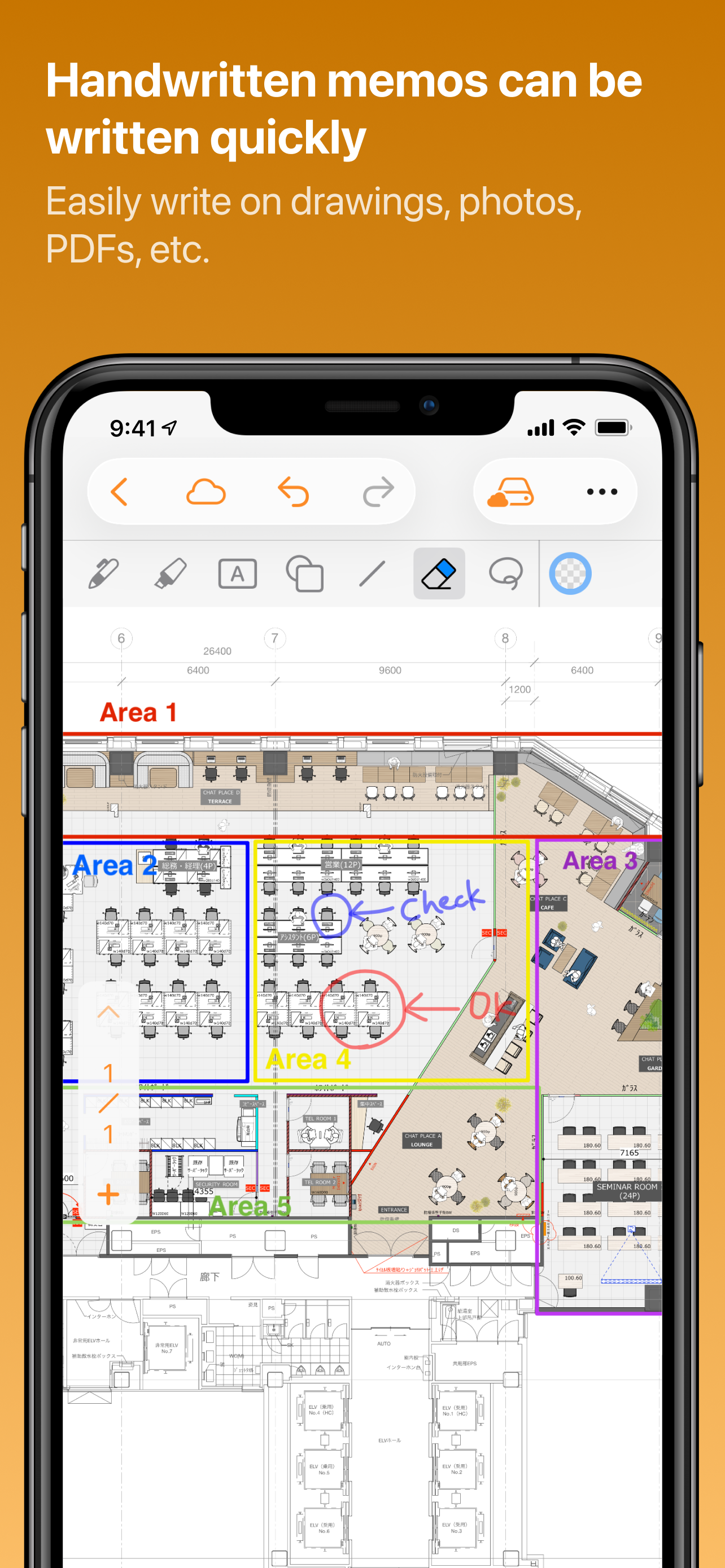
You can freely write handwritten notes on PDF drawings (which can be trimmed before use), photos, documents, and i-Reporter forms.
A full range of editing tools is also available to support a variety of expressions.
[Handle huge images]
Even large images such as A0 size (841 x 1189 mm) can be imported into the application.
The quality of the imported image is maintained, so there is no need to worry about image quality degradation.
[Linkage with various services]
You can import drawings, photos and documents from various cloud storage (OneDrive, GoogleDrive, Dropbox, box, etc.) and file servers to i-Repo FreeDraw.
Also, forms created with i-Repo FreeDraw can be easily shared to various cloud storage and chat tools (Chatwork, LINE, Teams, Slack, Google Chat, etc.).
You can also send them by e-mail.
[Meets the requirements for corporate users]
Since i-Repo Free Draw is designed for business use, it meets the requirements for detailed permission settings and management of editing history.
This app is equipped with the functions necessary for corporate business management and security measures.
New Features in Version 2
■ Insert 3D Objects
Import USDZ files into your documents and freely adjust the position, rotation, and size.
■ Create Room Plans
Use LiDAR-equipped devices to scan rooms and create 3D or 2D layouts. Note: Available only on devices with LiDAR scanners.
■ Export Scanned Rooms
Export and share the created plans as USDZ files (3D) or PDF files (2D).
ストアランキング
ストアランキングは、GoogleとAppleが設定した複数のパラメータに基づいています。
業界別 ウェブサイトカテゴリーで
米国--
生産性で
米国--




 i-Repo FreeDraw VS.
 4月 29, 2026