

Fairy PDF Reader のアプリ分析 2月19日

Fairy PDF Reader
- Mohannad Daghistany
- Apple App ストア
- 有料
- 生産性
Fairy PDF Reader is a PDF reader that’s aims to provide you with the best reading experience on your iOS device. I created it for myself at first, and then continued to add features to it to make it more useful.
It features full keyboard support for almost anything, including turning pages, opening & closing documents, finding stuff on the PDF document, importing PDF files and more. It tries to imitate the desktop PDF reading experience on your iPad or iPhone for you to take it anywhere you go.
Fairy PDF Reader has many other nifty features:-
- It remembers the last book you opened, and allows you to continue reading it whenever you want. If the app was closed for whatever reason, the next time you open it, it will reopen the last PDF document where you stopped. This is quite useful in case you own an old iOS device with a low amount of memory.
- Zoom & Lock feature:- A lot of PDF books tend to have large margins. The zoom & lock feature makes it easier to zoom in & take advantage of your iPad or iPhone screen real-estate. Once the zoom level is locked, you won’t be able to zoom in or out again until you unlock it again. Fairy PDF Reader will remember the last zoom setting you did separately for each book in your library, and it remembers it for both portrait & landscape modes separately. Other PDF readers allow you to zoom in to view your documents, but they make to harder to turn pages or maintain the page's position on the screen.
- Dark Mode support, with the ability to invert the PDF colors to further relief your eyes.
- Shows the PDF book table of content, with a search box to find the part you are looking for
- The PDF Documents list is sorted based on the last book you opened, making it easier to open one of the last few books you read
- Supports importing files from Zip files. If there are multiple PDF files inside the Zip, Fairy PDF Reader will import all of them.
- Import PDF files from common cloud services. Like Dropbox or OneDrive.
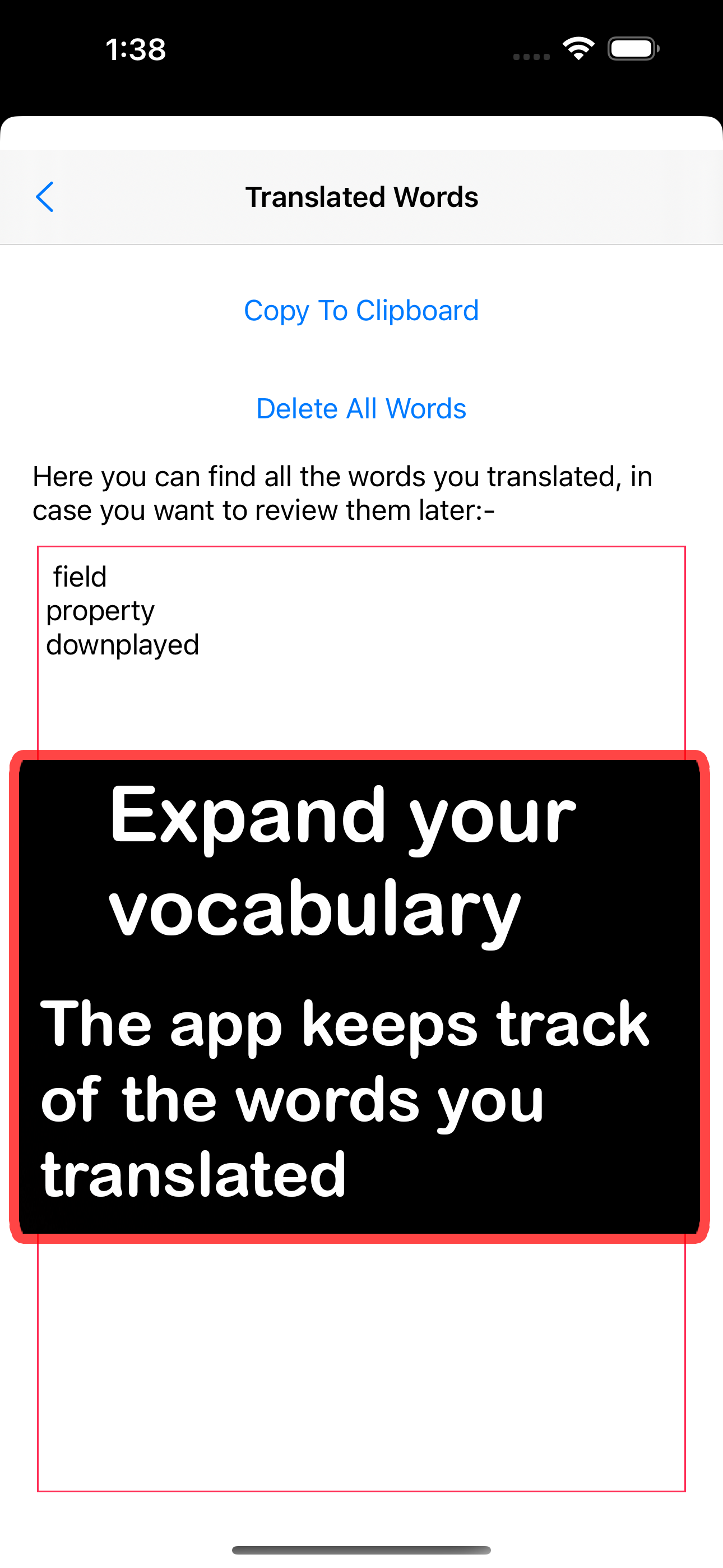
- Stores all the words you translated:- With the Translate & Save feature, any word you translate will be stored automatically, you can view these words and copy them for revision at any time you want to. This can quite helpful to expand your vocabulary or learning new languages.
- Share PDF files from other applications:- You can export any PDF file you open in Safari or other apps & they will be directly imported to Fairy PDF Reader.
- Find text in the documents you’re currently reading.
- Organize files in folders, and copy or move them between them.
- Search for books in the current folder. Fairy PDF Reader has a convenient text matching that makes this easier.
- Smart tap detection:- Touching the lower part of the page won’t turn the page, this was added so you won’t turn the page by mistake while reading. The same goes to showing the options bar, you can easily hide it by tapping anywhere on the screen, but you need to tap on the upper part of the screen to show it, so you will unlikely show it by mistake. Unselecting text is also easy, just tap anywhere on the screen, and the selection will be gone. Generally speaking, taps & gestures are designed so that they won't interfere with one another, or interfere with you while you're focused on your book.
- Go to any page quickly using the pages navigator, you can either type the page number you want or move the slider, or you can simply tap on the left or right arrows to go to the next or previous page.
- Scroll To Top disabled:- While in landscape mode, you can't go to the beginning of the PDF document by tapping on the title bar, which is a common feature in iOS. This was done since it's easy to trigger that feature by mistake. The "Go To Page" dialog is there to help you get to the beginning of the book if you like.
You can also read the full documentation of the app on my website:- https://Tech-Fairy.com/fairy-pdf-reader-user-manual-how-to-use-fairy-pdf-reader-to-get-the-best-pdf-reading-experience/
ストアランキング
ストアランキングは、GoogleとAppleが設定した複数のパラメータに基づいています。
業界別 ウェブサイトカテゴリーで
米国--
生産性で
米国--




 Fairy PDF Reader VS.
 2月 19, 2026