

OneStep Reader のアプリ分析 2月23日

OneStep Reader
- Sensotec NV
- Apple App ストア
- 有料
- 生産性
OneStep Reader gives you instant access to print anytime and anywhere.
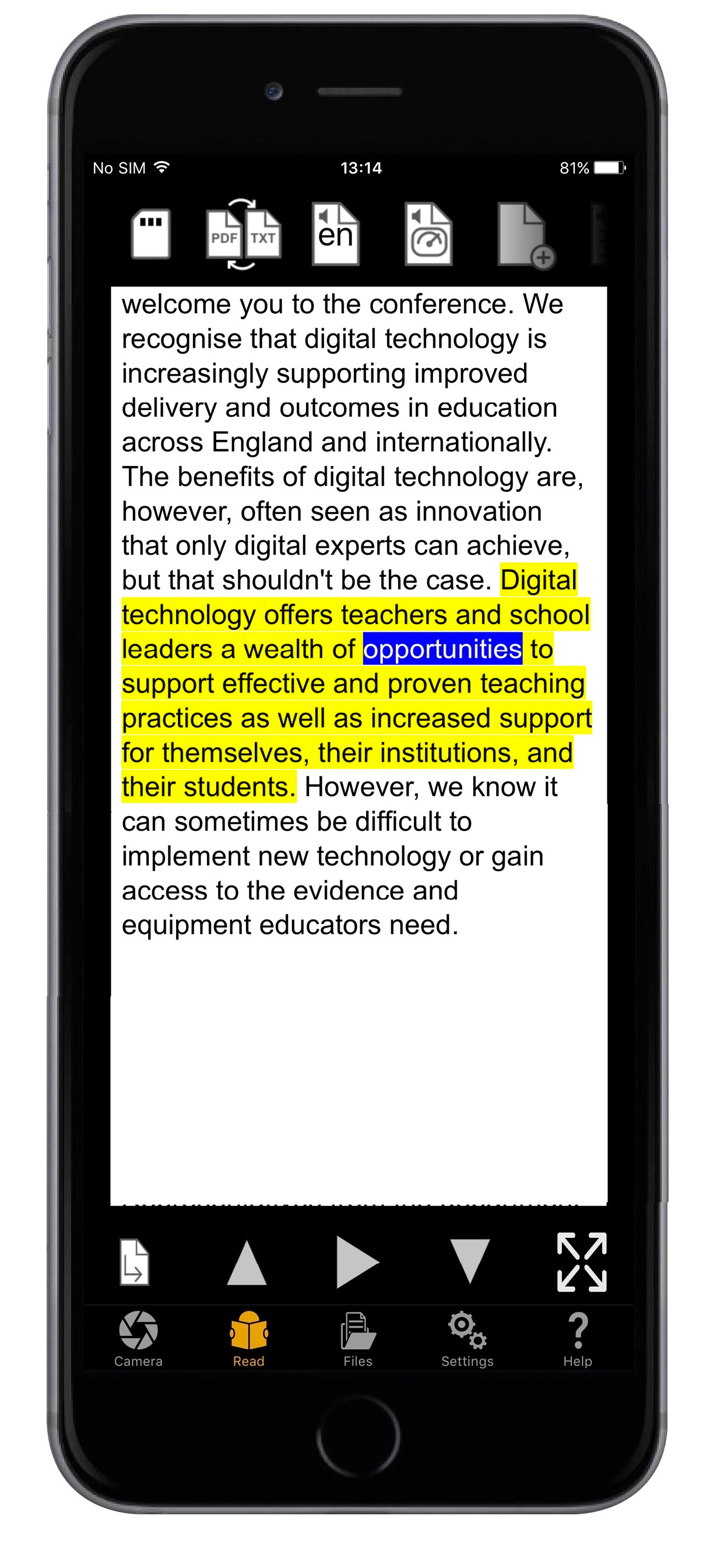
OneStep Reader 3.0 is a rapid and efficient text recognition app. Its text-to-speech, text-to-Braille, and text highlighting tools make it valuable for blind, low-vision, dyslexic, and others with reading differences.
Use it to import or take a photo of anything containing text. Take a photo and the app reads text out loud or displays it on a connected refreshable Braille display. Read with more ease thanks to the simultaneous highlighting of the sentence and word that is being read on the picture or in the plain text document. The app helps you get a good photo with special alignment tools, including spoken and vibration guidance. Snap multiple pages, such as a book, for later reading.
Winner of the 2014, 2015, and 2016 AppleVis Golden Apple Award for Best Assistive
Technology App.
• Reads image-based PDF and JPEG files, and now tagged PDF and ePub files too!
• Exports OneStep reader files as HTML or TXT files.
• Navigates by line, sentence, word, or character.
• Crop, rotate and edit the pictures you take before performing text recognition.
• View documents in PDF presentation mode with double highlighting while reading.
• View reading order and language-tagged PDF documents.
• Add and remove bookmarks in PDF documents.
• Switch between PDF view and reflowable text view.
• Read documents in the increasingly popular ePub format.
The app also has synchronized text highlighting to help you read along with the spoken text, a benefit for people with dyslexia and other reading difficulties.
Need nutritional information from your breakfast cereal? OneStep reader can read labels. Out shopping and need a price? OneStep Reader can read price tags. Want to know what came in the mail? OneStep Reader captures it all.
OneStep Reader captures print from your computer or tablet screen. Photograph the screen and know exactly what that error message says.
Little details abound. We got rid of the fifty-page limit for batch recognition. Everything gets turned on its side with landscape support. Add subfolders to the local folder structure. Use Microsoft OneDrive, Dropbox, or Google Drive to store and retrieve your documents. You can now make calls, send emails, and open hyperlinks directly from documents; call or email your new contact directly from the text of her business card!
Fully localized versions (user interface, recognition and speech) are available in: English, German, Italian, French, Spanish, Norwegian (Bokmål), Swedish, Portuguese, Dutch, Turkish, Danish, Polish, Russian, Japanese, and Czech.
Other languages available for speech and recognition only: Afrikaans, Albanian, Bulgarian, Chinese (Simplified), Chinese (Traditional), Croatian, Estonian, Finnish, Greek, Hungarian, Icelandic, Indonesian, Romanian, Serbian (Cyrillic), Serbian (Latin), Slovak, Ukrainian.
Supported devices: iPhone X, iPhone 8 Plus, iPhone 8, iPhone 7, iPhone 7 Plus, iPhone SE, iPhone 6s, iPhone 6s Plus, iPhone 6, iPhone 6 Plus, iPhone 5s, iPhone 5c, iPadPro, iPad Pro 12.9-inch, iPad Pro 9.7-inch, iPad Air 2, iPad Air, iPod touch 6th Generation, iPod 5th Generation.
Visit our website at: www.OneStepreader.com
ストアランキング
ストアランキングは、GoogleとAppleが設定した複数のパラメータに基づいています。
業界別 ウェブサイトカテゴリーで
米国--
生産性で
米国--


 OneStep Reader VS.
 2月 23, 2026