

Comic Movie Anime video maker のアプリ分析 4月23日

Comic Movie Anime video maker
- TAIKI HIRATA
- Apple App ストア
- 無料
- 写真 & ビデオ
Cartoon Movie and Animation Film Maker!
Let's create cartoon effect movies and animated film by editing your videos!
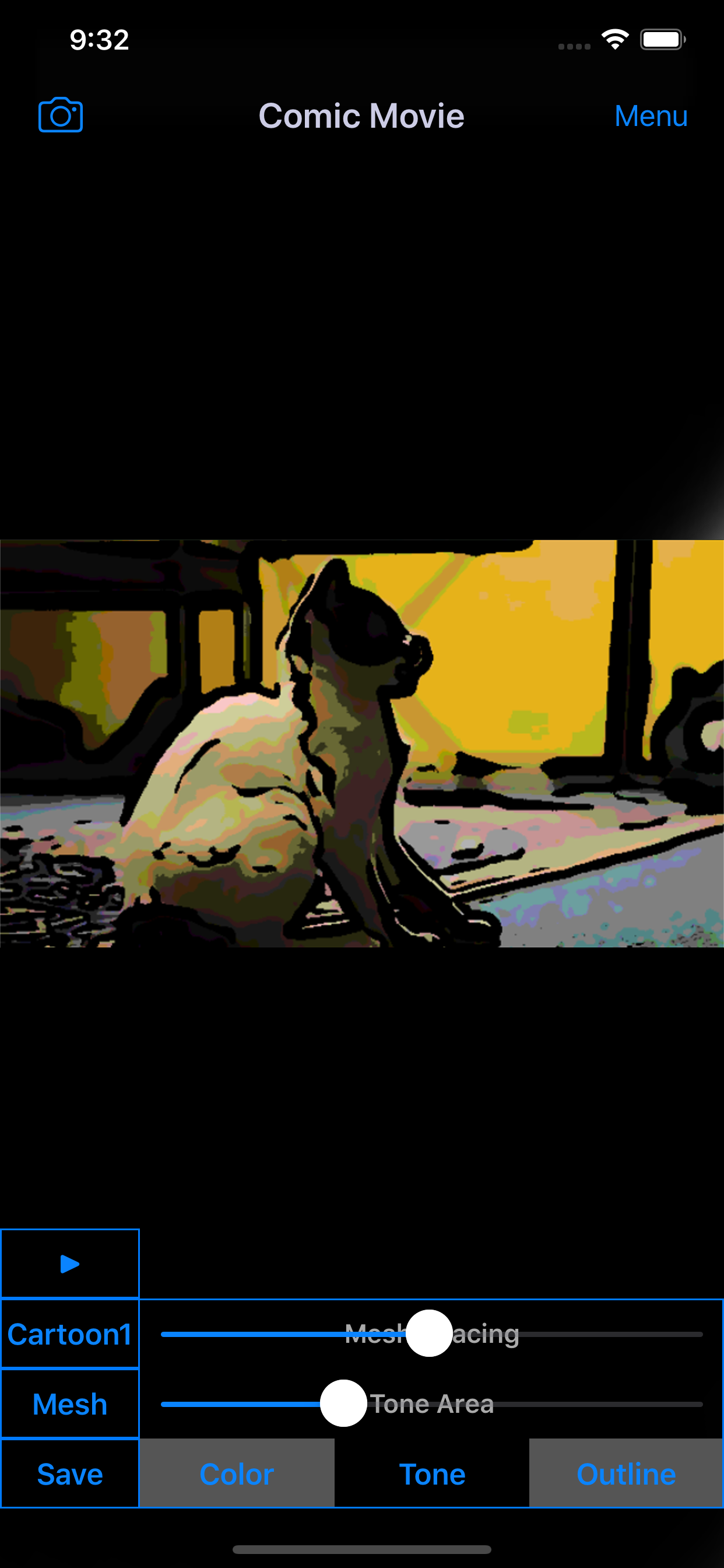
"Comic Movie" is the free movie editor apps for making cartoon effects movies like animation film.
You will be able to edit videos taken with your video camera and make cartoon style movies easily by this anime movie creator apps.
■Movie Filter List
1. Cartoon Style 1
・Create cartoon style movie.
2. Cartoon Style 2
・Create cartoon style movie with thicker outline than "Cartoon Style 1".
3. Animation Style 1
・Create animation style movie.
・You can create movie with smooth outline and color than "Cartoon Style"
*If you want to save movie with this filter, you need to purchase Add-on.
4. Animation Style 2
・Create animation style movie with thicker outline than "Animation Style 1".
*If you want to save movie with this filter, you need to purchase Add-on.
5. Cartoon + Raw Movie
・Create raw movie with cartoon style outline and screentone.
*If you want to save movie with this filter, you need to purchase Add-on.
6. Animation + Raw Movie
・Create raw movie with animation style outline and screentone.
*If you want to save movie with this filter, you need to purchase Add-on.
■Screentone List
1. Mesh Tone
・Mesh style screentone.
・You can edit mesh spacing and screentone area.
2. Dot Tone
・Dot style screentone.
・You can edit dot size and screentone area.
*If you want to save movie with this screentone, you need to purchase Add-on.
3. Shadow Tone
・Shadow style screentone.
・You can edit shadow depth and screentone area.
*If you want to save movie with this screentone, you need to purchase Add-on.
4. None Tone
・You can create movie without screentone.
*If you want to save movie with this screentone, you need to purchase Add-on.
■Function List
1. Create cartoon effect style animation movie
・You can create cartoon effect style animation movie from your video camera or video album.
・You can choose filter from 6 types.
*If you want to save movie using some films, you need to purchase Add-on.
2. Edit movie color
・You can edit color saturation and color level.
3. Edit movie outline
・You can edit outline width and threshold.
4. Paste screentone
・You can paste screentone to cartoon style movie.
・You can choose screentone from mesh tone, dot tone, shadow tone and none tone.
*If you want to save movie useing dot or shadow or none tone, you need to purchase Add-on.
5. Edit screentone
・You can edit mesh spacing, dot size, depth and tone range.
■About In-app Advertising
Banner Advertising is displayed in Home Screen.
Full Screen Advertising will be displayed, after you have saved the movie.
You can hide these Advertising by purchasing "Additional Function Add-on".
■List of works which I have used to create the app icon and screen shot.
http://travelboard.sakura.ne.jp/comic_movie/comic_movie_en.html#copyright
ストアランキング
ストアランキングは、GoogleとAppleが設定した複数のパラメータに基づいています。
業界別 ウェブサイトカテゴリーで
米国--
写真 & ビデオで
米国--


 Comic Movie Anime video maker VS.
 4月 23, 2026