

CPDT Benchmark〉Storage, memory のアプリ分析 2月23日

CPDT Benchmark〉Storage, memory
- Maxim Saplin
- Google Play ストア
- 無料
- ツール
Note: only internal memory test is available on Android 11.
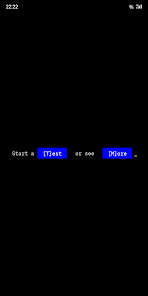
CPDT (Cross Platform Disk Test) is a performance benchmarking app that measures I/O speed of permanent storage (internal memory/NAND/NVMe/UFS/SD card) and system memory (RAM).
This app has Windows, macOS and Linux v̲e̲r̲s̲i̲o̲n̲s̲ which allow to consistently run tests across devices and operating systems. They can be download at the web site: https://maxim-saplin.github.io/cpdt_results/?download
In-app results database makes it possible to compare your phone’s performance to other Android smartphones (e.g. Samsung Galaxy Note 10, Xiaomi Redmi 7 etc.) and a wide variety of hardware (iPhones, Macs, Windows PCs, Android TV Players etc.)
The benchmarking suite includes the following 5 tests:
◉ Permanent storage tests
┊
╰┄◎ Sequential write
┊
╰┄◎ Sequential read
┊
╰┄◎ Random write(4KB block)
┊
╰┄◎ Random read (4KB block)
◉ RAM test
┊
╰┄◎ Memory copy
- test results are given as throughput values measured in MB/s (megabytes per second).
Various settings are available in Options menu and let users control:
◉ Test file size
┊
╰┄◎ 0.5GB ┄◎ 1GB ┄◎ 2GB ┄◎ 4GB ┄◎ 8GB ┄◎ 16GB
◉ Write buffering
┊
╰┄◎ On ┄◎ Off
◉ In-memory file caching
┊
╰┄◎ On ┄◎ Off
For sequential tests the app builds time-series graphs, for random tests - histograms. Test results can be exported to CSV for further analysis (each row containing block position in the test file and throughput measured).
How is CPDT different from other apps? Most popular benchmarks focus on CPU/GPU (such as Geekbench, AnTuTu) and completely ignore storage performance.
Storage and memory benchmarks rarely let users change any settings and limited to specifying test file size. Controlling buffering or caching is not possible (e.g Androbnech) or require device reloading (e.g. A1 SD).
Caching is a mechanism which significantly influences test results. If it is ON test results are affected by RAM speeds and it’s not possible to isolate permanent storage performance in such tests. Cold read scenarios (e.g. device boot or first-time application start) can not be described by cached reads. Same situation is with buffering which affects write tests. Buffering uses RAM for temporary storing data before persisting it to storage.
CPDT deals with both caching and buffering and by default those are OFF which makes it possible to consistently measure and compare permanent storage performance across devices and operating systems.
Why is storage and memory performance important? It directly affects the level of “perceived” performance. UI freezes can be described in many cases by stutters at storage level. E.g. displaying a loaded web page in browser when it requests data from disk, scrolling pictures in gallery app (imaging scrolling thousands of them), or going down an Instagram feed (previously loaded images will be requested from cache stored on disk).
Chromebook users can use this app after enabling Google Play. In order to access SD/Memory Card the app must be granted “Storage permission” in Google Play setting of Chrome OS.
!OTG Support is NOT guaranteed! If you plug an external card reader or USB flash drive into your device, it might work or it might not. E.g. Samsung Galaxy S8 with Android 8 and Note 10 with Android 10 work fine. Xiaomi Mi8SE (Android 9), Meizu 16th (Android 8.1) and LG Nexus 5x (Android 6) don't work (though you'll still be able to see the drive in the system). Why is that? Android OS doesn't have a consistent model working with externally connected storage devices. Some device manufacturers do a good job (such as Samsung) by properly mounting the device and making it available via default API (Context.getExternalFilesDir()). Others require tricks or implementing manufacture specific APIs.
The project is open-source and you're welcome to visit it's page at GitHub:
https://github.com/maxim-saplin/CrossPlatformDiskTest
CPDT Benchmark〉Storage, memory使用ランク
使用ランクは、28日間の現在のインストール数とアクティブユーザー数を計算するSimilarwebのアルゴリズムに基づいています。
業界別 ウェブサイトカテゴリーで
ドイツ--
ツールで
ドイツ--
ユーザーの興味・関心とトップカテゴリー
CPDT Benchmark〉Storage, memoryユーザーが使用するトップカテゴリーとアプリ

















 CPDT Benchmark〉Storage, memory VS.
 2月 23, 2026