

MDM & Kiosk Mode by AppTec360 のアプリ分析 4月1日

MDM & Kiosk Mode by AppTec360
- AppTec360
- Google Play ストア
- 無料
- ビジネス
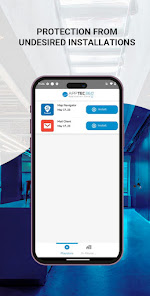
The AppTec MDM & Kiosk Mode App lets you secure, monitor, manage and support your entire fleet of Android devices deployed across your enterprise, when working in conjunction with the AppTec360 Endpoint Manager Console.
This enterprise-wide solution provides your IT department with a single, integrated view of all mobile devices, allowing you to increase help desk efficiencies, reduce support costs and improve the overall support experience for today’s corporate user.
Web-based, functionally robust and highly scalable, AppTec360 also provides unparalleled flexibility by offering three different delivery options for the AppTec360 console, ensuring all IT environments have access to AppTec’s industry-leading functionality:
• Cloud
• On-premise installation
• Free virtual appliance
AppTec360 offers companies a free full license for 25 devices.
AppTec360 provides today’s enterprise with the following functionality:
• Centralized Over-the-Air Deployments (Zero Touch)
• Asset Management of all Android Devices
• Over-the-Air Configurations Management (Device Admin)
• Android Enterprise Management (All Management Sets)
• App Management and Configuration
• Samsung KNOX Support
• Kiosk Mode for App & URL
• Multi App Kiosk Mode
• Web Kiosk Mode
• Secure Browser with URL Whitelisting
• Content Management for Digital Signage
• Settings App for Kiosk Mode
• Centralized Wallpaper Setting
• Policy change per drag and drop
• Device Security
• Security by Location, Role and Function
• Policy Enforcement (Passwordpolicy)
• Robust GPS Tracking and Mapping
• Device Grouping and Bulk Management
• Meaningful reports and analyses
• Intuitive dashboard for first level support
• Distribution of certificates
• VPN configuration (Always on and Per App VPN)
• LDAP integration for selection of the current structure
• Self-service portal for end users
• Multi-client capable architecture
• Integrated E-Mail Gateway
• Integrated VPN Server & Client
• Content Management with Nextcloud Plugin
MDM & Kiosk Mode by AppTec360 provides an integrated VPN tunnel to enable managed devices to access internal resources of your company.
Full Feature Matrix: https://www.apptec360.com/features
Instructions for Activation:
Step 1: Download and install the AppTec360 MDM & Kiosk Mode App on your device through the Google Play Store.
Step 2: Once you load the AppTec360 MDM & Kiosk Mode App onto your device, activate the agent with an AppTec-issued company id, email and password.
For more information on the AppTec360 solution, please send us a mail to contact@apptec360.com.
IMPORTANT NOTE: Please contact your IT administrator before installing AppTec360 Endpoint Manager. The application will not operate without the necessary back-end software.
This app uses the Device Administrator permission.
This app uses the AccessibilityService API to take screenshots while being in Kiosk mode.
MDM & Kiosk Mode by AppTec360使用ランク
使用ランクは、28日間の現在のインストール数とアクティブユーザー数を計算するSimilarwebのアルゴリズムに基づいています。
業界別 ウェブサイトカテゴリーで
米国--
ビジネスで
米国--
















 MDM & Kiosk Mode by AppTec360 VS.
 4月 1, 2026