

SnapBridge のアプリ分析 2月22日
SnapBridge
- Nikon Corporation
- Google Play ストア
- 無料
- 写真
High-quality photos taken with Nikon camera can be shared via e-mail or social media just as you would photos taken with your smart device.
Does the camera offer a WPA2-PSK/WPA3-SAE authentication/encryption option?
The camera may be unable to connect to the smart device if WPA2-PSK/WPA3-SAE is selected for authentication/encryption.
In this event, switch the camera authentication/encryption setting to WPA2-PSK-AES.
See the camera documentation for information on changing Wi-Fi connection settings.
Supported Digital Cameras as of October 2025
ZR, Z9, Z8, Z7II, Z7, Z6III, Z6II, Z6, Z5II, Z5, Zf, Zfc, Z50II, Z50, Z30, D6, D850, D780, D500, D7500, D5600, D3500, D3400, COOLPIX P1100, P1000, P950, A1000, A900, A300, B700, B500, B600, W300, W150, W100, KeyMission 80
D750, D7200, D7100, D5500, D5300, D3300, Df, J5, P900, S7000, S3700, AW130
The foregoing may include models not available in some regions.
Be sure to update the camera firmware to the latest version.
Use a computer to download the latest camera firmware from the Nikon Download Center. * According to your camera's model, you can download your camera's firmware via the SnapBridge app.
http://downloadcenter.nikonimglib.com/
Principal Features
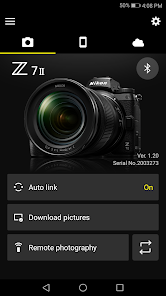
- Once the camera is paired with your smart device, new photos can be downloaded automatically.
- Adjust camera settings and take photos.
- View the pictures on and download photos from the camera.
- Use the app to pair the device with up to five cameras.
- Automatically upload pictures taken with the camera to NIKON IMAGE SPACE (Note 1).
- View downloaded photos or share them via e-mail or social media.
- Add photo info or text to uploaded photos.
- Download location data to the camera (Note 2) or set the camera clock to the time reported by the smart device.
- Receive notifications of firmware updates for paired cameras.
System Requirements
Android 12.0 or later, 13, 14, 15, 16
A device with Bluetooth 4.0 or later (i.e., a device that supports Bluetooth Low Energy) is required.
There is no guarantee that this app will run on all Android devices.
Notes
- Note 1: Upload to NIKON IMAGE SPACE requires a Nikon ID.
- Note 2: The GPS function runs continuously in the background, increasing the drain on the battery. The drain on the battery can be reduced by choosing power-saving mode.
- If you are unable to download images or connect via Bluetooth or Wi-Fi after pairing, try one or more of the following solutions:
- Turn the paired camera off and then on again.
- Switch tabs in SnapBridge.
- Exit and relaunch SnapBridge.
- Users can register for a Nikon ID using this app.
- Enable Bluetooth and Wi-Fi when using this app.
- Remote movie recording is not supported on some cameras.
- Movies can be downloaded by switching to Wi-Fi and selecting the files manually. Download is not available with AVI files.
- Enable NFC on the smart device before attempting to launch the app or connect via NFC.
- Remote photography and movie download are available only if the camera has Wi-Fi (some cameras only).
- The app may not perform as expected depending on your environment and network conditions.
- A smart device with a display resolution of WVGA (960 × 540 pixels) or better is required.
- The app cannot be used to view movies. Use a movie-viewing app.
- The app requires a 100 MB or more of free memory on the smart device.
Using the App
For more information, use the app "Help" option.
SnapBridge使用ランク
使用ランクは、28日間の現在のインストール数とアクティブユーザー数を計算するSimilarwebのアルゴリズムに基づいています。
業界別 ウェブサイトカテゴリーで
ドイツ--
写真で
ドイツ#386





















 SnapBridge VS.
 2月 22, 2026