

Pujie Watch Faces - Wear OS 4- のアプリ分析 5月3日
Pujie Watch Faces - Wear OS 4-
- Pujie
- Google Play ストア
- 無料
- パーソナライズ
→ SMART WATCH COMPATIBILITY
This version is not compatible with the Galaxy Watch 7/8, the Galaxy Watch Ultra and the Pixel Watch 3. And will not be compatible with Wear OS 6 or newer watches. If you have a Wear OS 6 watch, check out:
Pujie Watch Faces - Wear OS 6
→
https://play.google.com/store/apps/details?id=com.pujie.watchfaces
This version is fully compatible with all WearOS 2.x, 3.x & 4.x devices. Or watches which have been upgraded to Wear OS 5.
This includes the following:
• Samsung Galaxy Watch 4, 5 & 6
• Google Pixel Watch 1 & 2
• Fossil smartwatches
• Mobvoi TicWatch Series
→ ONLINE
https://pujie.io
Tutorials:
https://pujie.io/help/tutorials
Cloud Library:
https://pujie.io/library
Documentation:
https://pujie.io/documentation
→ INTERACTIVE WATCH FACE / LAUNCHER
Pujie Watch Faces allows you to assign custom actions to a huge number of possible tap targets. The Tap drawer, a panel with 6 tap targets and all your custom elements make up to unlimited assignable tap targets! It's a watch face and launcher in one!
Choose from:
• The Calendar, Fitness, Weather view or The Tap Drawer
• Any installed watch or phone app or shortcut
• Tasker tasks!
• Watch or phone actions (volume, play/pause music, etc)
→ DESIGN
Design your own watch elements (watch hands, backgrounds, complications, custom elements) with the included watch element designer! Pujie Watch Faces has the most advanced watch face maker, supporting true vector graphics and images.
→ WATCH FACE LIBRARY
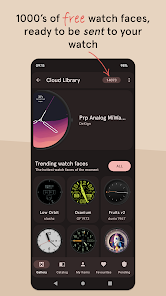
The watch face library is an online social library of watch faces and watch parts.
Read more:
https://pujie.io/library
→ WIDGET
Even when you don't own a smartwatch you can use Pujie Watch Faces. Use the same app to create a home screen clock widget!
→ KEY FEATURES
All settings are available using the Pujie Watch Faces phone app. Some settings are available from the configuration menu on the watch.
• 20+ watch faces to get you started
• Choose from 1500+ fonts
• Design your own watch elements
• Animated
• Tasker integration (variables & tasks)
• Start any watch or phone app
• Square, rectangular and round watches
• Calendar integration!
• Weather data, Celsius or Fahrenheit
• Phone and smartwatch battery status
• Multiple time zones
• Share your watch faces with others
• And much more
→ SUPPORT
!! Please don't rate us 1-star, just contact us. We respond mighty fast !!
https://pujie.io/help
How do I install the watch face?
1 Wear OS 2.x & Wear OS 3.x: Download the watch app from the Play Store on the watch.
2. Long press your watch and choose Pujie Watch Faces as your watch face, or select it using the WearOS app.
How do I activate a widget?
1. Long press your home screen or go to the widget section in the app drawer (depends on your launcher)
2. Choose Pujie Watch Faces.
3. Design a new style, or choose one of your designs
4. Place and re-size to your liking
Pujie Watch Faces - Wear OS 4-使用ランク
使用ランクは、28日間の現在のインストール数とアクティブユーザー数を計算するSimilarwebのアルゴリズムに基づいています。
業界別 ウェブサイトカテゴリーで
米国--
パーソナライズで
米国#403

















 Pujie Watch Faces - Wear OS 4- VS.
 5月 3, 2026