

Auto Click - Automatic Clicker のアプリ分析 5月2日

Auto Click - Automatic Clicker
- gc auto clicker
- Google Play ストア
- 無料
- ツール
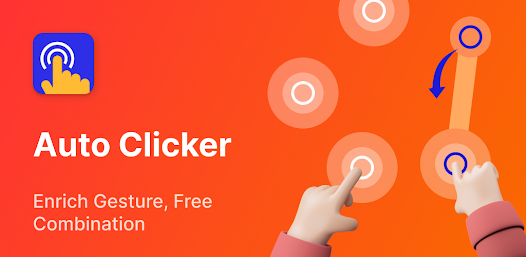
Auto Clicker can automatically tap or swipe any position using a custom duration.
It can help you with tasks that require repeated clicks or swipes and is suitable for users who want to use click assistant for playing games, auto-like, and Automatically accept tasks.
Key features:
✓Delayed timed start
Not using your phone when you need to fast touch? Whether it is an already saved configuration or a new one, you can choose the time to start happy tapping.
✓Synchronous click pattern
Is one click on a target not enough for your task? If you need to tap fast on more than one target at the same time, then you can choose the Synchronous click mode.
✓Multi-touch click mode
The multi-point mode supports taping multiple target points successively. In particular, you can set the first target point to click 10 times in a loop before auto play on the second target point. The number of cycles can be set individually for each target point.
✓Combined click mode
Combined click mode supports simultaneous tap, swipe and long press. When using the mobile phone auto clicker app to play games, you may not only need to automatically click certain points on the screen but also need to automatically swipe and long press to help you perform other operations.
✓Edge click mode
Use our clicker whenever you need to one tap the edges of your phone. You can 1 click on areas that other clickers do not support since the edge click mode enables you to happily tap on the top, bottom, left, and right screen edges of the phone.
✓App self-start
If you frequently use the auto clicker automatic tap in an app and find it troublesome to have to open the clicker each time, the auto-launch feature can be helpful. When you start Auto Clicker for the first time, you only need to select the app you want to launch and the click mode. The configuration will automatically show when you launch the self-starting application, so there is no need to activate the automated clicker the next time you screen tap.
✓Game anti-detection
Are you concerned that you will be detected utilizing an automatic clicker in a game? You can overcome this issue with the use of the anti-detection feature. Because you can set up clicks to happen at random intervals and within a random coordinate range.
✓Import and export saved configurations
If there are too many configurations and you don't want to reset them, what should you do? Our auto clicker allows for the import and export of saved configurations with one-click.
✓ Change the skin of the click target
We provide a variety of styles of click icons for you to choose from. Personalized clicking icons can add interest to your boring taping process.
✓Transparency adjustment of floating controls
Our auto clicker supports the transparency of the floating control, which is convenient for you to double click and set without hindering your other operations.
How to use Auto Clicker
We publish many Auto Clicker guides on the auto clicker website. These include the use of auto clicker games.
Website address: https://www.gcautoclicker.com/
Auto Clicker YouTube Channel: gc auto clicker
Important Note: Auto Clicker uses the AccessibilityService API for the core functionality of the program.
1.Why use the AccessibilityService API service?
2.✓A: The program uses the AccessibilityService API service to realize core functions such as automatic clicking, sliding, synchronous clicking, and long pressing.
2. Do we collect personal data?
✓A: We will not collect any private information through the interface of AccessibilityService API.
3.Only support Android 7.0 and above
4.No ROOT permission is required
Feedback
- If you have any suggestions or usage questions, please email drinkinggamesforparty@gmail.com.
Privacy policy: https://www.gcautoclicker.com/privacypolicy/
Terms: https://www.gcautoclicker.com/recoverdeleted_terms.html
Auto Click - Automatic Clicker使用ランク
使用ランクは、28日間の現在のインストール数とアクティブユーザー数を計算するSimilarwebのアルゴリズムに基づいています。
業界別 ウェブサイトカテゴリーで
米国#3,218
ツールで
米国#389














 Auto Click - Automatic Clicker VS.
 5月 2, 2026