

Locker For SnapApp Chat のアプリ分析 5月3日

Locker For SnapApp Chat
- SYSTWEAK SOFTWARE
- Google Play ストア
- 無料
- ツール
Note: This app is not sponsored or endorsed by, or affiliated with, Snap Inc.
SC Chat Locker is a must-have app for those who want to secure their SC messenger or chats. Using this app, you can protect your personal data from unauthorized access.
This app not only protects and secures chats but also allows them to lock SC. This means no one without the passcode will be able to read the chat or access the SC app.
Setting a passcode/fingerprint for your phone goes a long way, but all this becomes meaningless when your phone’s passcode is identified or is no longer a secret. In such cases securing anything like SC or other apps is not easy.
But if you are using SC Chat Locker App no need to worry about your SC. Using this app, you can lock both app and chats using a different lock code. Once the app is installed all you need to do is add the chat to lock so that no one except you can access it without the passcode.
SC Chat Locker improves security and privacy by keeping your secret chats private There’s no limit to the number of chats you can lock. With just one password you can lock an unlimited number of chats.
Amazing Features of SC Chat Locker:
- Lock selected sensitive chats.
- Lock SC Messenger.
- Two lock modes: passcode and fingerprint (for supported devices).
- Lock unlimited chats.
- A passcode is required to access locked chats. This means only you can access chats after entering the passcode.
- Easy unlocking.
- Easy to use interface and features.
- Protects the SC app from being uninstalled.
- Easy password recovery.
- Minimal battery and memory usage.
No need to worry about the security of your Snaps or chats before giving your phone to anyone.
How to use SC Chat Locker?
1. Download and install the app.
2. Launch the app, create a four-digit Passcode and confirm it. (Passcode is the same for your chats and application.)
3. Grant accessibility permission.
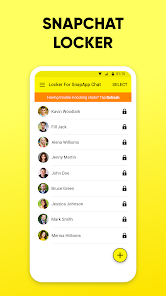
4. Tap ‘+’ to add chats you wish to lock.
Once added selected chat will appear under locked chats within SC Chat Locker.
You are done.
Now whenever you or anyone will try to access the locked app, you’ll need to enter a 4-digit passcode.
To lock SC App head to settings of SC Chat Locker App and move the toggle from left to right next to “App Lock”. This will help lock the complete chat. Remember passcode is the same for both app and chat.
PASSWORD RECOVERY:
--------------------
In case you forget the passcode to receive it enter the registered email address, will send you that code.
NOTE: We require Accessibility permission in order to protect user's Snapchat's chat. To be able to lock any private chats or groups, accessibility permission is required. No user personal information is gathered or stored by us, and nobody is given access to it.
Locker For SnapApp Chat使用ランク
使用ランクは、28日間の現在のインストール数とアクティブユーザー数を計算するSimilarwebのアルゴリズムに基づいています。
業界別 ウェブサイトカテゴリーで
米国--
ツールで
米国--











 Locker For SnapApp Chat VS.
 5月 3, 2026