

Kibo: Accessibility for all のアプリ分析 3月2日

Kibo: Accessibility for all
- Trestle Labs Pvt Ltd
- Google Play ストア
- 無料
- 生産性
Listen to any printed, handwritten or digital content with Kibo; Translate them to the language of your choice or download them in editable formats like TXT, DOCX.
Kibo provides an end-to-end content accessibility platform and makes reading-learning inclusive for all (including the blind, low-vision and visually-impaired people) while supporting 60+ international languages and 11 file-formats including PDF, TXT, EPUB, Daisy, DOCX, JPG, JPEG, PNG, MP3, OPUS, OGG. Not just that, you can use it as an audio player and even access over 1 Million+ books from our digital library partners.
____
Kibo offers something for everyone:
If you have to process hard-copy documents, then you can definitely try:
1. Capture to Read - works like a document scanner to convert printed or handwritten text to audio. You get additional options to Translate, Save, Share or Download texts.
If you are in a hurry and want to quickly know what's around you, then you should use:
2. Instant Access - switch between 'Text' or 'Object' mode to instantly know the text or objects around you.
If your friends keep sharing images and you wish to know what's in there then try:
3. Get Image Details: share images to Kibo and it will not only describe the objects in the images but also read out the text in them with options to save, copy or share it with others; enabling content accessibility for your friends too.
Digital documents are a part of our life, and that's why we have built:
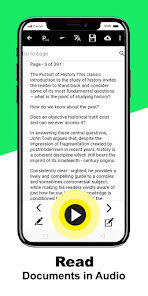
4. Read your documents: includes a PDF reader, an EPUB reader along with support to listen TXT, Daisy, DOCX files in audio. For documents scanned as image PDFs, use the OCR option to perform high accuracy text recognition and audio read-out. You can even share or download the processed document in editable formats.
Audio books, Audio players and Music are a part of our life and we have made sure you are able to maximize the learning experience even with audio files. Try out:
5. Read your audio-books: open any MP3, OGG, OPUS files and while listening to them you can now - add Bookmarks, Highlight audio-snippets as audio-notes, increase/decrease the playback speed, navigate the file based on seconds or minutes or between previous and next files.
If you like to read, our E-book library collection should definitely interest you:
6. Open E-book library: offers access to 1 Million+ books in collaboration with Sugamya Pustakalaya and Bookshare libraries. You can download and listen to your favorite books from the list.
By now, you must have realized how meticulously we have taken care of every reading-learning need. And reading is incomplete without the ability to put our thoughts together and take notes:
7. Note-taker: offers you the ability to type or voice-type your notes and organize them in different folders.
Not only text notes, you can also create audio-notes using:
8. Audio Note-taker: to record important notes during lectures, webinars or meetings and save them in separate folders.
We have more for you!
Kibo's reading experience is totally customizable with our:
9. Settings: Change font size, reading speed, Enable Talkback reading, invert colors, directly process documents online, turn processing sound on/off, change Text-to-speech preferences as well as Translation settings.
Any experience with digital products is incomplete without a strong customer support, so:
10. Help: allows you to receive support across our Email, WhatsApp and Direct call channels; so you can always reach out to us, if you are facing any challenges.
We continue to add more features to ensure content accessibility and improve your Kibo experience. You can always stay connected with us and know more about us via:
11. More info: to know Kibo app version, terms, privacy policy as well option to refer Kibo to your friends. You can also stay connected with us on our social media platforms through the Follow us option.
We hope you love the Kibo experience!
Kibo: Accessibility for all使用ランク
使用ランクは、28日間の現在のインストール数とアクティブユーザー数を計算するSimilarwebのアルゴリズムに基づいています。
業界別 ウェブサイトカテゴリーで
米国--
生産性で
米国--



 Kibo: Accessibility for all VS.
 3月 2, 2026