

How To Draw Dragon のアプリ分析 4月13日

How To Draw Dragon
- Ribar
- Google Play ストア
- 無料
- アート & デザイン
How To Draw Dragon is a simple application that helps you learn to draw various types of dragon easily through an excellent step-by-step guide and detailed tutorial 👍.
You don't need any experience and skills, just follow the steps!
✍🏼 Grab paper and pencil, choose the dragon you like, and let's draw!
This application is suitable for all ages both children and adults.
In this application you only need to follow the stage to stride from the beginner level to the master level.
This application is expected to be able to make the pace and progress of learning to draw much better than before.
❤️ The 28 characters application contains a collection of instructions for drawing :
📌 how to draw chinese dragon
📌 how to draw chinese new year dragon
📌 how to draw death dragon
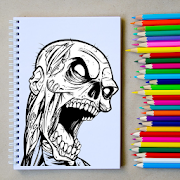
📌 how to draw zombie dragon
📌 how to draw european dragon
📌 how to draw medieval dragons
📌 how to draw anime dragon
📌 how to draw cartoon dragon
📌 how to draw dragon head
📌 how to draw dragon face
📌 how to draw flying dragon
📌 how to draw cute dragon
📌 how to draw wyvern
📌 how to draw skeleton dragon
📌 how to draw dragon hatchling
📌 how to draw sea dragon
📌 how to draw dragon fire breath
📌 how to draw dragon statue
📌 how to draw kawaii dragon
📌 how to draw dragon mythology
📌 how to draw cuélebre
📌 how to draw chuvash
📌 how to draw zmaj
📌 how to draw yilbegan
Animated Characters, Kawaii Characters, Cool Characters, Cute Characters and many more dragon...
Explain exercise with the best draw easy lessons! Good luck!
⚙️ Existing features in the application :
✔️ Adjust Line Thickness = You can adjust the pencil size to your liking.
✔️ Pencil = You can make any line or shape as you wish.
✔️ Eraser = You can erase the image with a pencil (Manual).
✔️ Select Color = You can choose and adjust the color of the pencil.
✔️ Zoom = You can enlarge or reduce the image size as desired.
✔️ Move = You can move the image as desired
✔️ Delete = Erase the image result with pencil (Automatic)
✔️ Save = You can save the picture you want.
✔️ Share = You can share the picture you made to social media.
✔️ Display Both = Displays images and results in pencil.
✔️ Hide Image = Only display results in pencil.
✔️ Don't show both = Don't show pictures and results in pencil.
✔️ Favorites = You can create shortcuts to your favorite images.
✔️ My Work = You can see the results of images that have been created and saved.
✔️ Language = This application is in English.
Note & Disclaimer
All content in this application is collected from Google or other applications.
This application is only for fans and does not mean imitating any brand.
So all the contents of this application are suitable for the right owner, if you feel entitled to the content in this application, please contact us via email or write a comment below, we will immediately follow up.

How To Draw Dragon使用ランク
使用ランクは、28日間の現在のインストール数とアクティブユーザー数を計算するSimilarwebのアルゴリズムに基づいています。
業界別 ウェブサイトカテゴリーで
米国--
アート & デザインで
米国--
ユーザーの興味・関心とトップカテゴリー
How To Draw Dragonユーザーが使用するトップカテゴリーとアプリ





 How To Draw Dragon VS.
 4月 13, 2026