

Screen Recorder - Record Video のアプリ分析 3月19日

Screen Recorder - Record Video
- MaveriSoft
- Google Play ストア
- 無料
- ビデオプレーヤー & エディター
Screen Recorder is an app to record your screen without root, time limit and watermark.
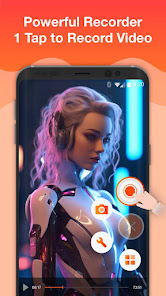
You can own Full HD quality screencasts with Screen Recorder. One tap can start or stop screen recording. Screen Recorder is easy to use. You can use Screen Recorder to record live show, gameplay, video chat, capture videos those cannot be downloaded, record games, and share online video. Screen Recorder offers a lot of features such as video recorder, video screen capture, screen capture, game recorder. Everything we do is for your better screen recording experience.
Screen Recorder is not only stable and powerful, but also its user interface is carefully designed. The modern and clean UIs of Screen Recorder makes it fluent and enjoyable to use. With Screen Recorder, you can record your screen & capture mobile video & play recorded video & share screencasts anytime and anywhere.
Key features:
Record Screen
You may want to record your screen when you are playing games. You may want to record video calls when you are chatting with your friends. Also, you may want to record online videos, live shows. Then our Screen Recorder app offers you:
- Multiple video resolutions, video quality, frame rates. Automatically choose the most suitable video settings for your device.
- Highest Quality supplied > 1440P Resolution, 12.0Mbps Quality, 60 FPS
- One tap to start /pause/resume recording
- Record screen through notification bar or floating window.
- Shake phone to stop recording.
- Record without a watermark.
Screen Capture
Want to save chatting history? Want to capture funny moments of your friends? Want to capture screenshots of bugs of any app? Screen Recorder can help you. Screen Recorder provides:
- Take a screenshot while recording the screen.
- One tap to capture screen through floating window or notification bar.
- Share & edit & delete & select all pictures.
Picture Editor
Do you want to edit picture? With Screen Recorder, you can edit picture with picture editing features.
-Add Filter, border, graffiti, mosaics
-Add sticker/text
-Crop/Cut the picture
Facecam
-Enable the front camera to record videos
- View recorded videos in notification bar or on pop up window.
- Share recorded videos through social apps.
Privacy Policy: https://adsr.screenrecorder.cc/privacy_policy.html
User Agreement: https://adsr.screenrecorder.cc/useragreement.html
If you have any questions, please email us.
Email:screenvideorecordereditor@gmail.com
Screen Recorder - Record Video使用ランク
使用ランクは、28日間の現在のインストール数とアクティブユーザー数を計算するSimilarwebのアルゴリズムに基づいています。
業界別 ウェブサイトカテゴリーで
米国--
ビデオプレーヤー & エディターで
米国--


 Screen Recorder - Record Video VS.
 3月 19, 2026