

You’ve hit your search limit
Start your free trial to keep exploring full traffic and performance insights.
Get StartedArt Serigraphy - Photo Editor аналитика приложений для 21 февраля

Art Serigraphy - Photo Editor
- TAIKI HIRATA
- Apple App Store
- Бесплатный
- Фото & Видео
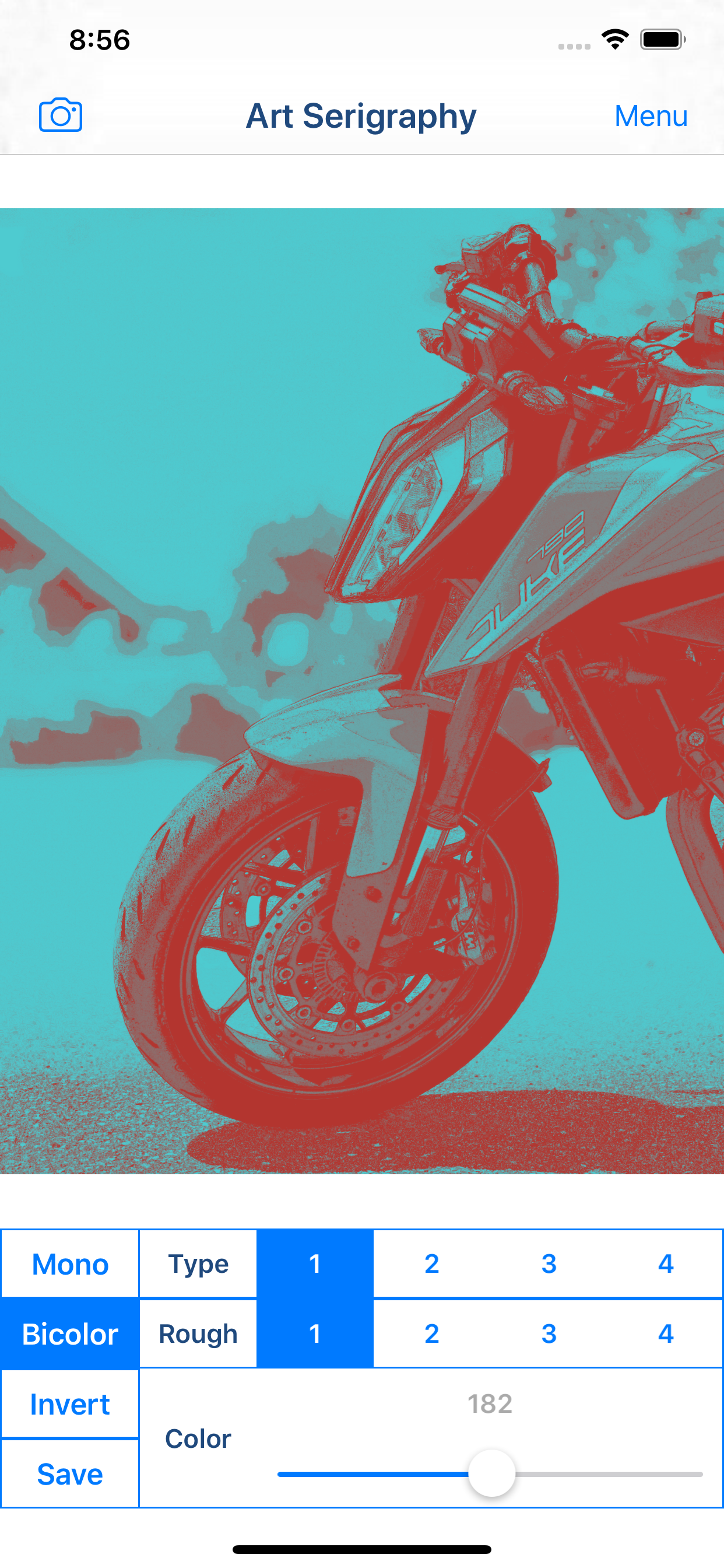
"Art Serigraphy" is photo / video editor app to create Serigraph / Screen Print Art Style Image from photographs and illustrations.
Serigraph / Screen Print is a kind of Art Print. Serigraphy / Screen Printing is technique often used in Modern / Contemporary art, because It is possible to make the Pop ,Modern and Contemporary Image. For example Artwork of Marilyn Monroe by Andy Warhol is famous.
You will be able to create the Serigraph / Screen Print Style Art Image and Art Movie from photo / video stored on your smart phones or tablets by using photo editor app "Art Serigraphy".
In addition, you can create "Art Image" that is combining images of four sheets with different color.
If you purchase Add-on, you will be able to get closer to the style of painting of your choice by adjusting the density and color pattern. You will be able to create image / movie of various kinds for example Poster Art Style, Pop Art Style, Psychedelic Art Style and more.
Let's create a nice Artwork from your Photo, Video, Illustration and Camera.
■Main function of App
1. Create Serigraph / Screen Print Style Art Image / Art Movie by editing photo and save it.
2. Create "Art Image" that is combining images of four sheets with different color.
3.Create Mono Color Serigraphy Image / Movie by editing photo. *Add-on is required in order to save.
4.Create Bicolor Serigraphy Image / Movie by editing photo. *Add-on is required in order to save.
■How to Edit
1. Select image you want to edit from "Camera" Button. When you select Image or Video, Image or Movie processed will display.
2. You can edit the image / video quality by changing parameters.
*If you want to save Image that parameters is not "1", you need to purchase Add-on.
3. You can create Mono Color / Bicolor Image / Movie by "Mono Color / Bicolor" Button.
*If you want to save Mono Color / Bicolor Image, you need to purchase Add-on.
4. You can create Inverted Image / Movie by "Invert" Button.
*If you want to save Inverted Image, you need to purchase Add-on.
5. When you touch "Save" Button, current image / movie will be saved in "Photos(Camera Roll)".
Рейтинг магазина
Ранг магазина определяется на основе нескольких параметров, установленных Google и Apple.
Все категории в
Соединенные Штаты--
Фото & Видео в
Соединенные Штаты--
Лучшие конкуренты & Альтернативные приложения
Приложения с высокой вероятностью будут использоваться одними и теми же пользователями, из одного и того же магазина.

Pop Art Camera Photo Editor

Pop Art filters and effects

Pop Art Camera
PopArt Photo Editor
 Art Serigraphy - Photo Editor VS.
 февраль 21, 2026