

You’ve hit your search limit
Start your free trial to keep exploring full traffic and performance insights.
Get Started21 Şubatiçin Smart Bookmark uygulama analizi

Smart Bookmark
- lonesomebit
- Google Play Store
- BOŞTA
- Üretkenlik
It is an application that can manage its own bookmarks separately from browsers such as Chrome and Firefox.
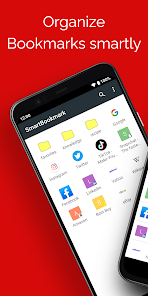
If you cannot find your favorite web page! Organize bookmarks (favorites) to your liking with unlimited hierarchy of folders and sorting without any limitations.
It is also recommended for those who use multiple browsers.
Since the application has its own bookmark management, it can be used from various browsers such as Chrome, Firefox, Opera, and Dolphin.
It is easy to add bookmarks. Just select "Add to Bookmark" from the browser's "Share" menu. You can also register it manually from the app's menu.
If you use the backup & restore function, you can take over bookmarks even if you switch smartphones. Do use this easy-to-use application.
Main functions
- Create bookmarks with one touch from the browser "Share" menu (compatible with various browsers such as Chrome and other standard Android browsers)
- Folder division correspondence (you can create folder in folder with unlimited hierarchy)
- Sort items by drag and drop
- You can select the browser to display (Please select "Open in browser" menu)
- Search bookmarks
- Bookmark backup and restore function
- Automatic acquisition of Favicon
How to backup & restore
Backup
The backup method is as follows.
1. Launch SmartBookmark
2. Select “Settings” from the menu at the top right of the screen
3. Select "Backup" from the setting menu
4. The save destination selection dialog is displayed
5. Select the directory where you want to save a backup file and select "OK"
6. The backup process is completed and a backup file is created
A backup file is saved as "bookmark.json".
Restore
First, copy bookmark.json to the Android device you want to restore.
Any method is OK. You can also use a microSD card or online services such as Dropbox and Google Drive.
After copying, operate as follows.
1. Launch SmartBookmark
2. Select “Settings” from the menu at the top right of the screen
3. Select "Restore from backup" from the settings menu
4. Read the notes in the dialog and select "OK" if there is no problem
5. A dialog to select a file is displayed
6. Select the "bookmark.json" you copied and select "OK"
7. The restoration process is completed
Restoration is an overwrite process. Existing bookmarks will be lost. Please be careful.
Concern
Android version of Chrome can not read and write bookmarks (I was able to do old Android, but now I can not)
Therefore, there is no plan to implement import / export to Chrome. Please be aware.
Smart Bookmark kullanım sırası
Kullanım sıralaması, Similarweb'in 28 günlük bir süre boyunca mevcut yüklemeleri ve aktif kullanıcıları hesaplayan algoritmasına dayanmaktadır.
Tüm kategoriler içinde
Amerika Birleşik Devletleri--
Üretkenlik içinde
Amerika Birleşik Devletleri--
En İyi Rakipler & Alternatif Uygulamalar
Aynı mağazadan, aynı kullanıcılar tarafından kullanılma olasılığı yüksek olan uygulamalar.

Zenkit

Dreamlife-Sim

Bolt (Dev)

fileee - No more paperwork
 Smart Bookmark VS.
 Şubat 21, 2026