

To Do List with Reminder vs Sectograph. Day & Time planner Kullanım & İstatistikleri
You can use the app to manage your routines, plan your schedule and organize your daily tasks in clear and easy way.
The app helps in increasing your productivity, and keeping track of your done and undone activities.
You can easily add single or repeated alarm for your to do tasks, with snooze and custom ringtone, so you won't miss any of them.
The app classify your tasks upon its time, and it highlighted each time period's tasks with a different color (overdue, today, tomorrow, latter, no time ), and you can filter your tasks upon their time period.
Also, the finished tasks are highlighted using specific color and text style.
Beside that, you can also categorize your tasks into lists with a color that identifies each list, and you can disable any list to archive it.
You can synchronize your tasks online to Google Tasks.
Add note, memo, or reminder
• Add task as note with no date and no time
• put date only and no time
• put date and time
• set alarm to On or Off.
Adjust the alarm settings from app settings
• set the (alarm even in silent mode) option.
• enable the vibration.
• adjust the alarm sound level and duration.
Customize the alarm for each task
• enable the Full-Screen alarm.
• set the alarm snooze's intervals and count.
• select a custom ringtone for each single task.
Set alarm repeat
• select weekdays
• set periodic repeat every specific interval of years, months, weeks, days, hours or even minutes
Group your activities in lists
• create lists to classify your different tasks
• recognize your lists using different colors
• clone, edit, drop, or share list
• disable the list to archive it.
Quickly, manage your tasks
• add task by voice.
• enable the quick task bar.
• add many tasks; save each line as single task.
• long click to select many tasks and:
move them all to a new or existing list
share, finish, drop them all at once
• you can drop all tasks in the selected list and selected time period by single click
Effectively, navigate your tasks
• filter your tasks upon list, period, or status .
• surf all your tasks in single list mode
Track your activities
• enable the status bar to progress the count of your today's and overdue tasks.
Search and sort app content
• search for task or list
• sort lists and tasks by time and alphabetical, created time, modifying time, or color
• drag and drop to put lists in custom order
Adjust the app's theme and look
• select blue, white or dark theme (night mode)
• set the count of the task's displayed lines.
• adjust the task's text size.
• set the default app's language to English or the default phone's language
Adjust the view option
• surf your lists and tasks in list or grid.
• navigate lists as vertical small tabs, or list.
Add the app widget to the phone's home-screen
• adjust the widget to display specific or all lists, overdue, today, tomorrow, latter or all periods tasks.
• enable grouping the tasks under the period's title.
• customize the widget's color, transparency, corners radius, and text size.
- Google Play Store
- BOŞTA
- Üretkenlik
Kullanım Sıralaması
- -
🎯 Sectograph is a new, intuitive way to view your calendar and daily schedule.
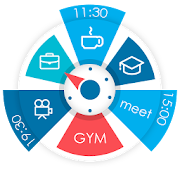
It shows your day as a circular planner — a 12-hour clock face — with events and free time between them.
A visual time planner for time blocking, time management, and a clearer sense of time.
⚙️ HOW IT WORKS
Sectograph is lightweight, privacy-friendly, and works with your existing calendars on the device.
It overlays your day planner (routine, local calendar, Google Calendar) onto a clock-face timeline and automatically calculates:
• upcoming events
• time blocks and durations
• gaps between events and your real free time
Everything updates as time passes, keeping your schedule always current.
Not a to-do list — it’s a calendar-based schedule planner that visualizes what’s already on your calendar.
👀 HOW IT LOOKS
Like an analog clock your brain already understands — but with your day mapped onto it as sectors.
• Events appear exactly in the hours they happen (a radial / circular calendar view)
• Each sector width matches the event duration (a true pie-chart schedule)
• See gaps and the time from “now” to the next event at a glance
A clock planner / visual planner that helps you read your day instantly.
🎯 USE CASES & IDEAS
Use Sectograph as a day planner, daily planner, time planner, or routine planner for time management and daily schedule planning.
Great for time blocking (deep work, meetings, breaks), work/shift schedules, class schedules, travel itineraries, and Pomodoro planning (place focus sessions as time blocks).
If you like Chronodex, you’ll feel right at home.
🔄 SYNC & CALENDARS
Reads events from Google Calendar and your local device calendar; Microsoft Outlook calendar: beta.
📱 HOME SCREEN CALENDAR WIDGET
Keep your schedule always visible with a calendar widget / home screen widget.
• Automatic updates (including a clock refresh once a minute)
• Tap a sector to open details and quick actions
• Flexible visual settings + free widget themes: Dark / White / Gray
• Optional: light/dark app theme, 24-hour mode & extra zoom (1–12h), month/day grid views
⌚ WEAR OS (SMARTWATCH SUPPORT)
A true Wear OS calendar / smartwatch calendar at a glance:
• Watch app with an interactive widget
• Tile for quick access to the circular planner
• Watch face for continuous schedule awareness (installed separately)
• Large complication to enhance some third-party watch faces
🧠 HELPFUL FOR ADHD & “TIME BLINDNESS”
Designed to make time easier to grasp — especially if you struggle with time blindness, which is common for people with ADHD.
(Sectograph is not a medical app.)
✅ Install Sectograph and get a calm, visual overview of your day.
- Google Play Store
- BOŞTA
- Üretkenlik
Kullanım Sıralaması
#8,176
To Do List with Reminder ile Sectograph. Day & Time planner için sıralama karşılaştırması
Son 28 gündeki To Do List with Reminder sıralama trendini Sectograph. Day & Time plannerile karşılaştırın
Rank
To Do List with Reminder vs. Sectograph. Day & Time planner ülke karşılaştırmasına göre sıralama
Son 28 gündeki To Do List with Reminder sıralama trendini Sectograph. Day & Time plannerile karşılaştırın
Tüm kategoriler
Üretkenlik
Ücretsiz deneme sürümümüzü kullanarak istediğiniz siteyle karşılaştırın
 To Do List with Reminder VS. Sectograph. Day & Time planner
Şubat 26, 2026