


4月30日 的 Unicorn Blocker:Adblock 應用程式分析

Unicorn Blocker:Adblock
- OH NAM KWON
- Apple App Store
- 付費
- 公共設施
Did you know that data wastage due to ads can increase by up to 4 times?
Unicorn blocks ads to reduce unnecessary data usage by up to 4 times and improves your web browsing speed by more than 3 times.
Experience an extended battery life of up to 21% with a lighter web environment.
Caution:
• After the initial installation, please ensure that you enable both of Unicorn’s extensions by going to iPhone → Settings → Apps → Safari → Extensions and switching both to “On,” then set them to “Allow” on all websites.
User Reviews:
• “I rarely leave reviews, but I absolutely have to buy this.” - yangxx
• “Ever since I experienced an ad-free world, I only use Safari.” - no1xxx
• “The database is extensive and the feedback is extremely fast.” - xxpi
• “I’ve been using it for 3 months and I’m very satisfied.” - berxxxx
Key Features:
• Ad blocking effect (for the Safari browser)
• Up to 4 times data saving
• Up to 3 times speed improvement
• Up to 21% increase in battery life (Source: The New York Times)
Recommended Users:
• Ad misclick prevention: In case you accidentally click on ads.
• Blocking unnecessary ads: If you are disturbed by provocative adult ads or an overload of ads.
• Child protection: If you don’t want your children to see stimulating ads.
• Elderly protection: If you are concerned that older parents might fall for scam (bait) ads.
• Data and battery saving: If you are worried about limited data, slow speeds, overheating, or battery drain.
• Visual impairment support: For users who access the internet via voice guidance (for the visually impaired or low-vision users).
Types of Ads That Can Be Blocked:
• Website ads: Ads on domestic and international mobile and desktop sites.
• Tracking ads: Ads that track your search information.
• Embedded ads: Ads cleverly inserted in the middle of articles.
• Popup ads: Ads that appear in a popup format.
• Forced redirect ads: Ads that forcibly redirect you from a site.
• Unnecessary SNS elements: Social media comments and share buttons.
• Cryptocurrency mining scripts: Blocks illegal mining scripts.
• Anti-adblock circumvention ads: Ads that bypass ad blockers.
• Video ads: 5–15 second video ads
(Ads on some sites that are beyond Safari’s content blocking capabilities may be difficult to block)
• Screen cleanup: Removes any blank spaces left after ad removal.
• Cleaner function: Allows users to directly select and remove content areas on sites where blocking is insufficient.
※ If ads are not completely blocked, please report them using the “Report Ad” feature within the app and we will respond accordingly.
Cleaner Function:
• Allows deletion of user-specified areas.
• Run the cleaner within the app or select Cleaner via Safari’s share button.
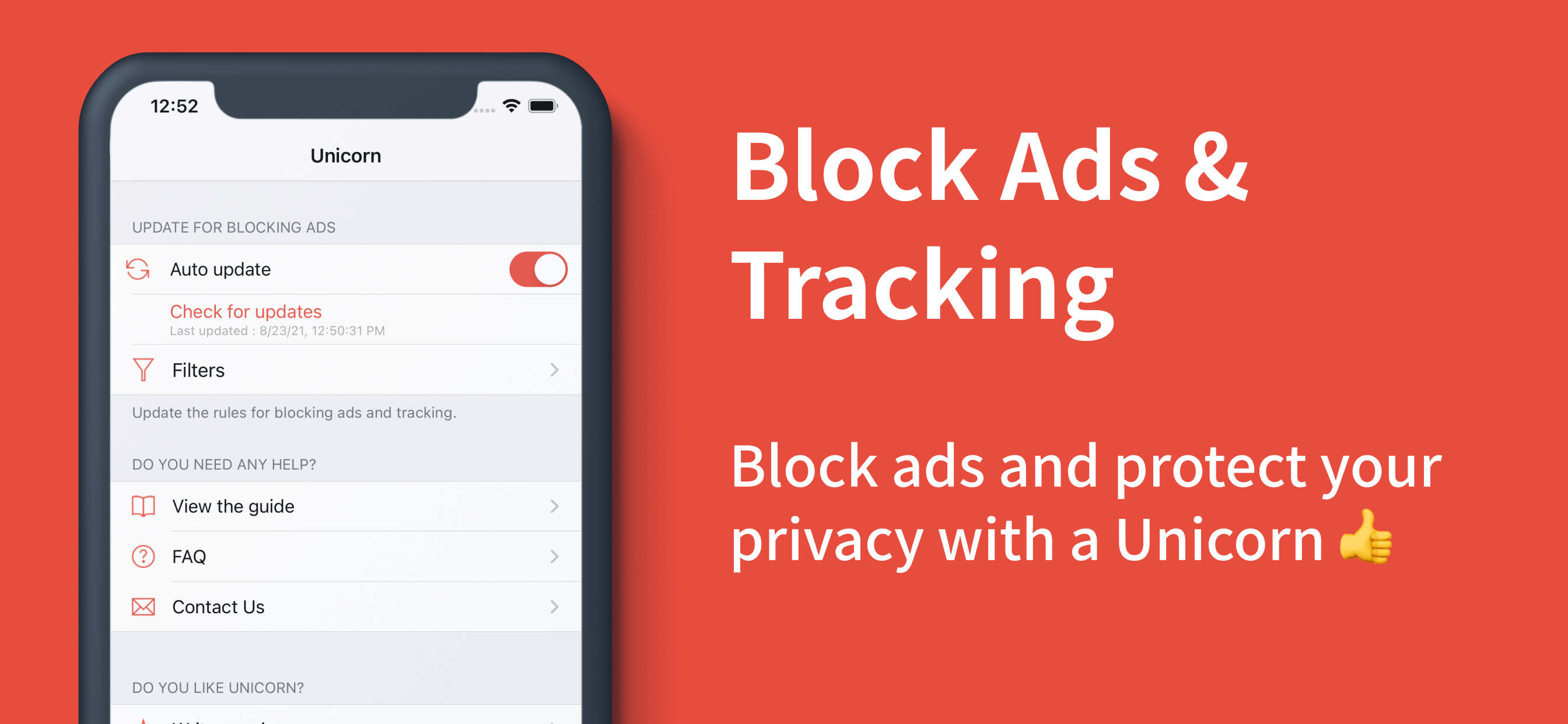
How to Update the Blocking Database:
• Press the update button after launching the app.
• Enable automatic updates within the app (background refresh required).
Frequently Asked Questions (FAQ):
• What if ads still remain?
Some video sites, Twitter, Facebook, or sites with anti-adblock measures may not have ads blocked.
→ In this case, using Unicorn Pro will resolve most issues.
• Does it block ads in apps or game apps?
This app is for the Safari browser only and does not block ads within other apps.
• What if ad blocking isn’t working well?
If ads are not blocked at all, please refer to the in-app guide to check if the settings are correct.
If problems persist, please uninstall and reinstall the app.
• What should I do if I see an ad?
In case of sudden ad appearance, please check if you can update to the latest blocking rules.
• Can ad blocking sometimes fail?
Since many sites frequently add or change ads, complete blocking may be difficult.
Notice:
※ In cases beyond the technical scope of the extension, some ads (such as on video sites, Twitter, Facebook, or sites with anti-adblock measures) may not disappear. In such cases, using Unicorn Pro will resolve most issues.
Customer Support:
• Email: support@unicorn-soft.com
商店排名
商店排名基於Google和Apple設定的多個參數。
所有類別 在
美國--
公共設施 在
美國--




 Unicorn Blocker:Adblock VS.
 4月 30, 2026