


5月2日 的 VentSim 應用程式分析

VentSim
- Roger Stedman
- Apple App Store
- 付費
- 醫療
VentSim is a fully functioning, high fidelity, physiologically faithful mechanical ventilator simulator. It was developed by Dr. Roger Stedman for iOS using the Swift programming language. Its purpose is an educational tool for critical care doctors, nurses, therapists, and anaesthetists – essentially anyone that has an interest in the provision of safe, effective care of the mechanically ventilated patient.
VentSim uses a mathematical model of the human respiratory system (volumes, resistance and compliance) which are well established models published in the literature [link]. These have been codified with an interface developed which allows you to manipulate parameters to simulate different patient scenarios (everything from a neonate through to an adult with severe COPD and emphysema).
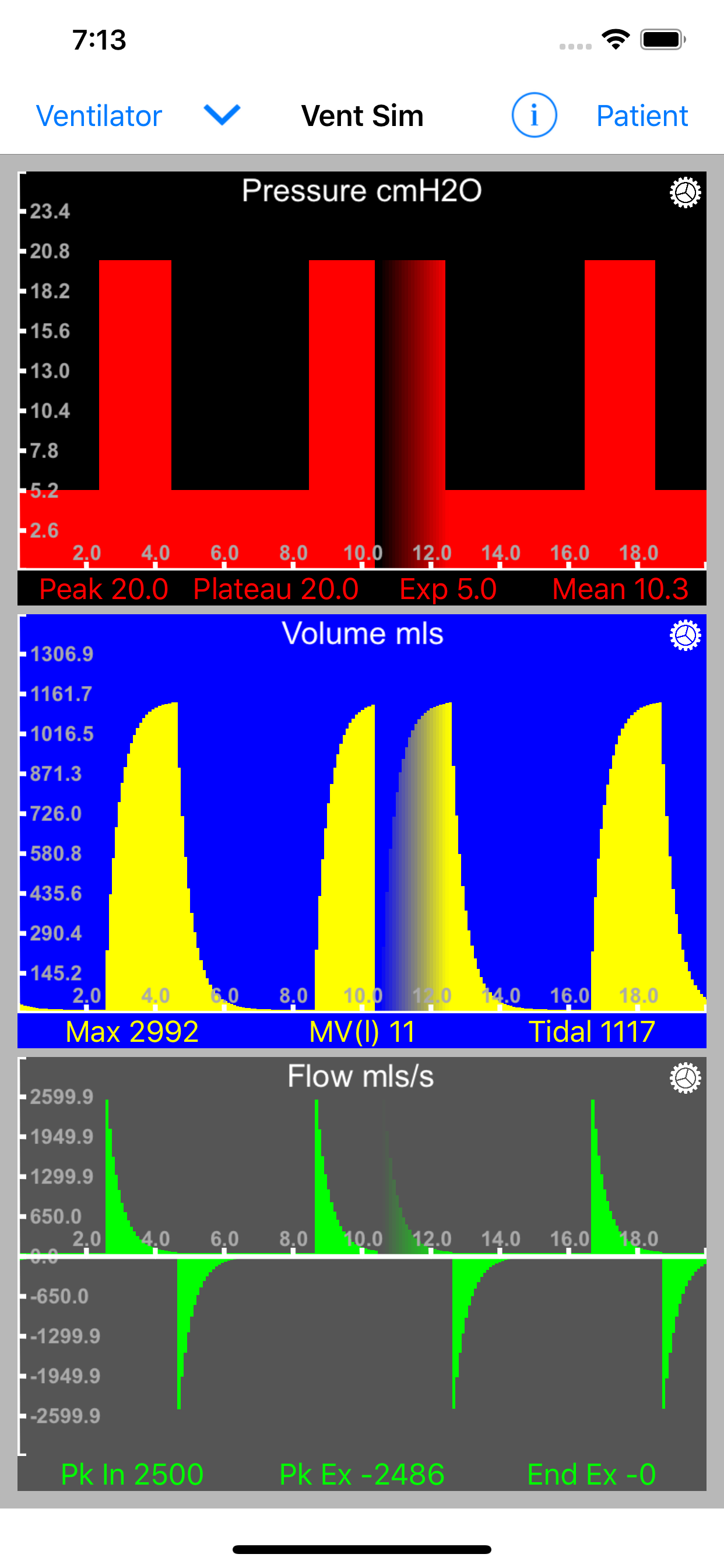
VentSim allows you to apply ventilator settings to your respiratory system model and then generates pressure, volume and flow signals that are displayed on your iOS device.
Using VentSim
On launch VentSim takes you straight into the simulator view – this is your central navigation point for the app.
Set up your simulated patient
Tap the ‘Patient’ button on the right side of the navigator bar. This brings up the ‘Patient Settings’ view:
The controls will slide in from the right, allowing you to still see some of the simulator view as you make adjustments.
Select your type of patient - and then adjust weight and relative lung volume size. You will see calculated lung volumes.
Select linear or dynamic compliance
If linear is selected adjust the ‘Compliance Slider’ (mls/cmH2O).
Alternatively - explore the dynamic compliance model and try different compliance models.
Adjust the Time constant, this will adjust airway resistance according to the size and compliance of your patient.
Return to the simulator view by tapping the right arrow in the navigator bar.
Adjust your ventilator settings
Select the ‘Ventilator’ button to the left of the navigator bar. This brings up the ‘Ventilator Settings’ view:
Select your ventilator rate (bpm) and I:E ratio using the sliders. You have a choice of three ventilator modes; Pressure Control, Volume Control and Flow Control. You are able to adjust appropriate input values for each of these (Inspiratory pressure, tidal volume or inspiratory flow) as well as apply PEEP and in volume control mode add an end inspiratory pause.
Return to the simulator view to view the impact your settings have had on your patients respiratory parameters.
Optimise the simulator view
If you are finding that due to screen size information is hidden (as is the case with the iPhone SE) try turning your device on its side into landscape mode.
The simulator view in landscape mode on an iPhone SE
Each simulator graph view has a gear icon in the top right hand corner, tap this to bring up the view settings panel. This allows you to change the background color, plot color, speed of animation, animation type (default is the wrap fade mode) and plot style (line or solid).
Graph Plot View settings popover
You will notice that as you change your settings the graph plots will automatically re-scale to an optimum screen fit. The axis labels will adjust accordingly. The panel data is updated at the end of each respiratory cycle.
Other Features
The ‘i’ (information) button on the navigator bar opens a mini-browser which navigates automatically to this page.
The down pointing chevron button on the navigator opens a menu with which to access other features of the simulator which allows you to switch on and off each individual view and also add in the spirometer loop view and also the compliance view.
Have fun!
Please feedback to:
ventsim@rogerstedman.com
ventsim@rogerstedman.com
商店排名
商店排名基於Google和Apple設定的多個參數。
所有類別 在
美國--
醫療 在
美國--


 VentSim VS.
 5月 2, 2026